[5.0] How to Delete Your HailTrace Account
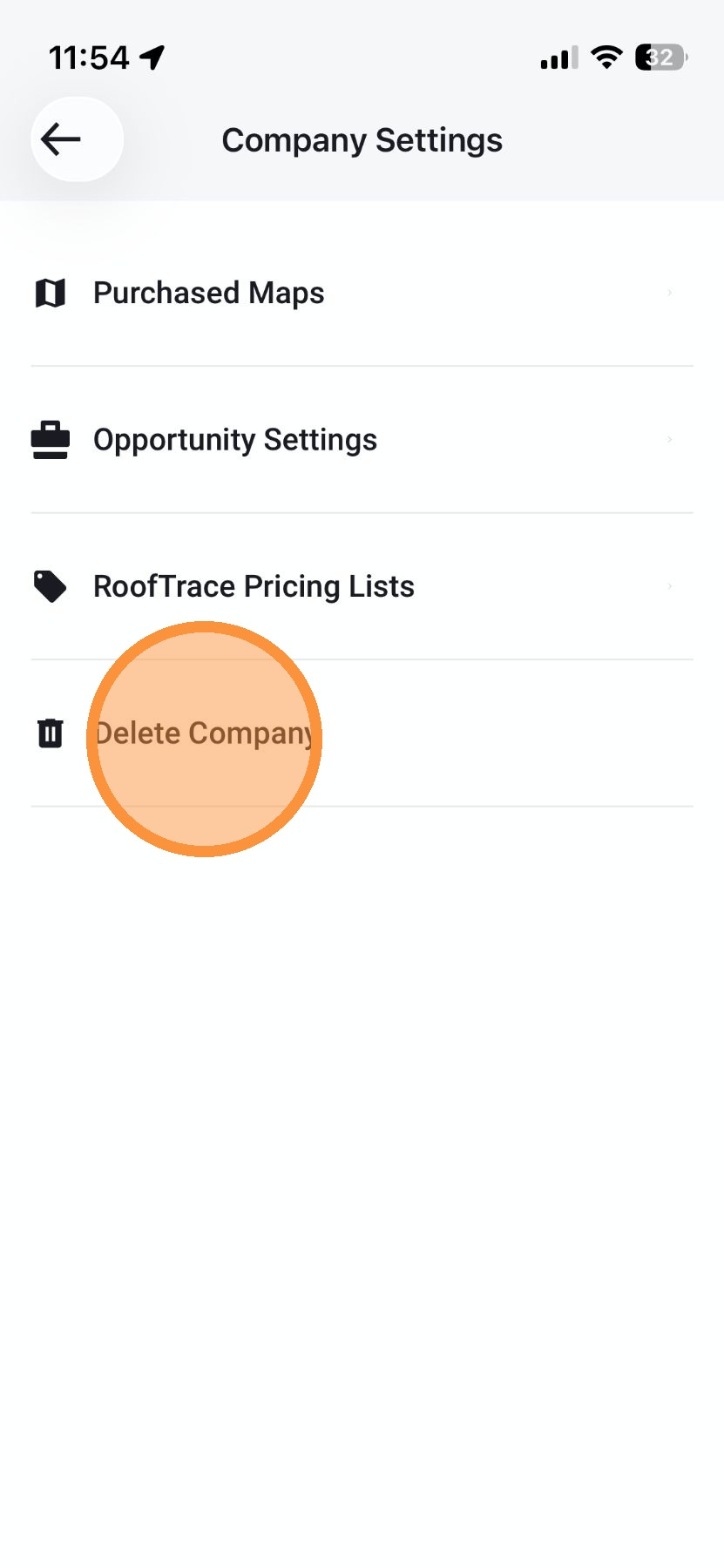
If needed, you can delete your HailTrace account in the mobile app.
Note that deleting your account is permanent.
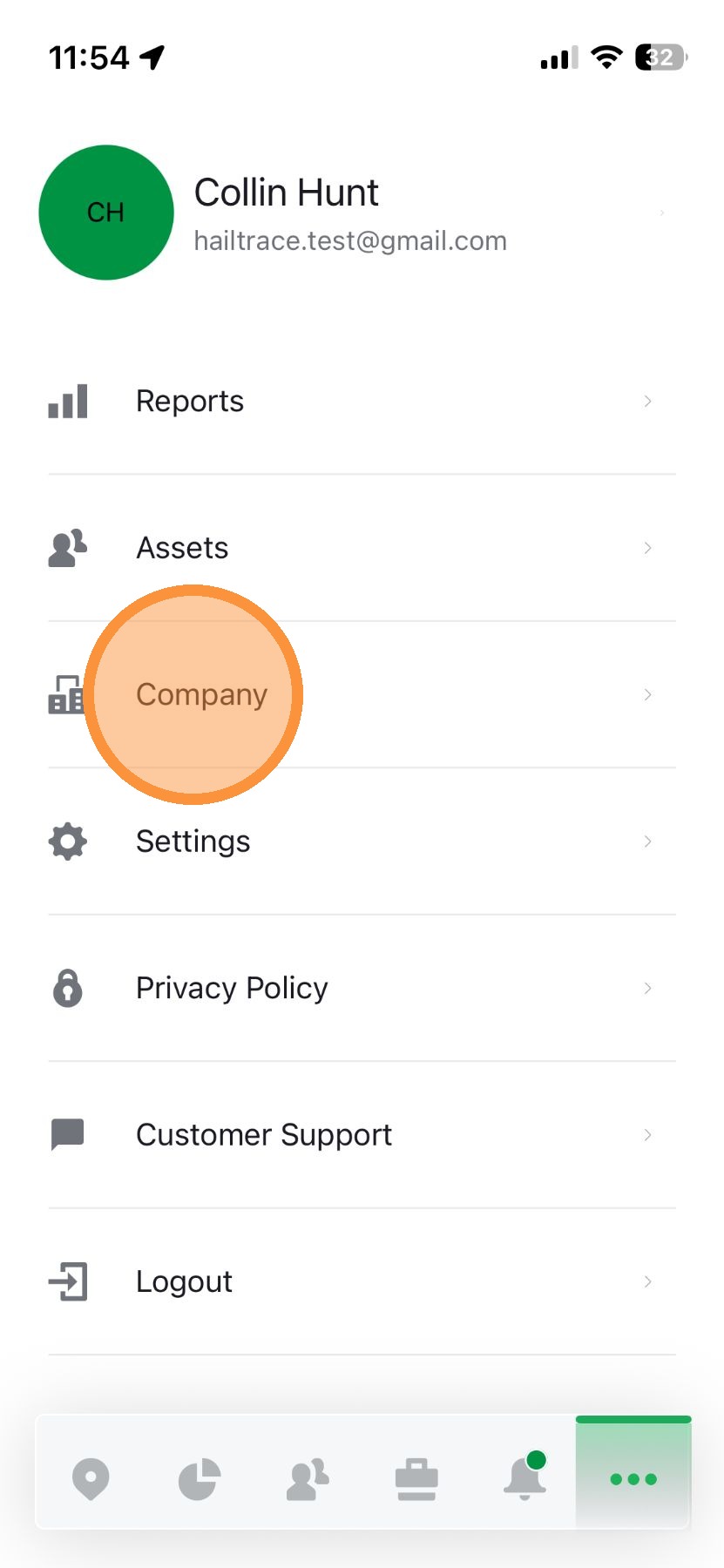
1. On the Mobile app, tap "More" page


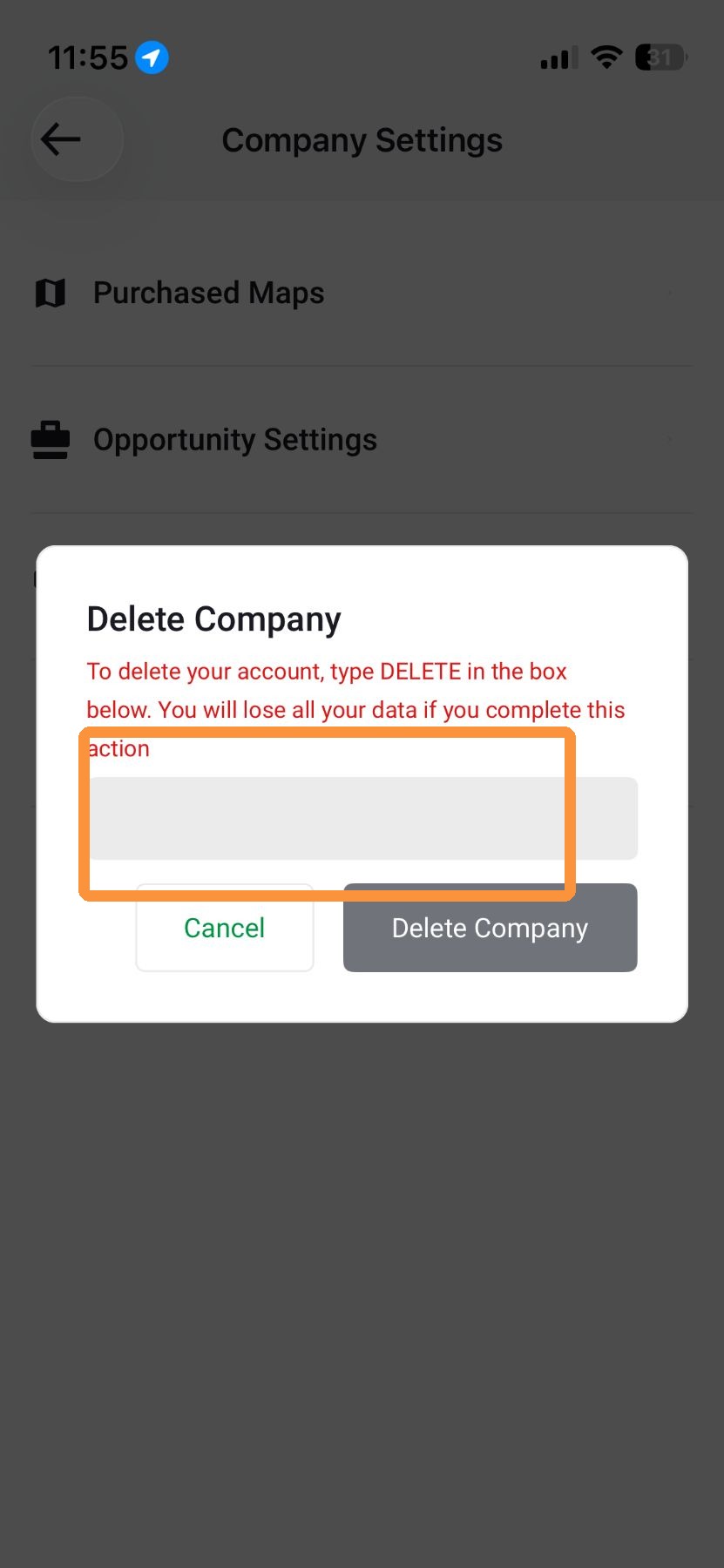
4. Enter "DELETE" in the text box

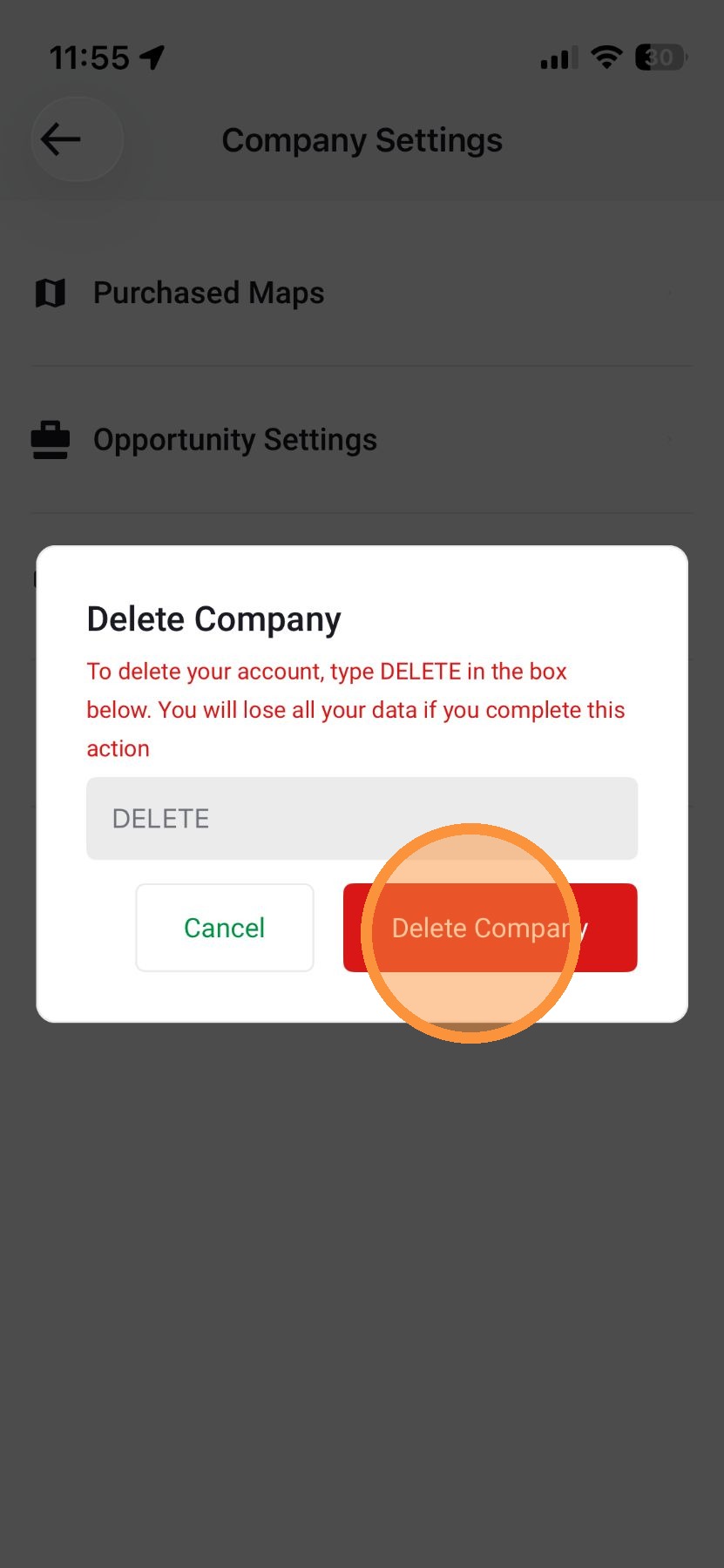
5. Tap "Delete Company" *note this will permanently delete your HailTrace account
Related Articles
[5.0] How to Delete Assets
The following steps will allow you to delete some or all of your assets in the HailTrace app. You will need one of the following roles to delete assets: Account Owner Asset Admin DealTrace Admin Mobile App Way #1: Assets Page 1. Tap Assets page 2. ...
[5.0] How to Delete Contacts
The following steps will allow you to delete some or all of your contacts in the HailTrace app. You will need one of the following roles to delete contacts: Account Owner Asset Admin DealTrace Admin Mobile App 1. Tap More page 2. Tap "Contacts" page ...
[5.0] Delete a Campaign
Campaigns help you eliminate confusion by organizing your team’s efforts around specific neighborhoods. Only Account owners and DealTrace Admin role and delete campaign Mobile App 1. Tap Navigation panel 2. Tap "Campaigns" panel 3. Select a campaign ...
[5.0] Edit or Delete One-Way HailTrace Integrations
Edit an Integration Along the left-hand bar, select Personal Settings, indicated by the "gear" icon Select API Keys Click Edit to the right of the API Key "title" Edit API Key Click Save Delete an Integration Along the left-hand bar, select Personal ...
[5.0] How to Add sub-users to Your HailTrace Account
Adding sub-users in HailTrace enables precise permission management for employees or subcontractors, ensuring efficient workflow and security. Down the road, you can easily update or remove sub-users without losing leads or compromising your account. ...