[5.0] How to Edit an Asset's Opportunity

[5.0] How to Edit an Asset's Opportunity

Opportunities help you track a deal as it moves through your sales process in HailTrace.

When you create an Asset in the HailTrace app, an Opportunity is created at the same time. As the job changes, you can update the Opportunity to keep the deal accurate and moving forward.

This may include updating the statusnotespriceassigned user, or priority level.

Use the steps below to edit an Opportunity and keep your pipeline up to date.

InfoNote: Opportunities are part of the DealTrace product. You must have a DealTrace UserDealTrace Manager, or DealTrace Admin role to edit and assign Opportunities.


Mobile App

1. Select an asset on the map page or on the "Asset" page
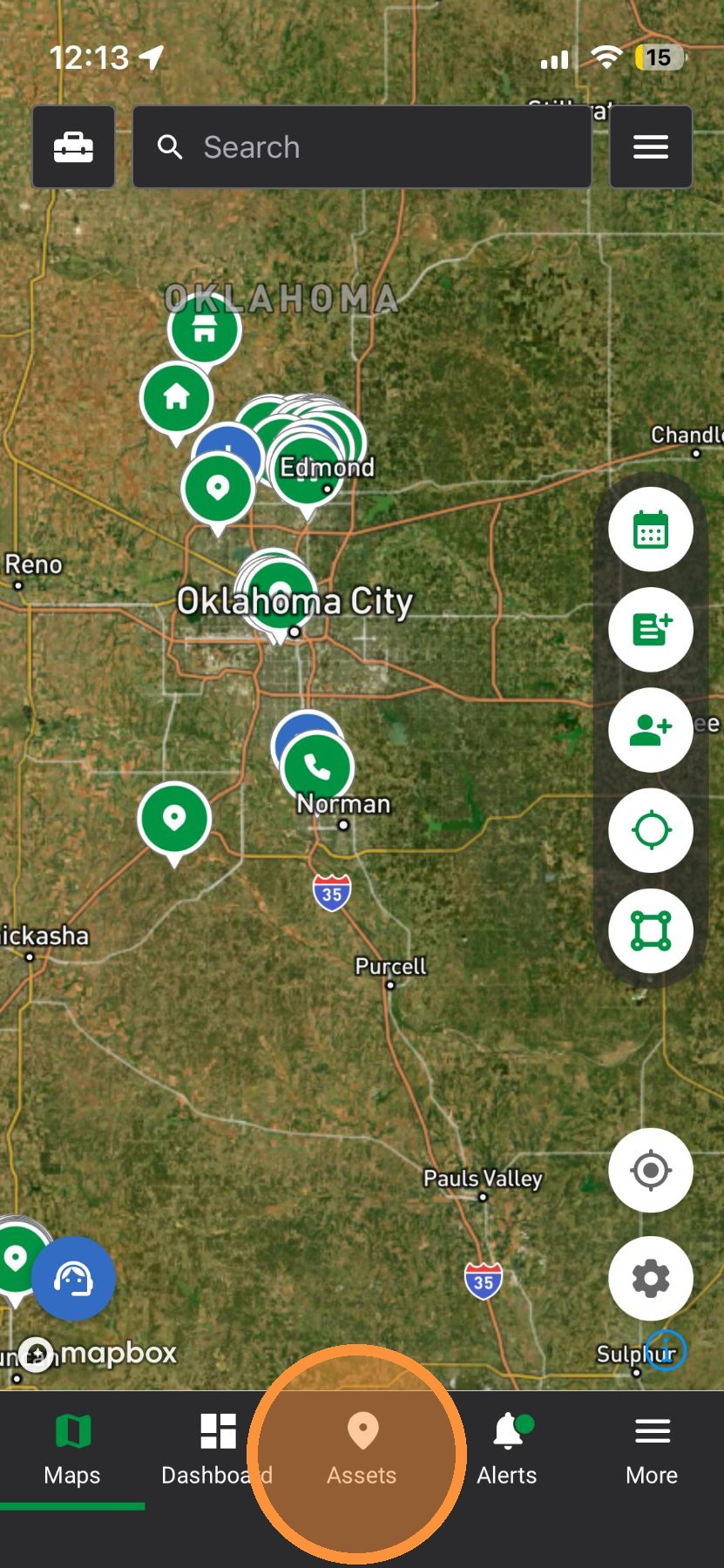

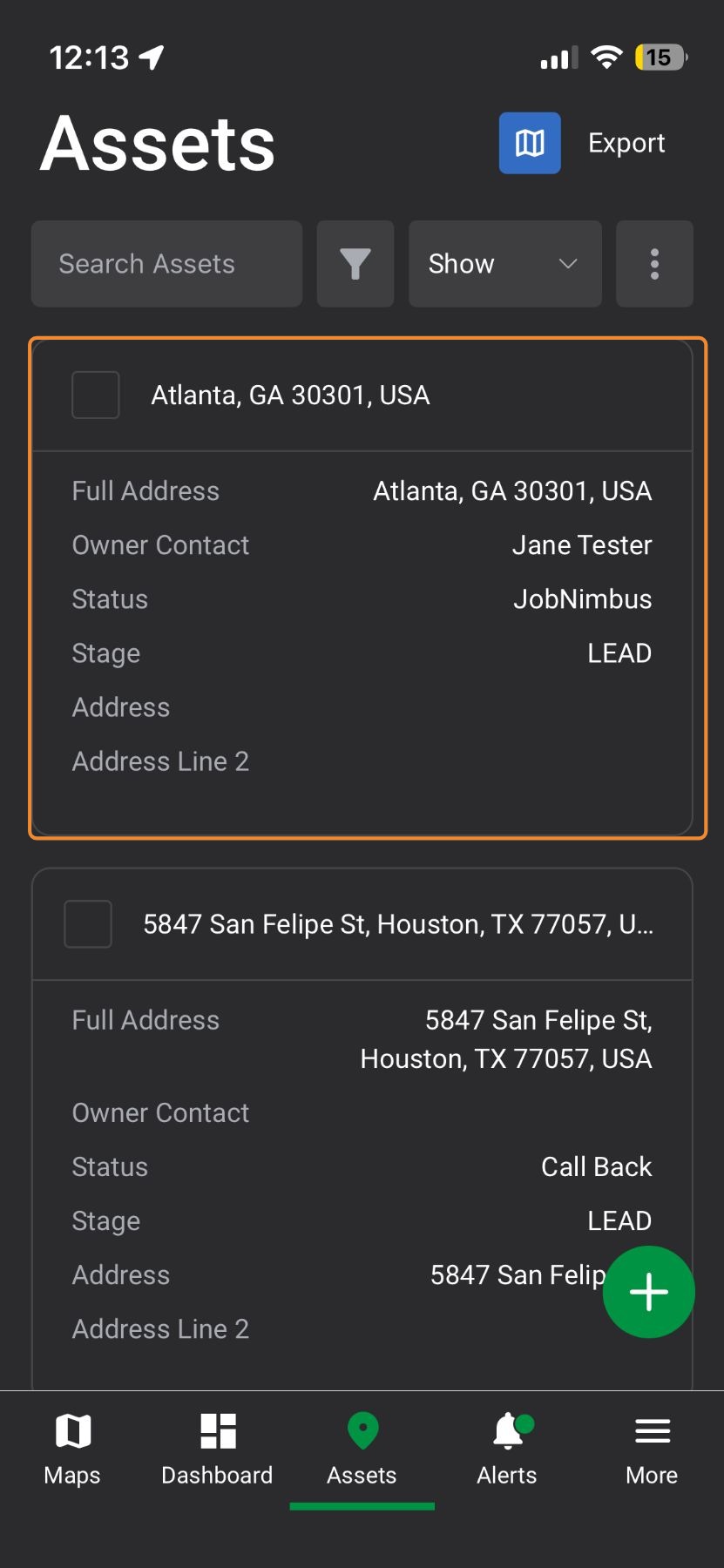
2. Select an asset

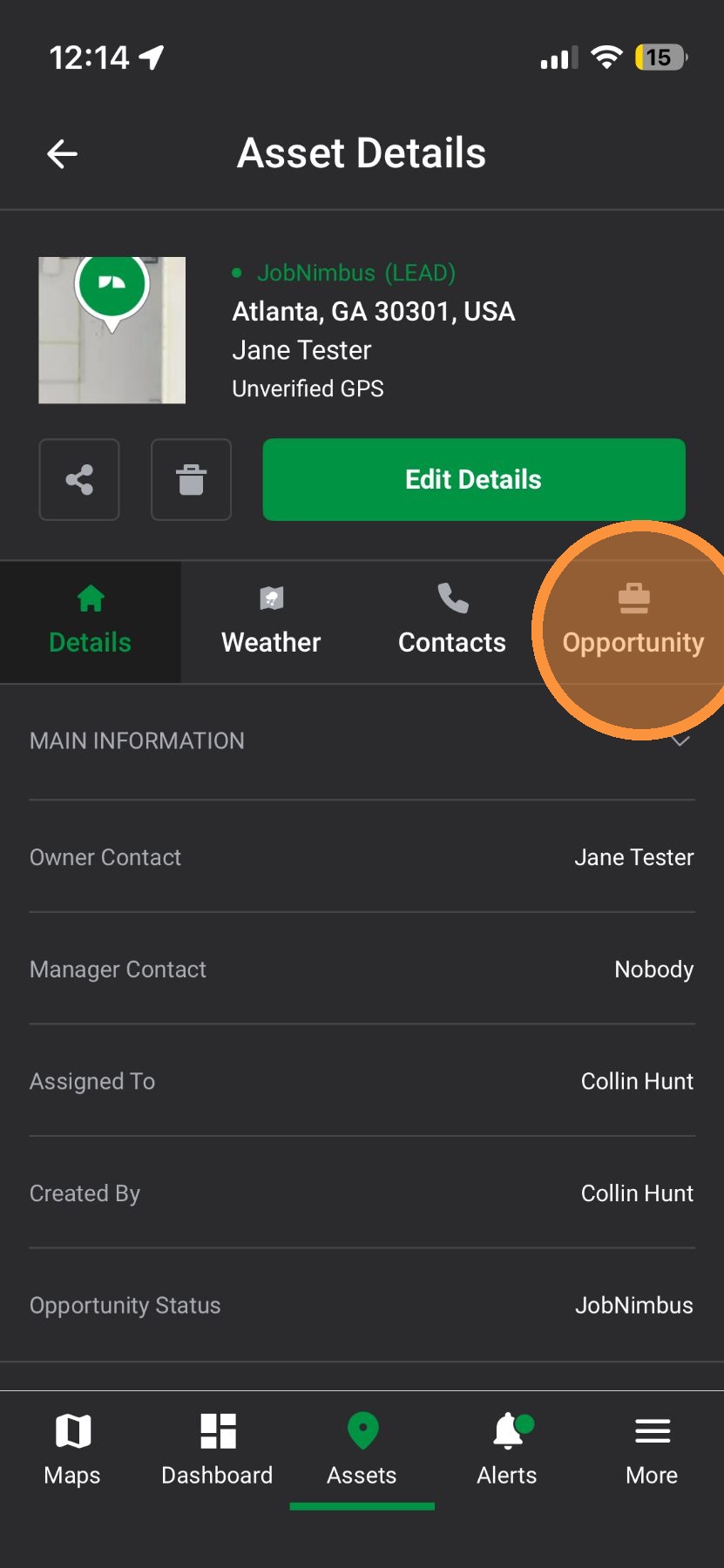
3. Tap "Opportunity" tab

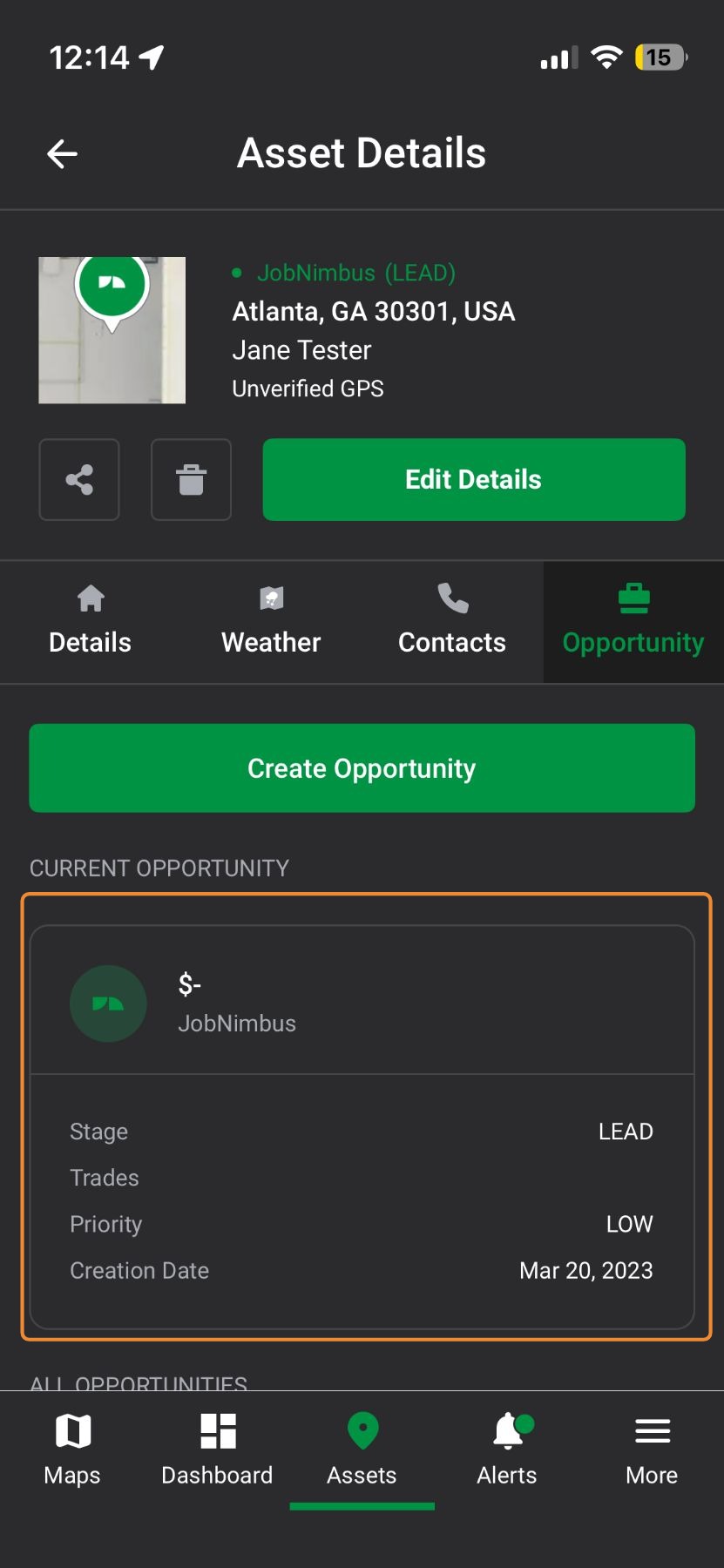
4. Select the Opportunity

5. Tap "Edit Details"
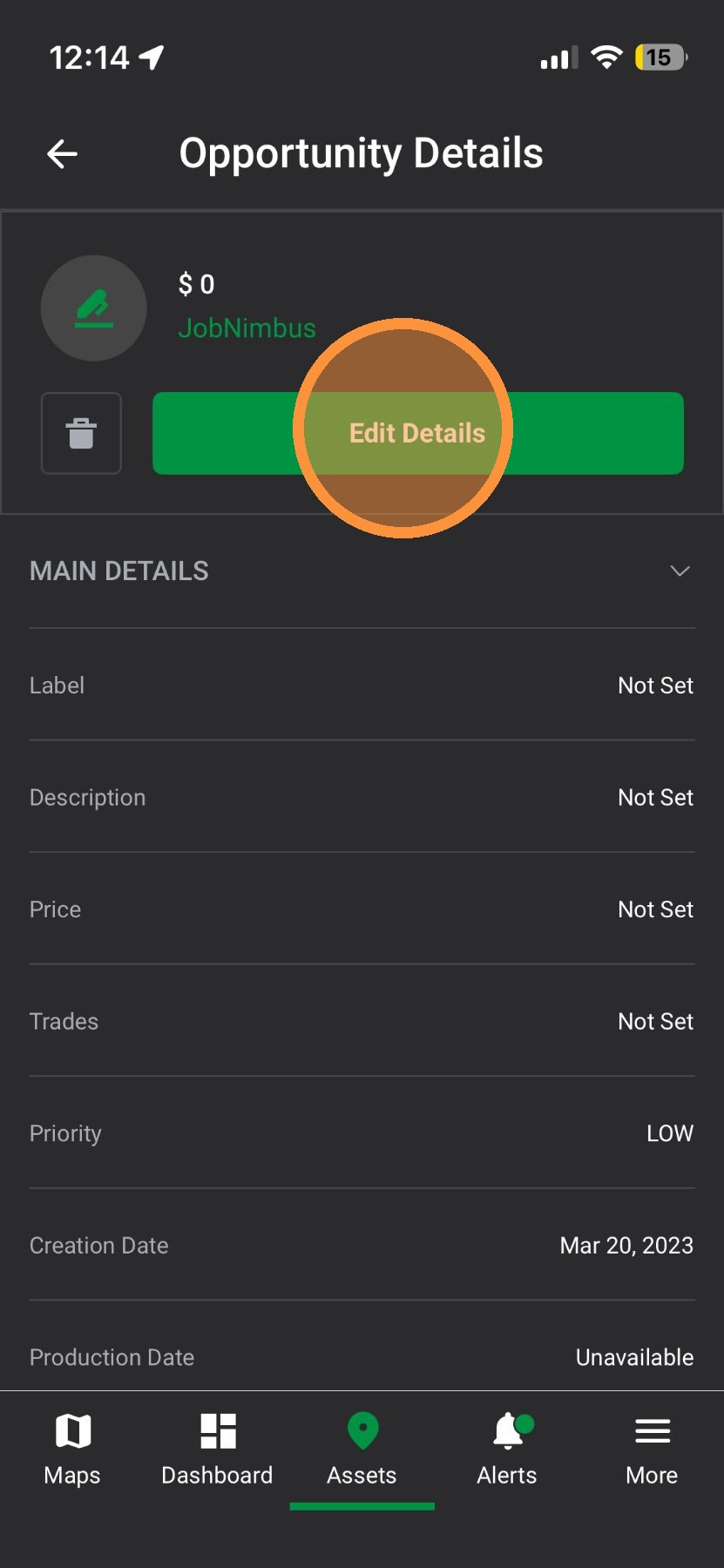

6. Edit any Opportunity fields
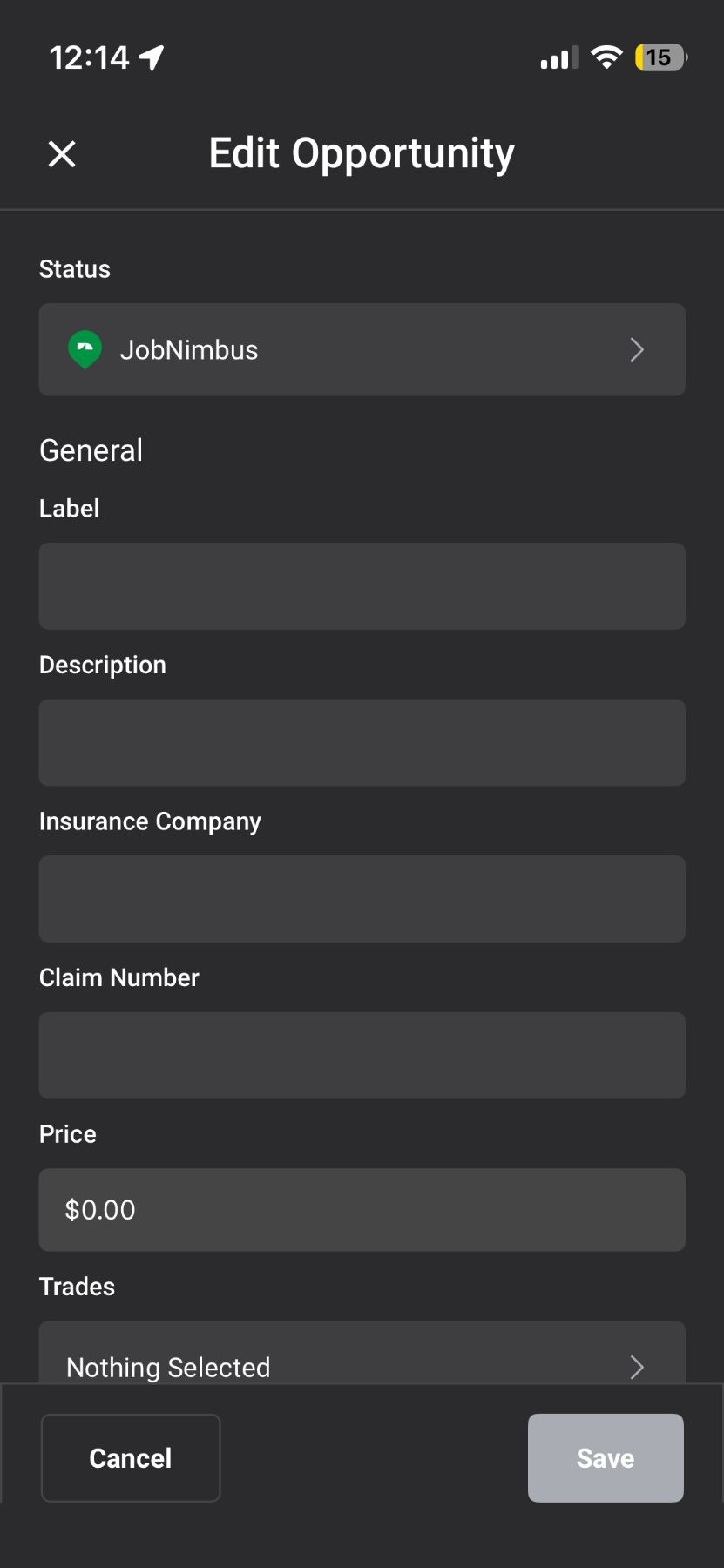

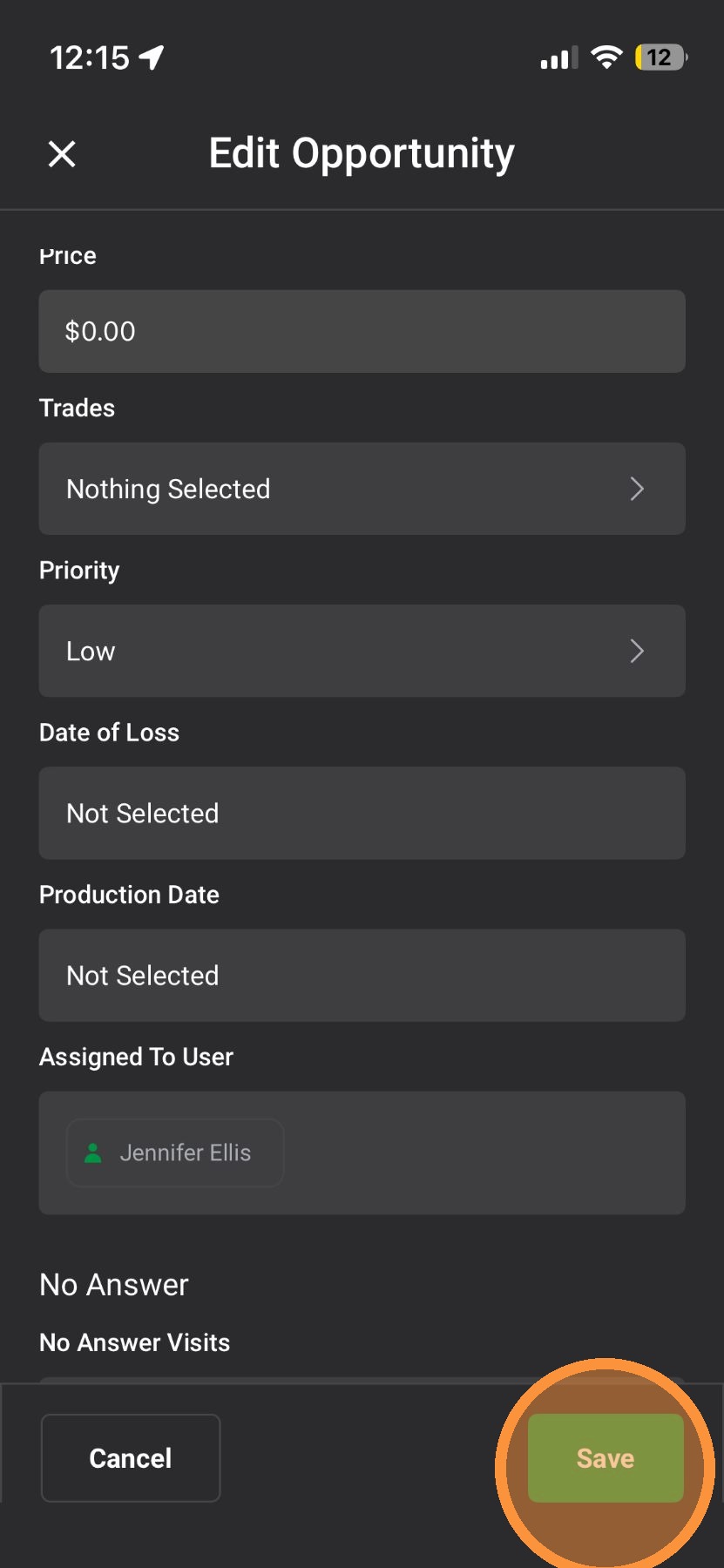
7. Tap "Save"


Browser App

1. Select an asset on the map page or on the "Asset" page
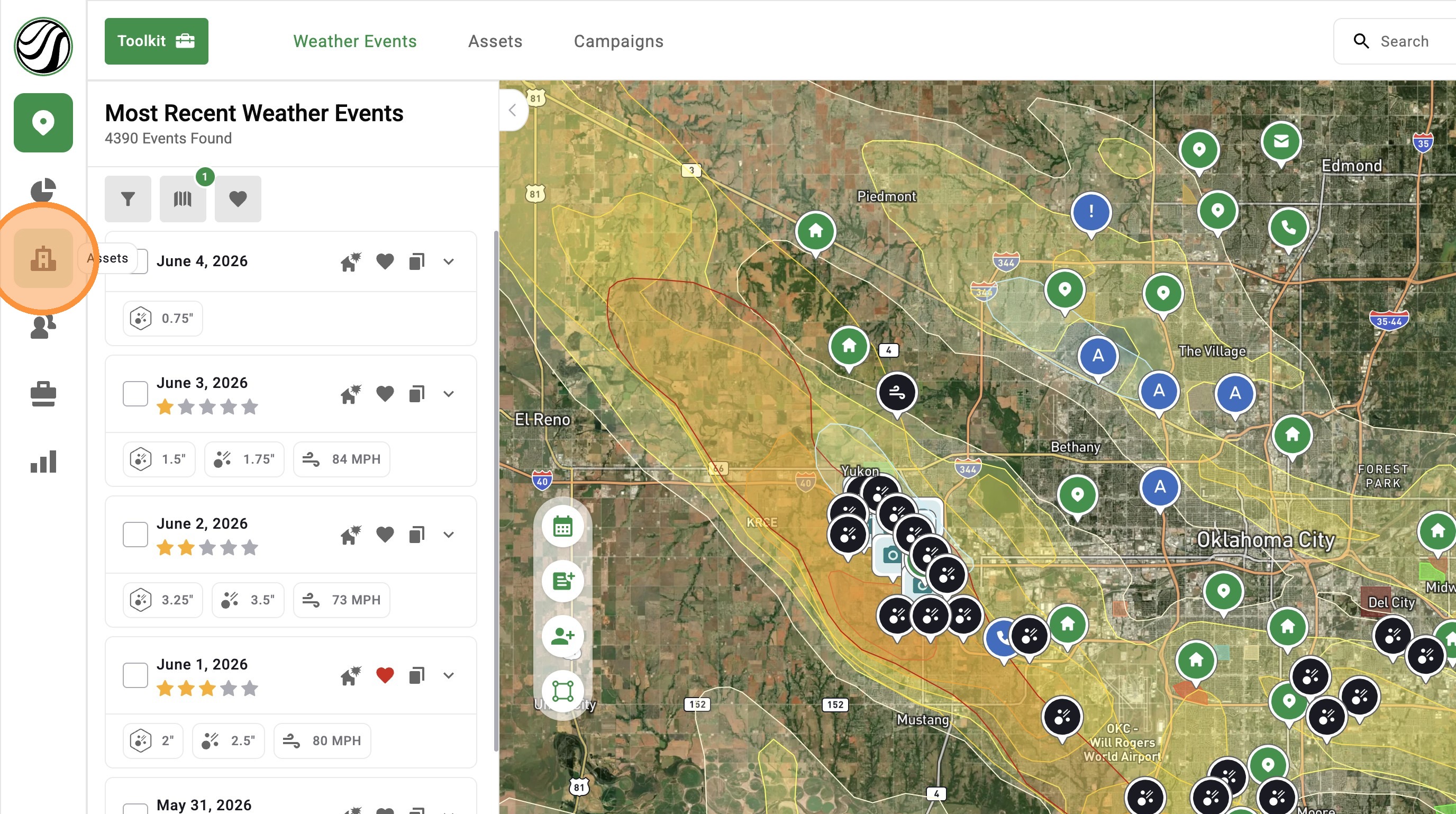

2. Click an asset
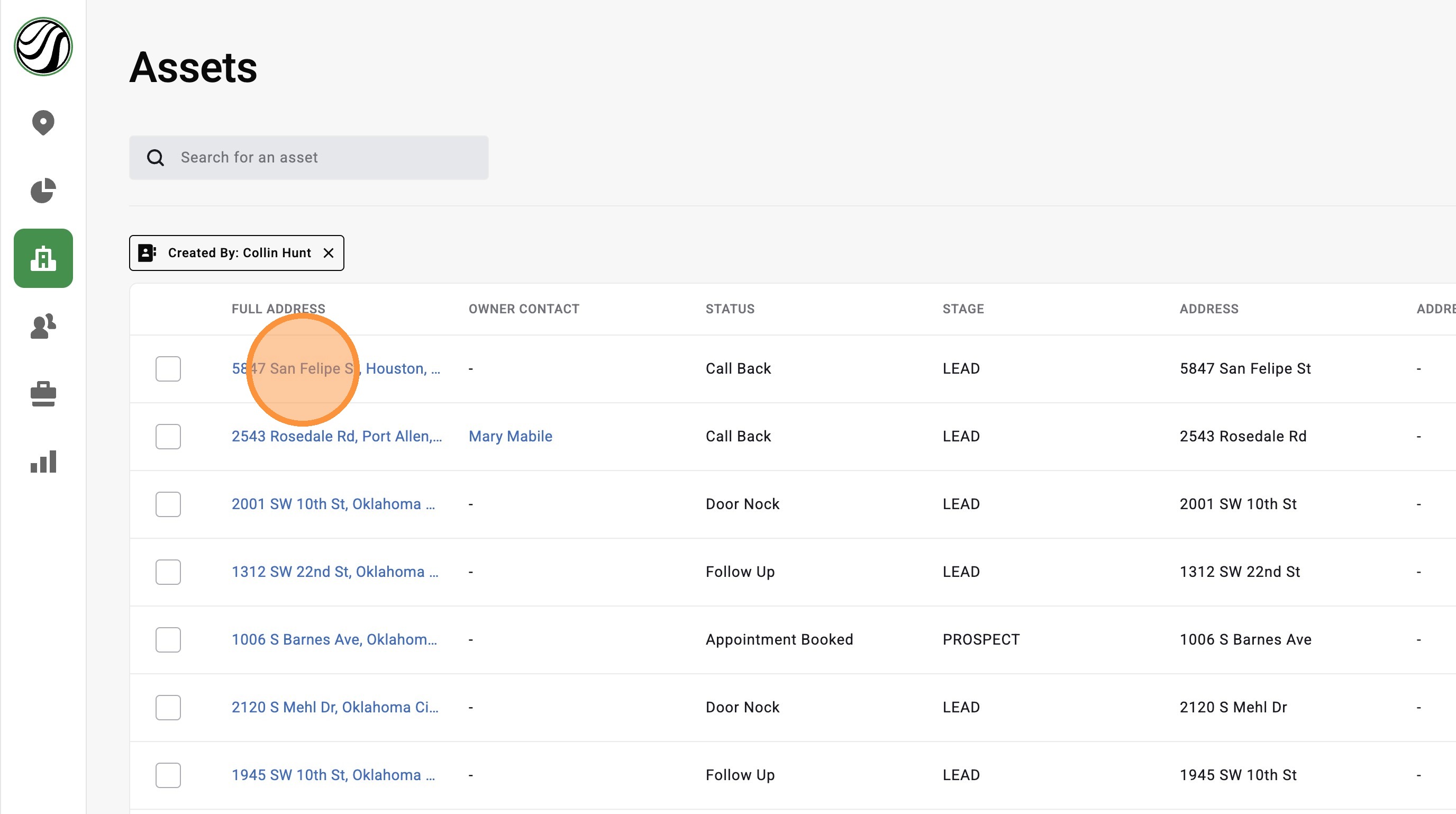

3. Click "Opportunity Details" tab
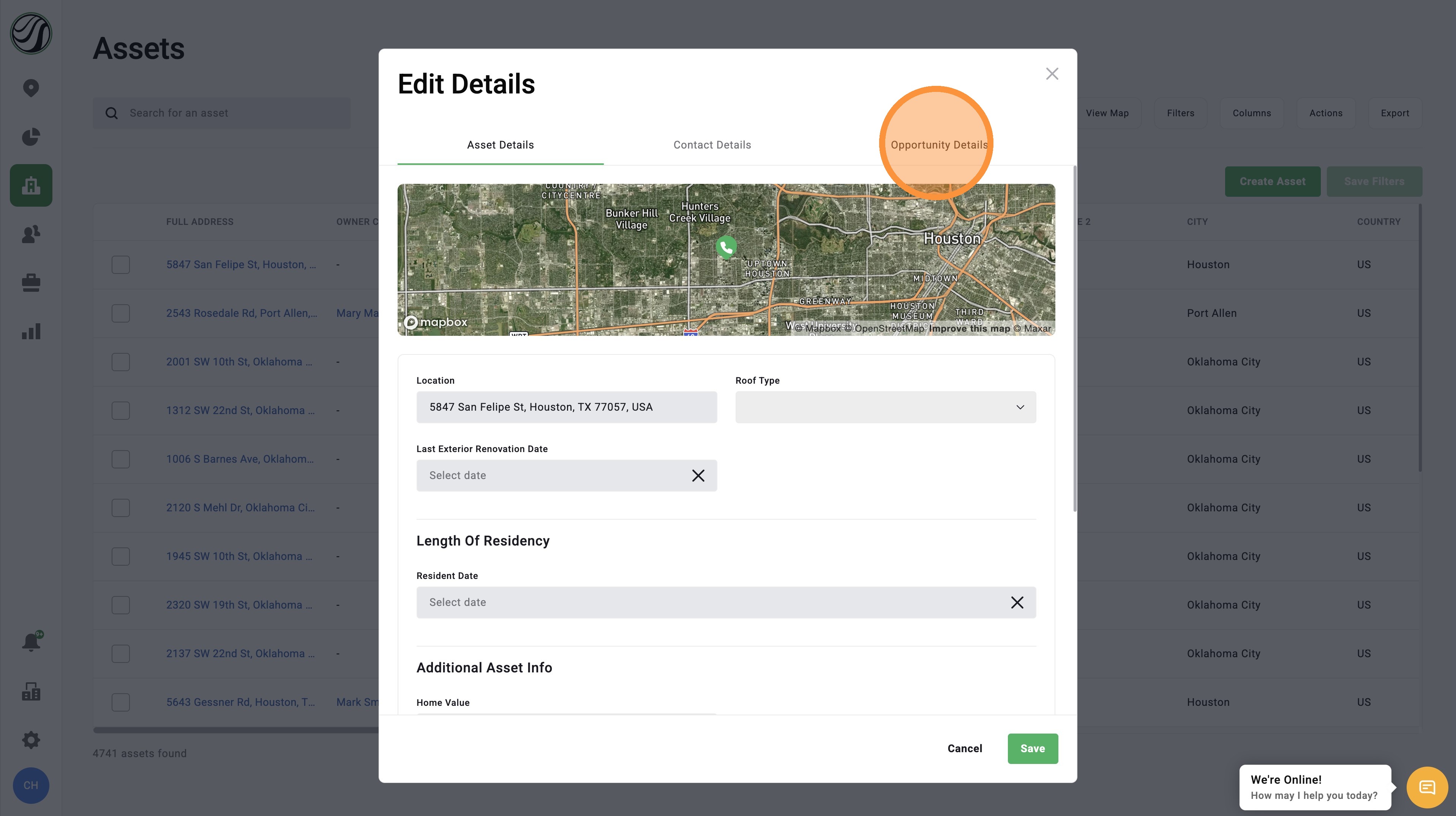

4. Edit any number of Opportunity Fields
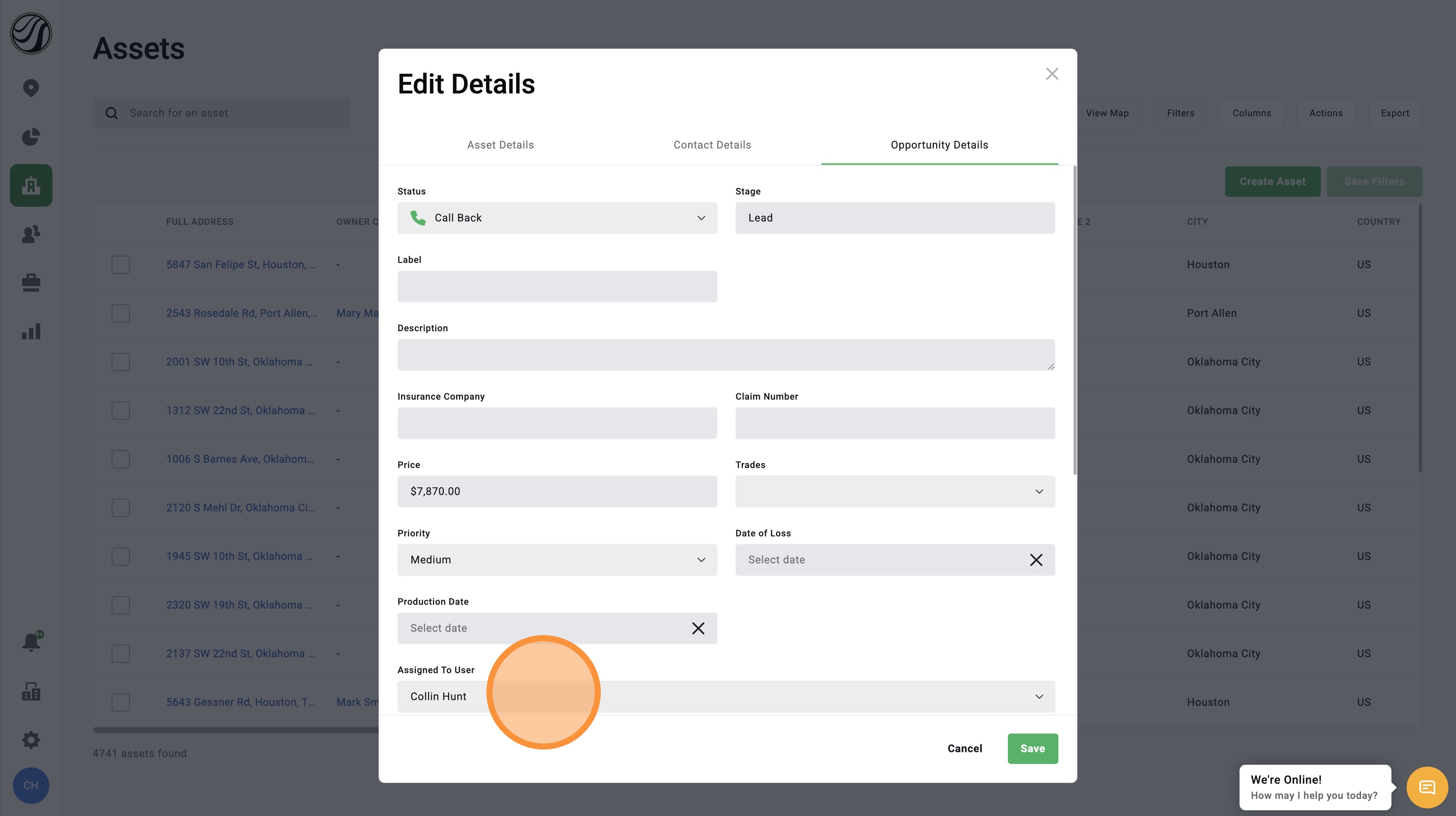

5. Click "Save"


    • Related Articles

    • [5.0] How to Update an Opportunity Status in the Pipeline

      Opportunity statuses help you track where a deal is in your sales process. In DealTrace, your opportunity pipeline works like a sales funnel. Each step in the pipeline is called a status. As you work a lead, you can move the Opportunity from one ...
    • [5.0] How to Assign Opportunities to Users

      When you create an Asset in the HailTrace app, an Opportunity is created at the same time. Opportunities can be assigned to you or to another user on your team. To learn how to assign an Opportunity while creating an Asset, see the article Create ...
    • [5.0] How to Create a New Opportunity for an Asset

      Opportunities help you track deals tied to an Asset in HailTrace. They include details like the status, notes, priority level, and assigned user. If a deal is lost, a claim is closed, or a new storm creates another sales opportunity, you can create a ...
    • [5.0] How to Create an Asset, Contact, & Opportunity

      When dropping a pin or tracking a lead in the HailTrace app, you can create an Asset, Contact, and Opportunity at the same time. This helps you track the door knock, start monitoring the property for future storm with Impacted Assets, and work the ...
    • [5.0] Opportunity Pipeline Explained

      An Opportunity Pipeline is a list of Stages and Statuses that an Asset's Opportunity can move through. This video will take a deep-dive into how an opportunity pipeline works within the Hailtrace app. Opportunity: A potential or realized sales ...