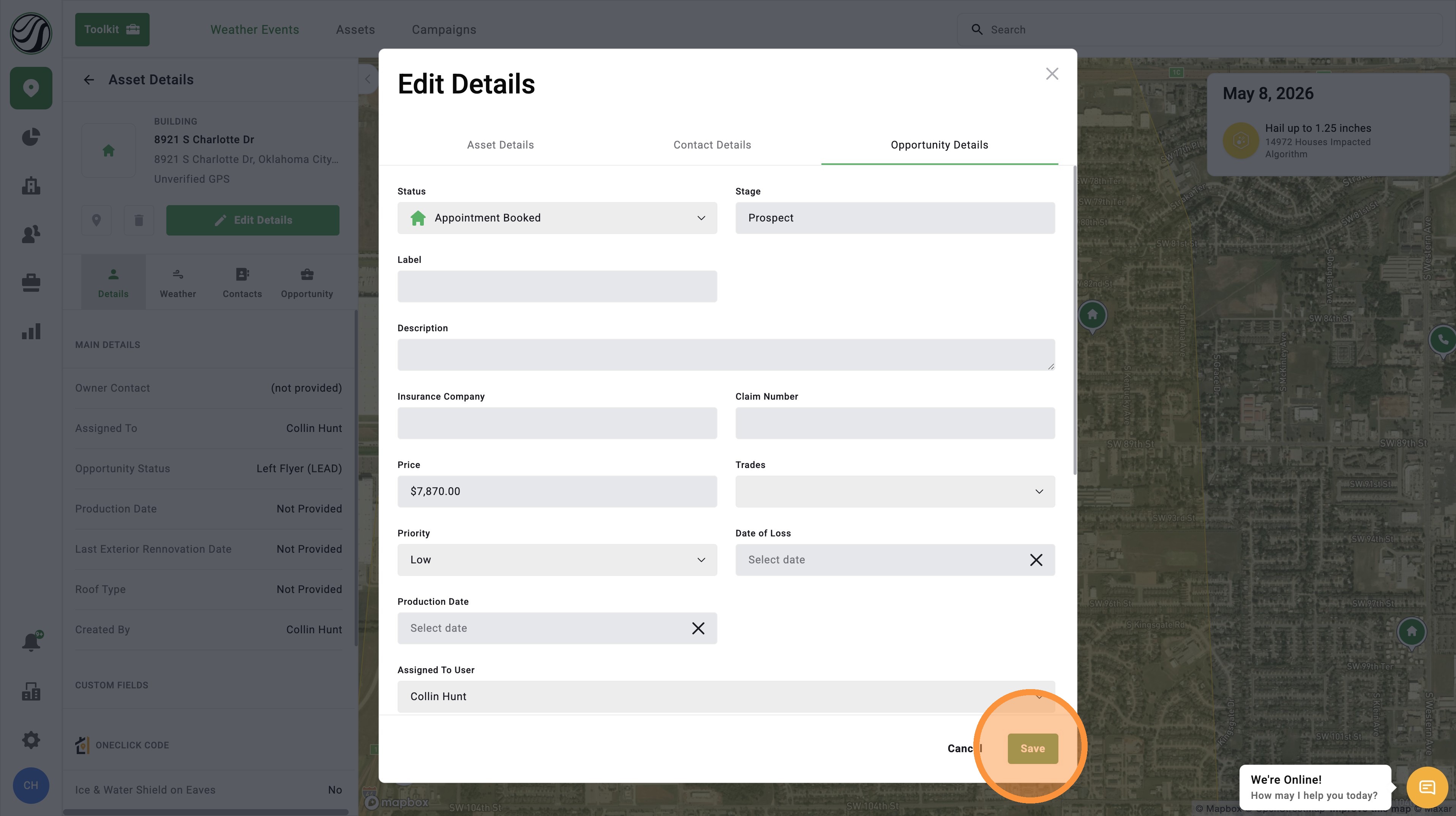
[5.0] How to Update an Opportunity Status in the Pipeline
Opportunity statuses help you track where a deal is in your sales process.
In DealTrace, your opportunity pipeline works like a sales funnel. Each step in the pipeline is called a status. As you work a lead, you can move the Opportunity from one status to the next.
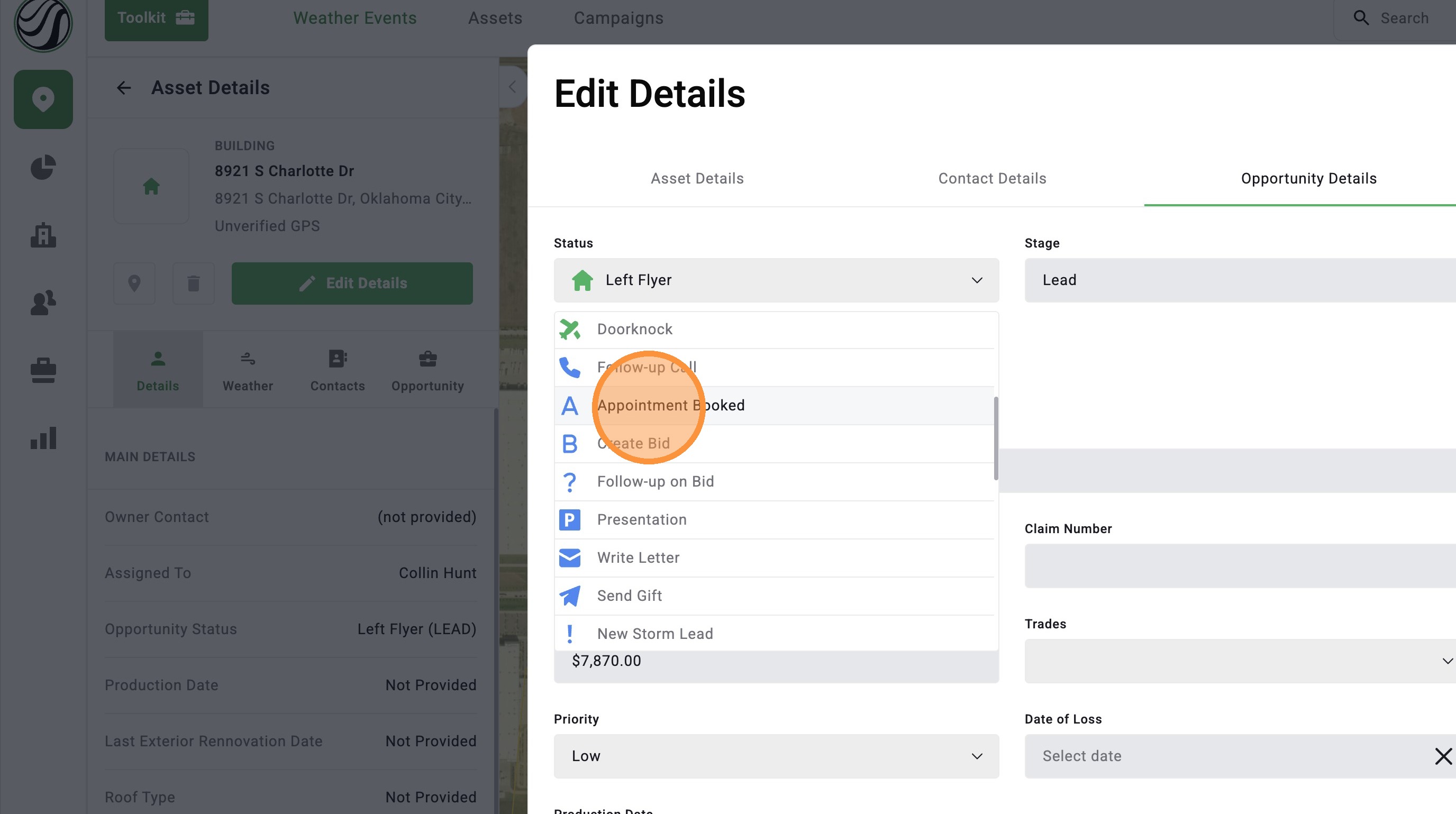
Common statuses may include Door Knock, Call Back, Inspection Set, Pass Deal, Lost Deal, and more.
Updating the Opportunity status helps you keep your pipeline accurate. For example, if you knock a door a second time, schedule an inspection, or lose the deal, you can quickly update the status so you and your team know what happened and what needs to happen next.
Use the steps below to update an Opportunity status in DealTrace.
 Opportunity statuses are part of the DealTrace product. You must have a DealTrace User, DealTrace Manager, or DealTrace Admin role to update an Opportunity status.
Mobile App
1. Tap on an asset or find an asset on the "Asset" page
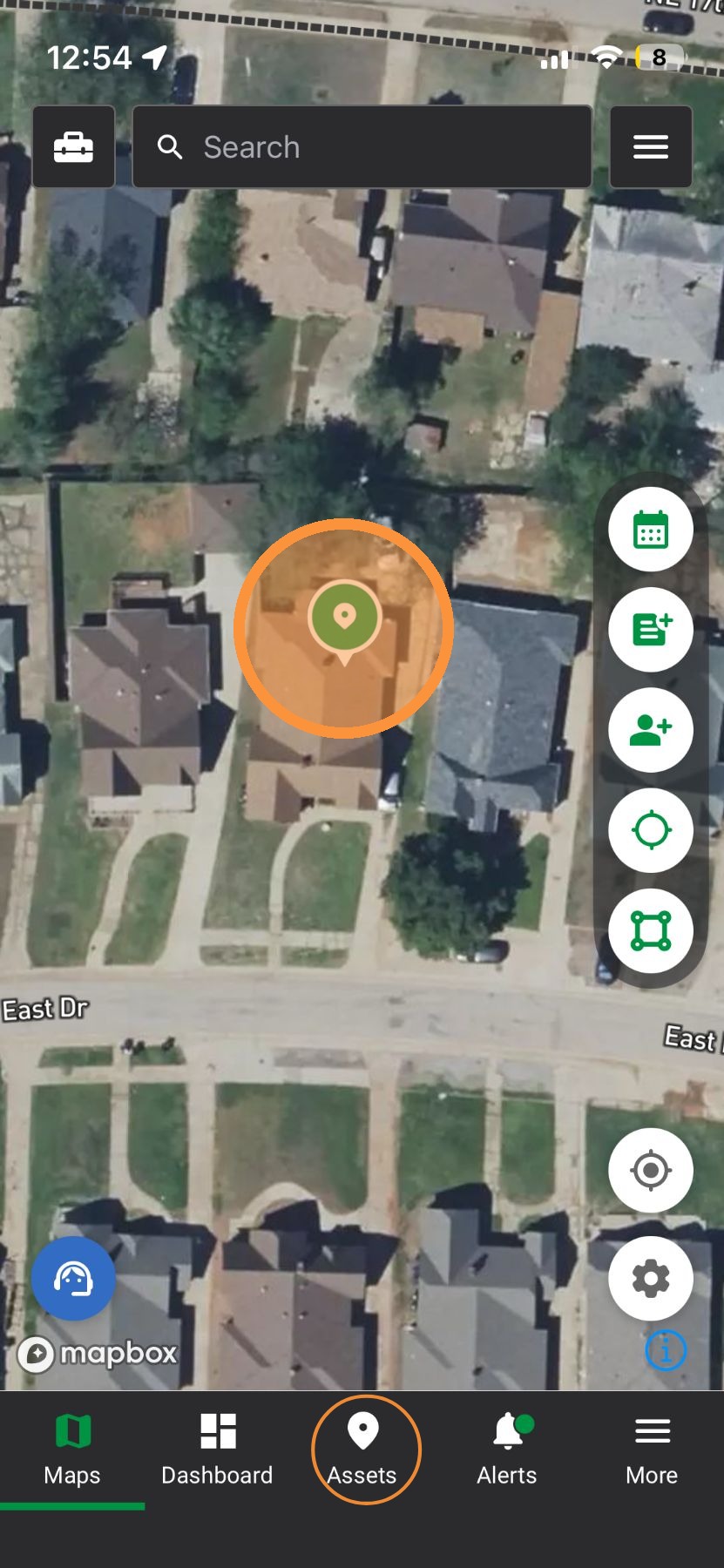
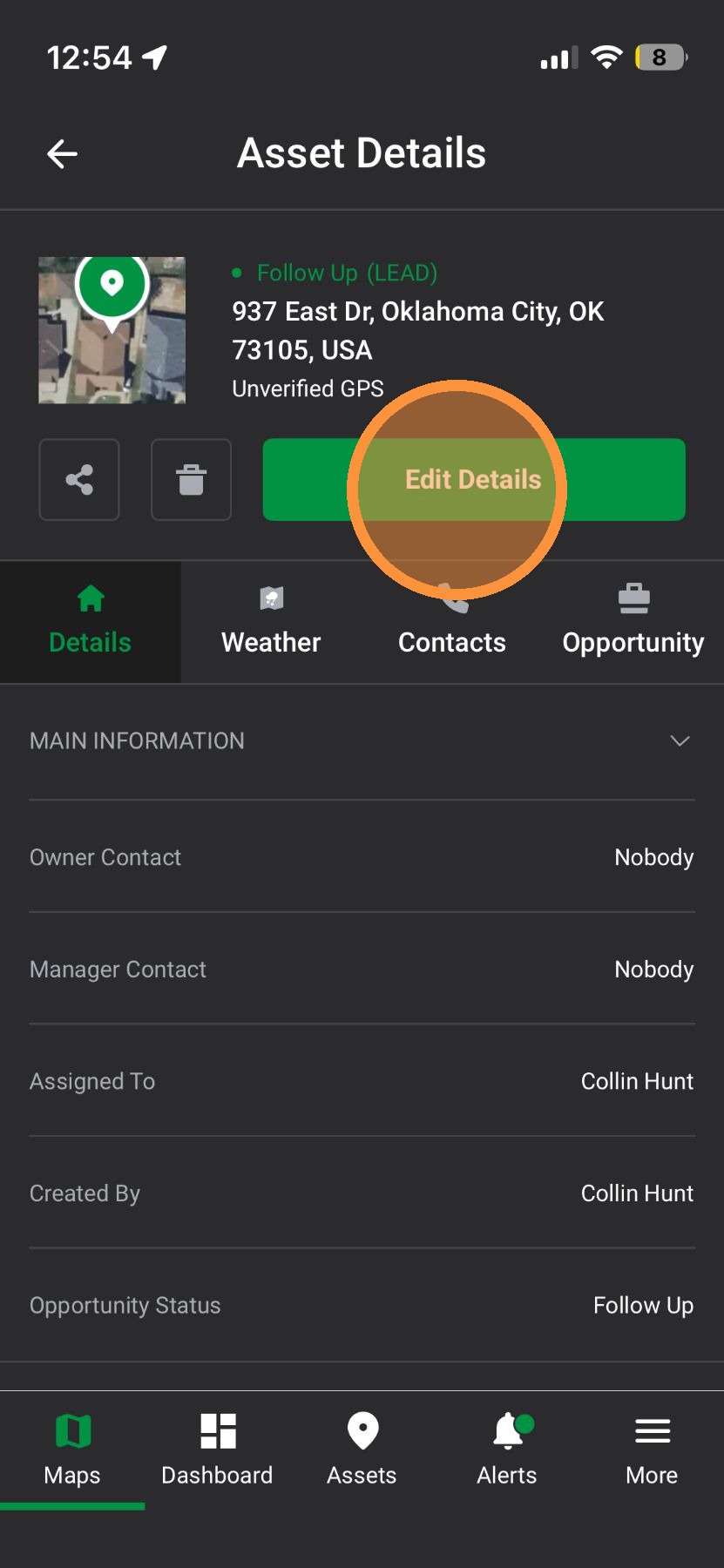
2. Tap "Edit Details"
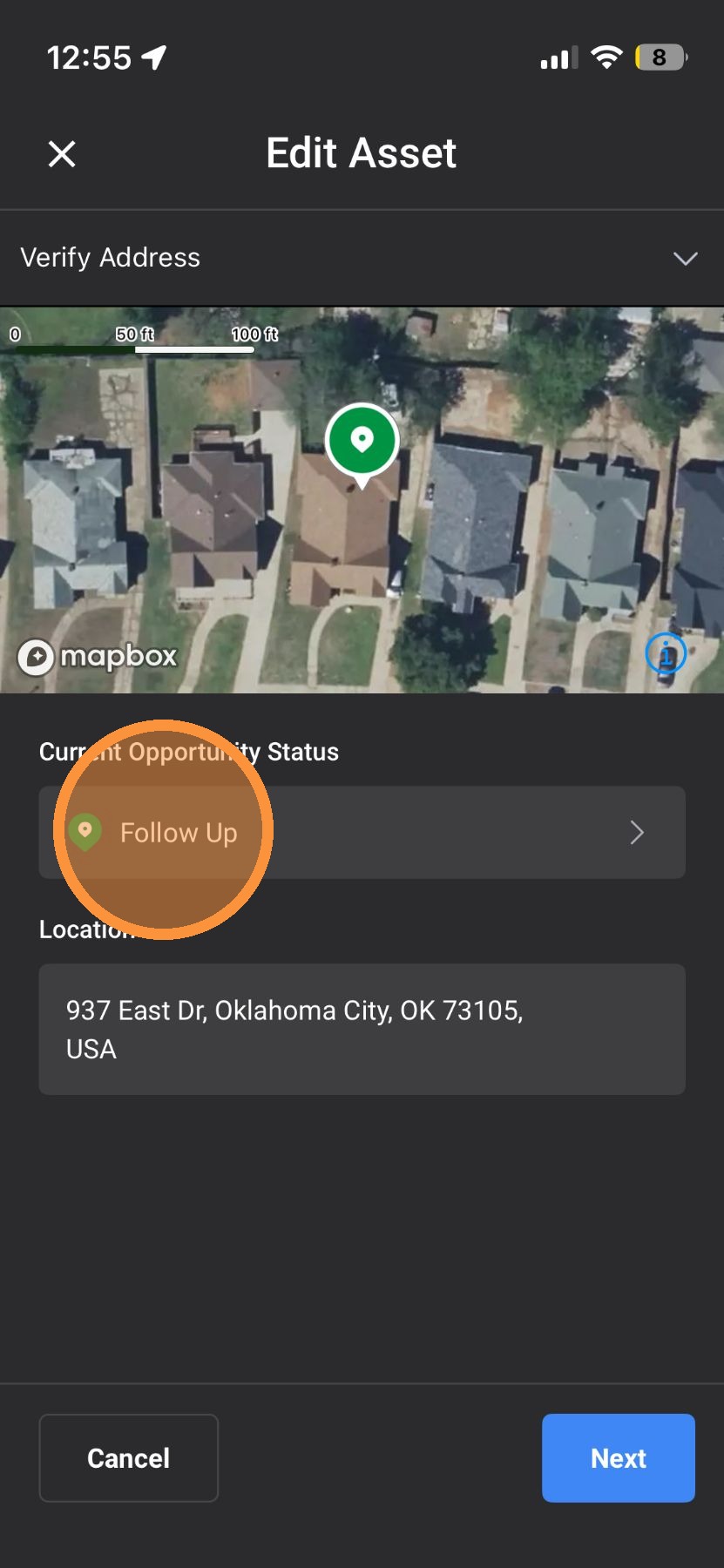
3. Tap status bar
4. Select a new status
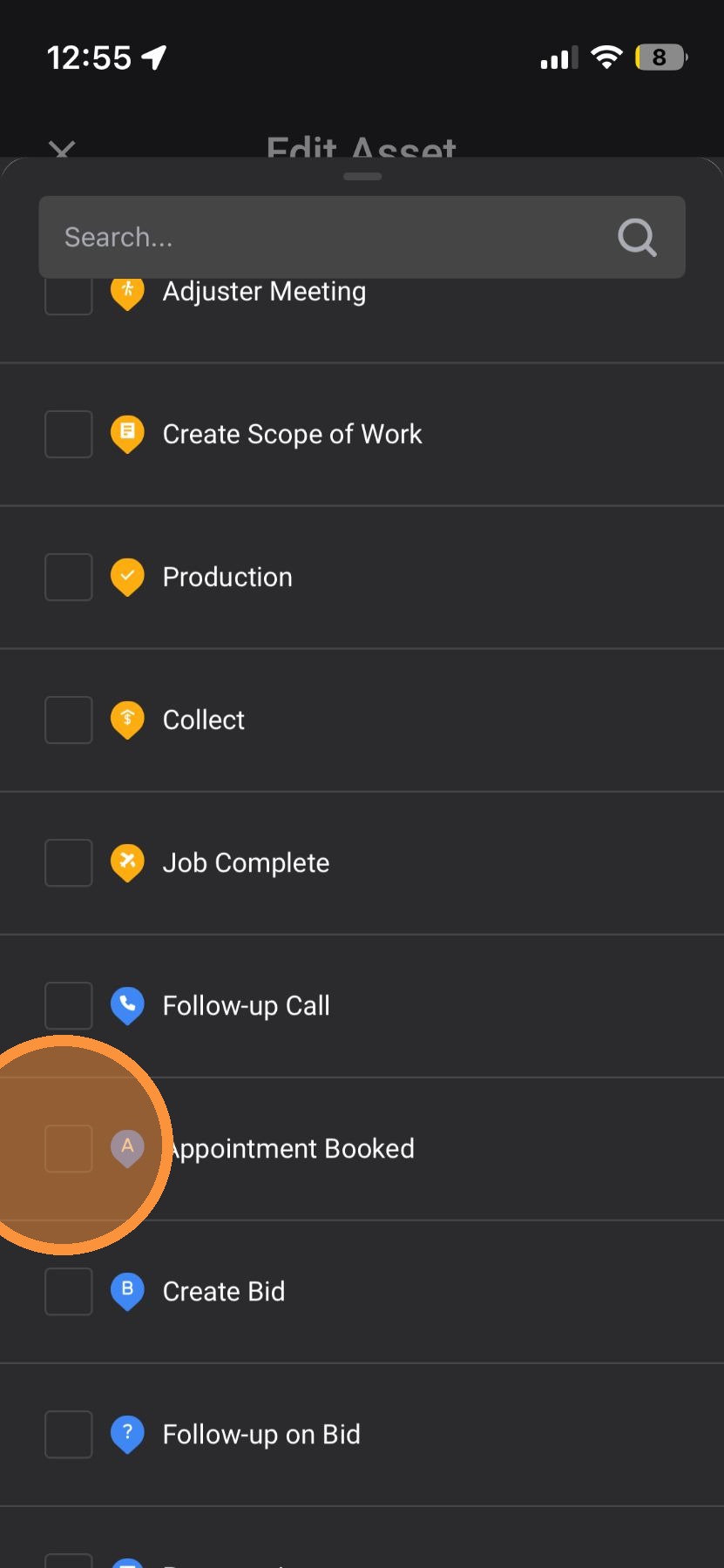
5. Tap Checkmark to save
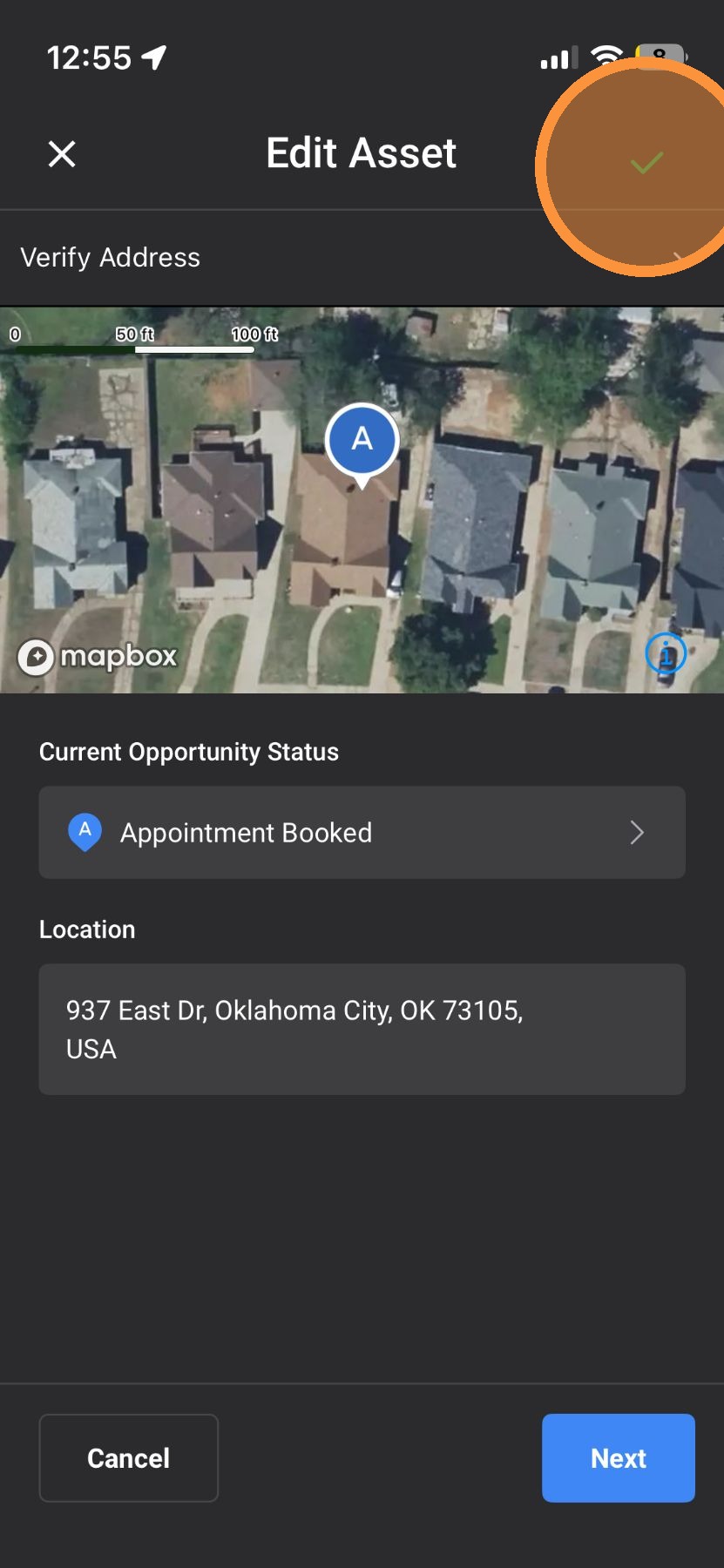
Browser App
1. Click "Maps" page
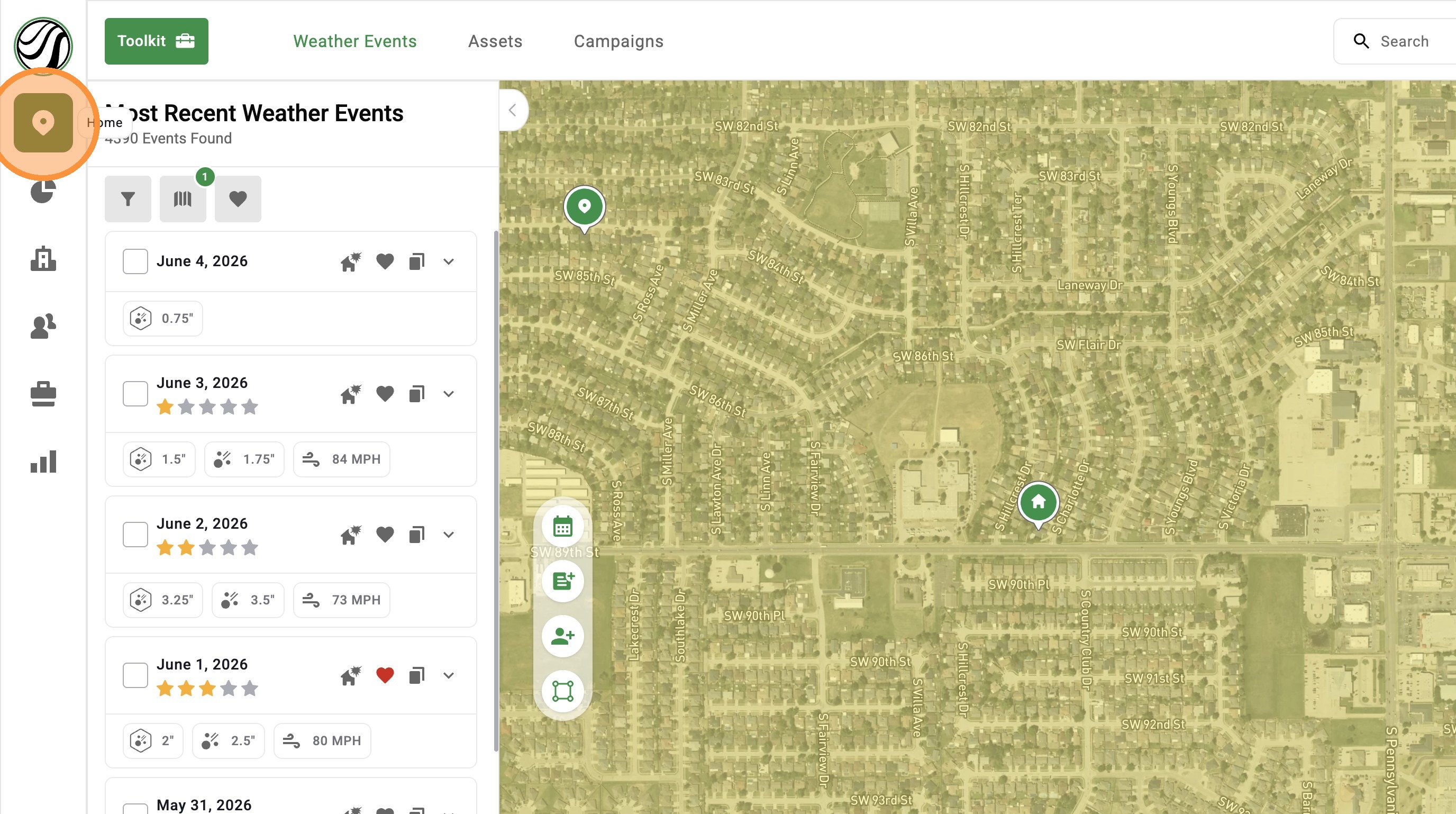
2. Click on an asset or search for an asset on the "Asset" page
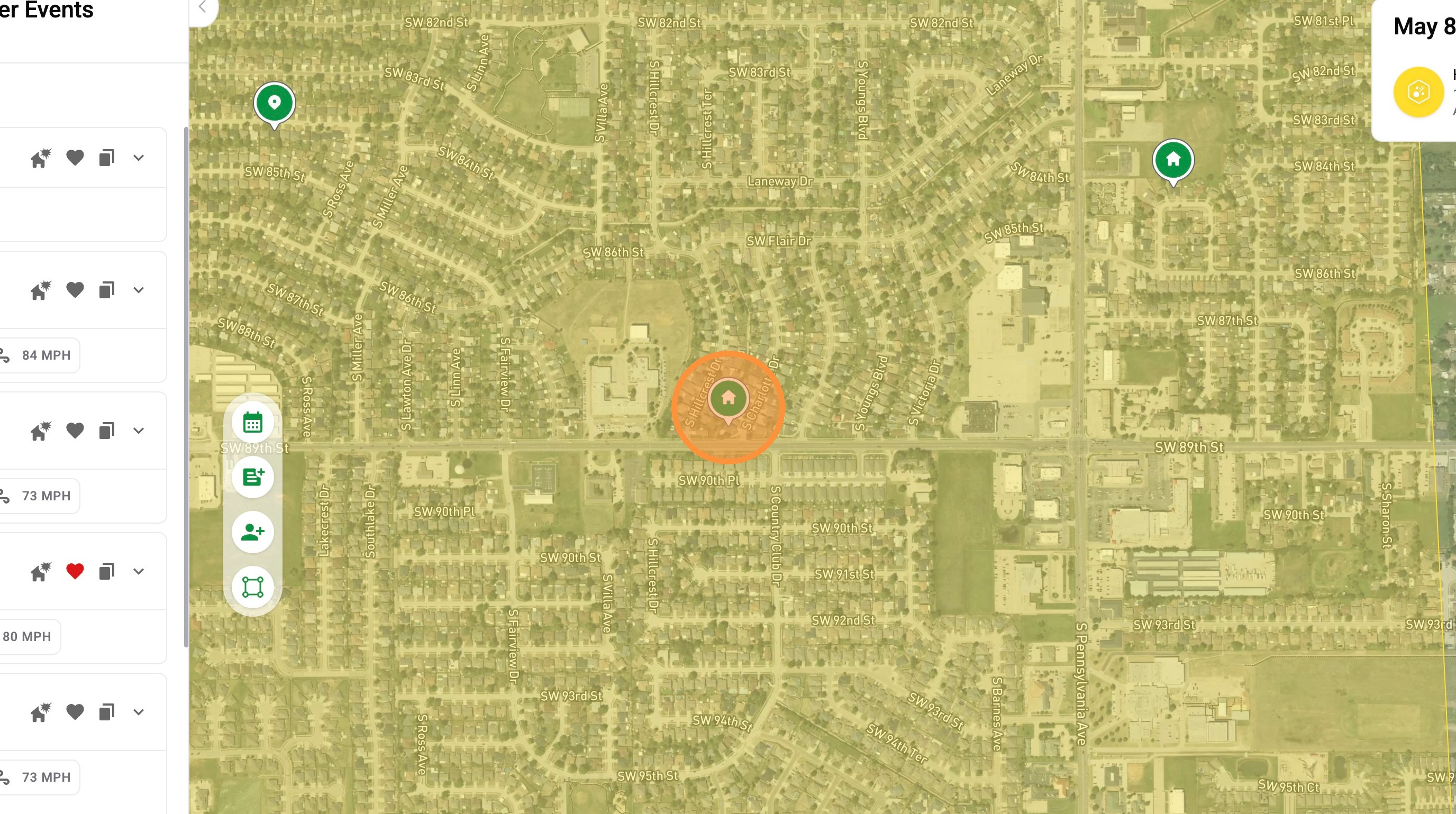
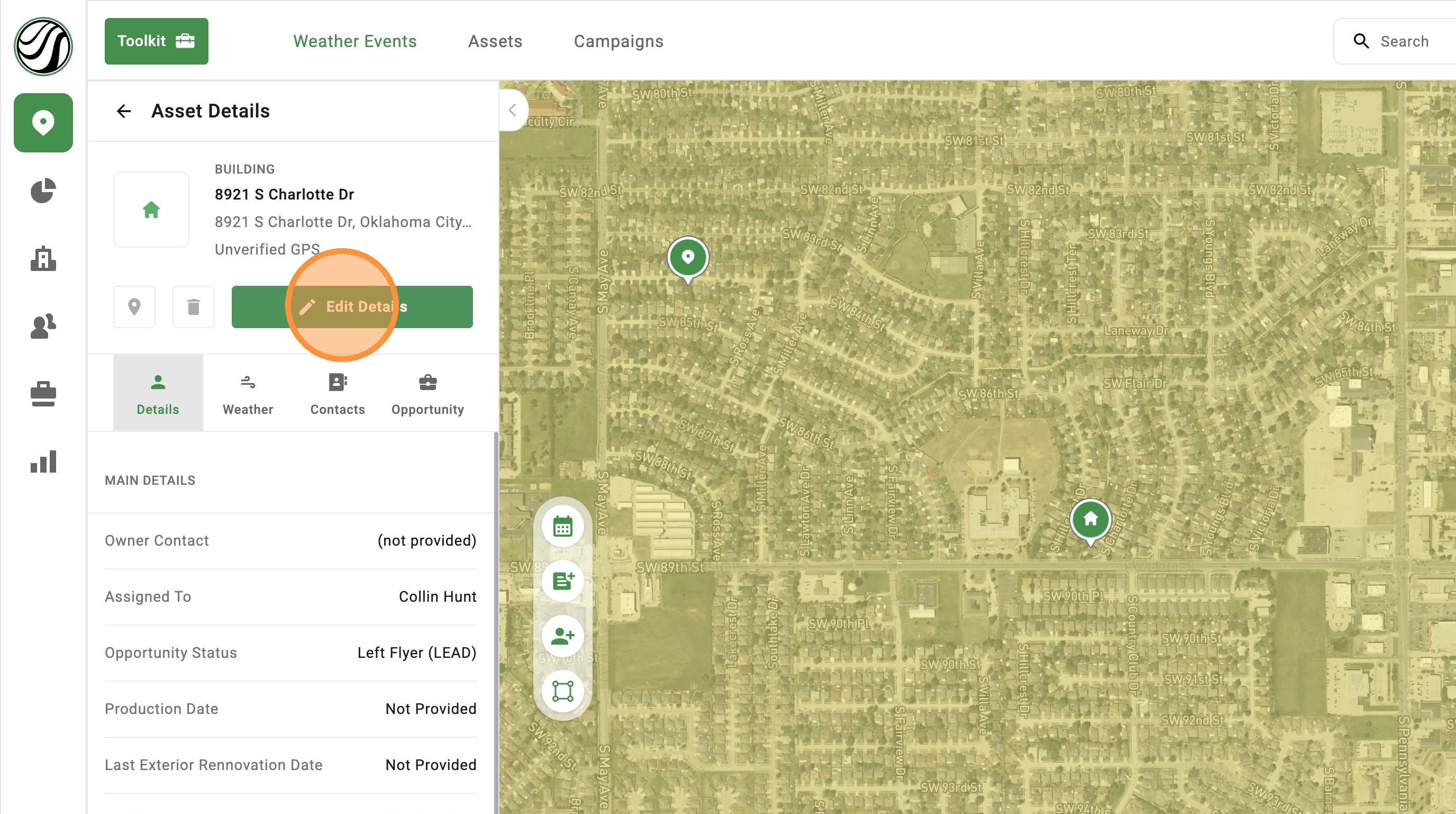
3. Click "Edit Details"
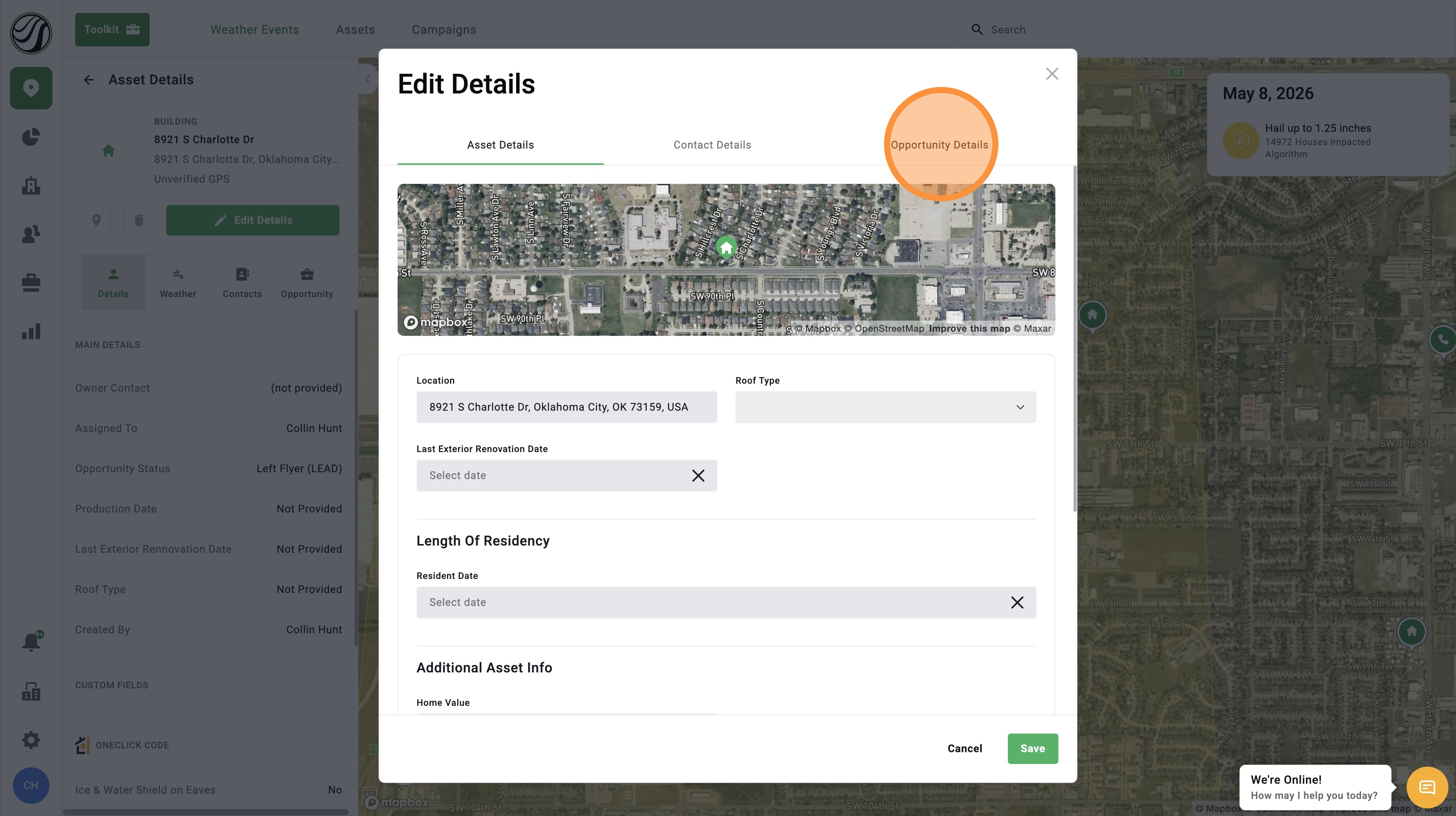
4. Click "Opportunity Details"
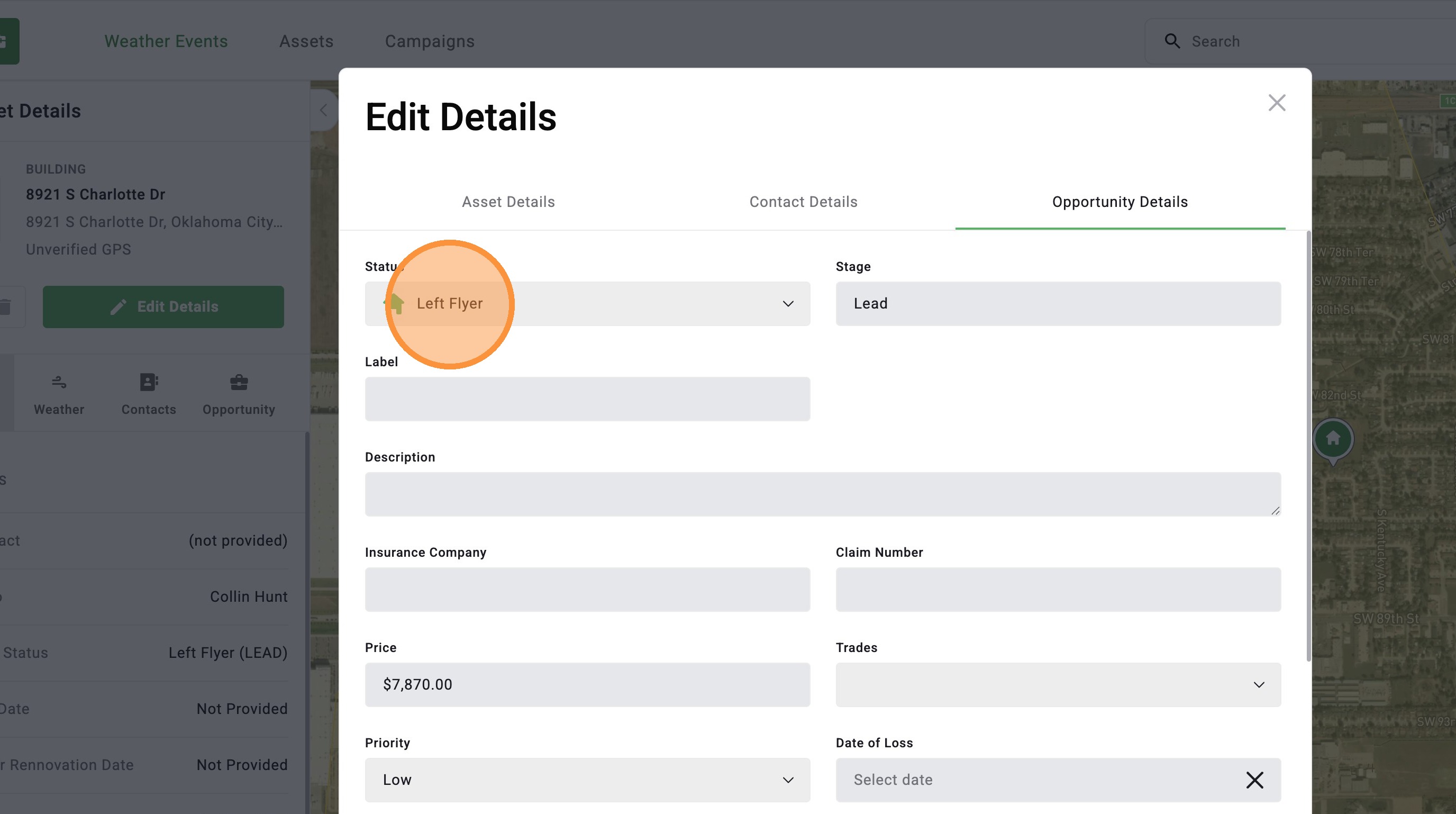
5. Click Status
6. Select a new status
7. Click "Save"