[5.0] Download a Weather History Report For An Address
HailTrace’s Reviewed Report empowers customers to win property owner’s trust and streamline insurance claims with accurate storm history and precise date of loss reporting.
For example, you can use the Weather History Report in the following ways:
- Vet Leads: Know from the start the storm history for a property
- Generate Sales: Build trust with property owners and close a deal
- Close Claims: Find the correct date of loss and use the report as evidence to close most claims
Report Details
These reports include the following:
Storm history going back to 2011
Custom selected date range on a report
Meteorologist hail, wind, and tornado magnitudes
Algorithm hail magnitudes
Meteorologist duration of the hail storm
Image of the property (when available)
Time to delivery: < 5 minutes
Mobile App
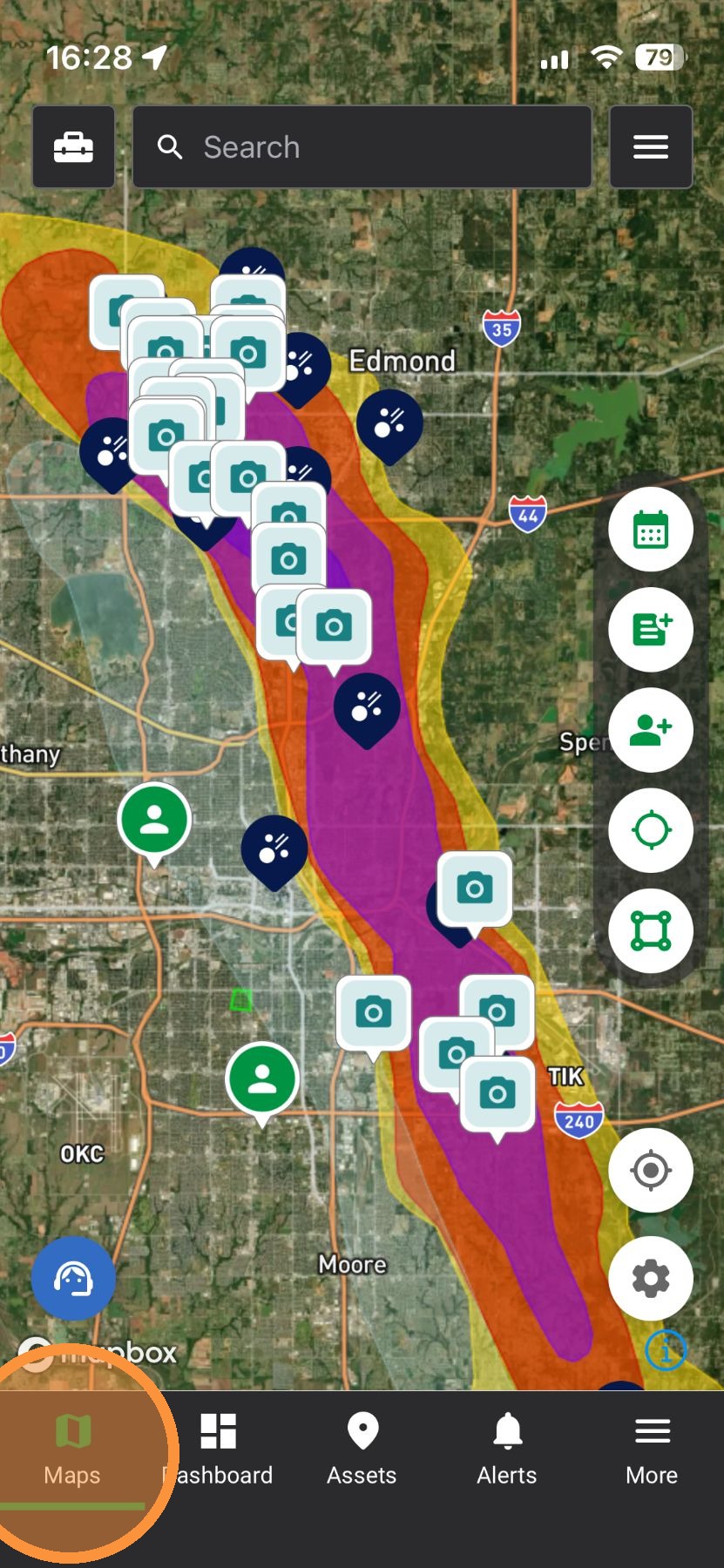
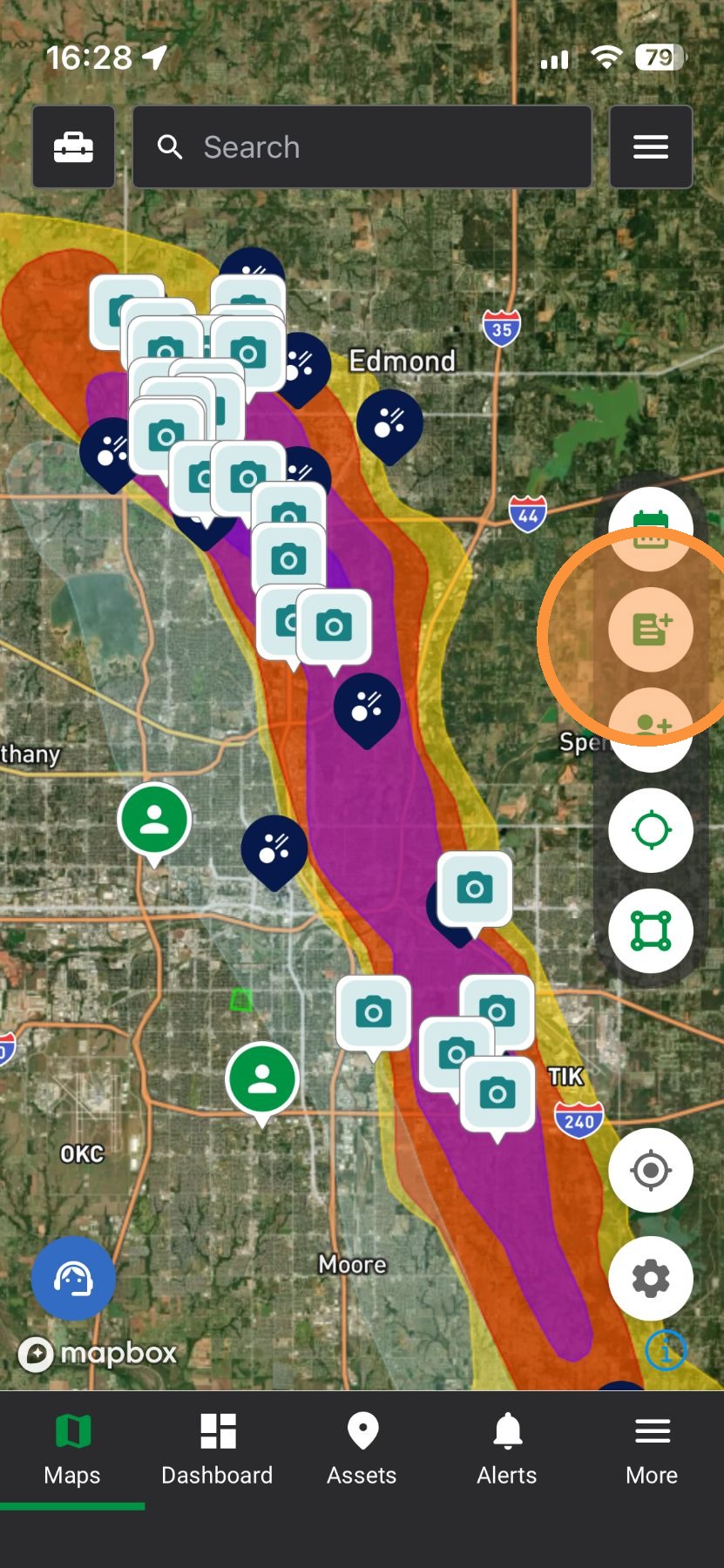
2. Tap "Create Weather History Report"

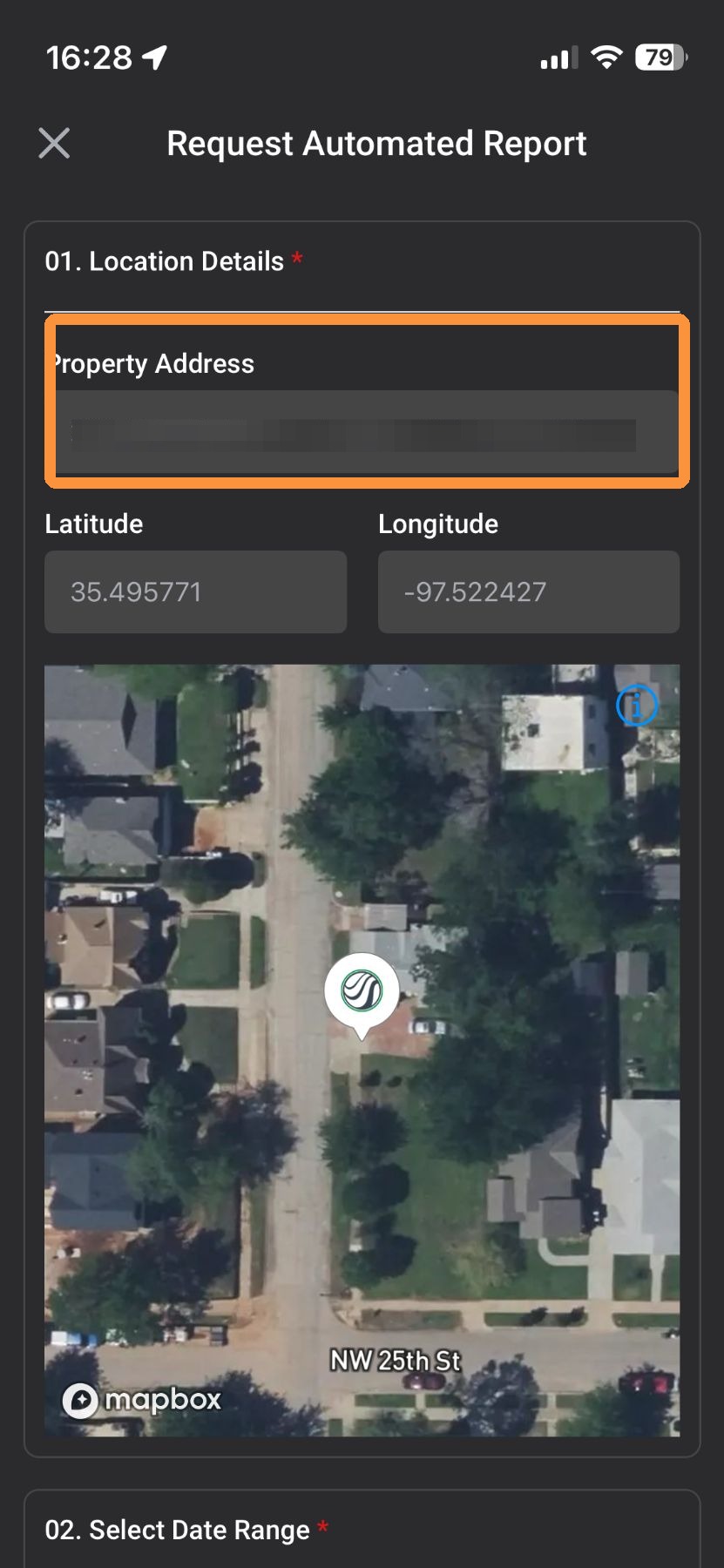
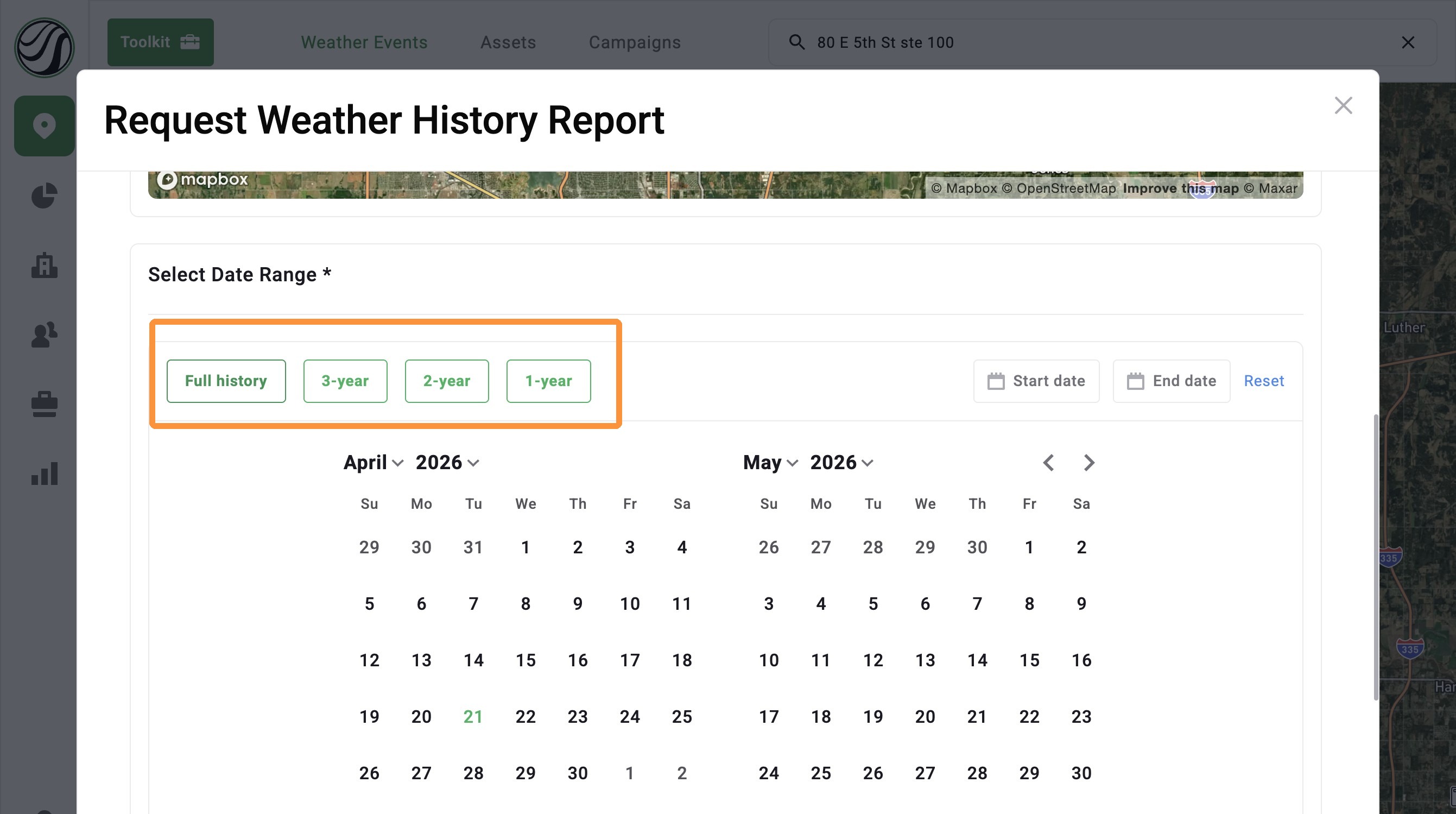
4. Under “Select Date Range,” choose Full History, 3-year, 2-year, 1-year, or a custom range
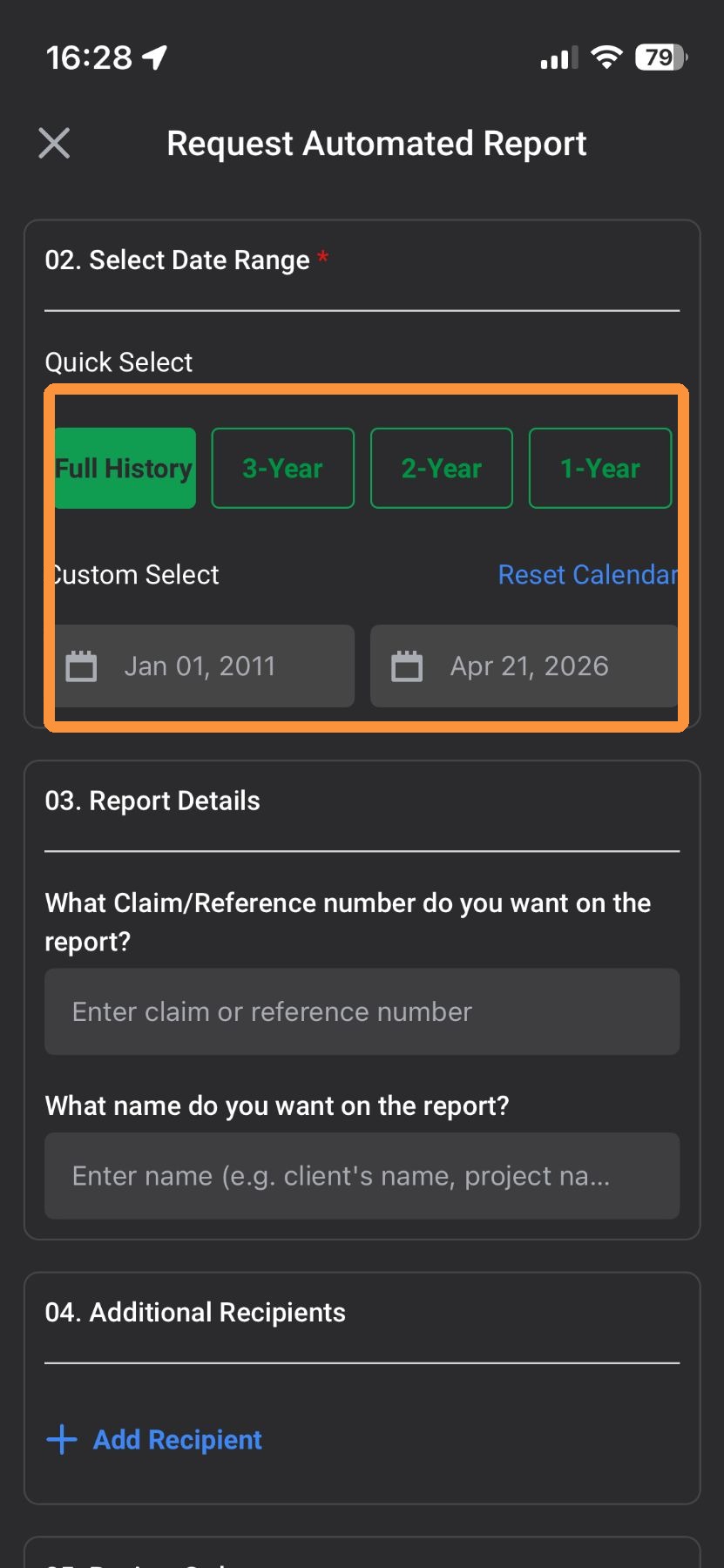
5. Add additional details to the report, such as a claim number and your client's name
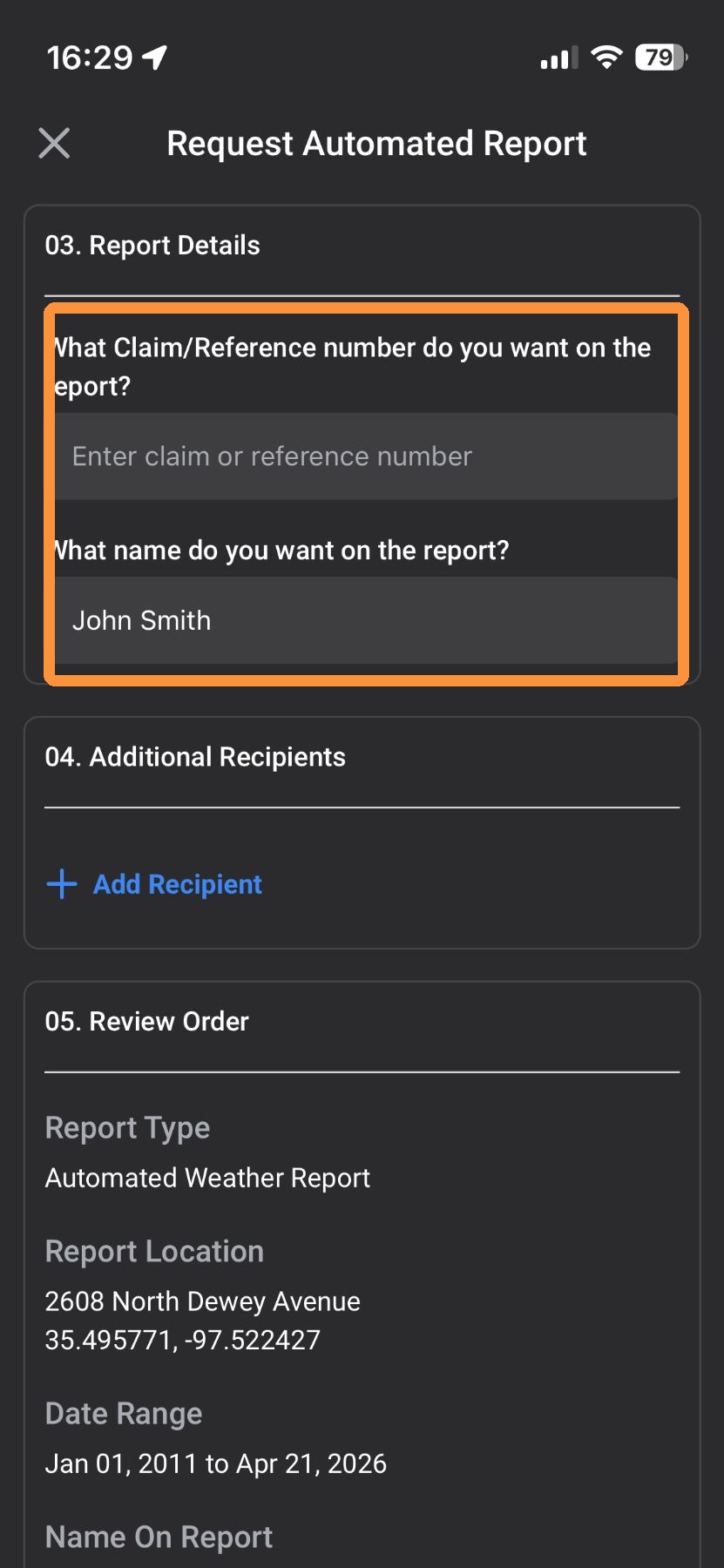
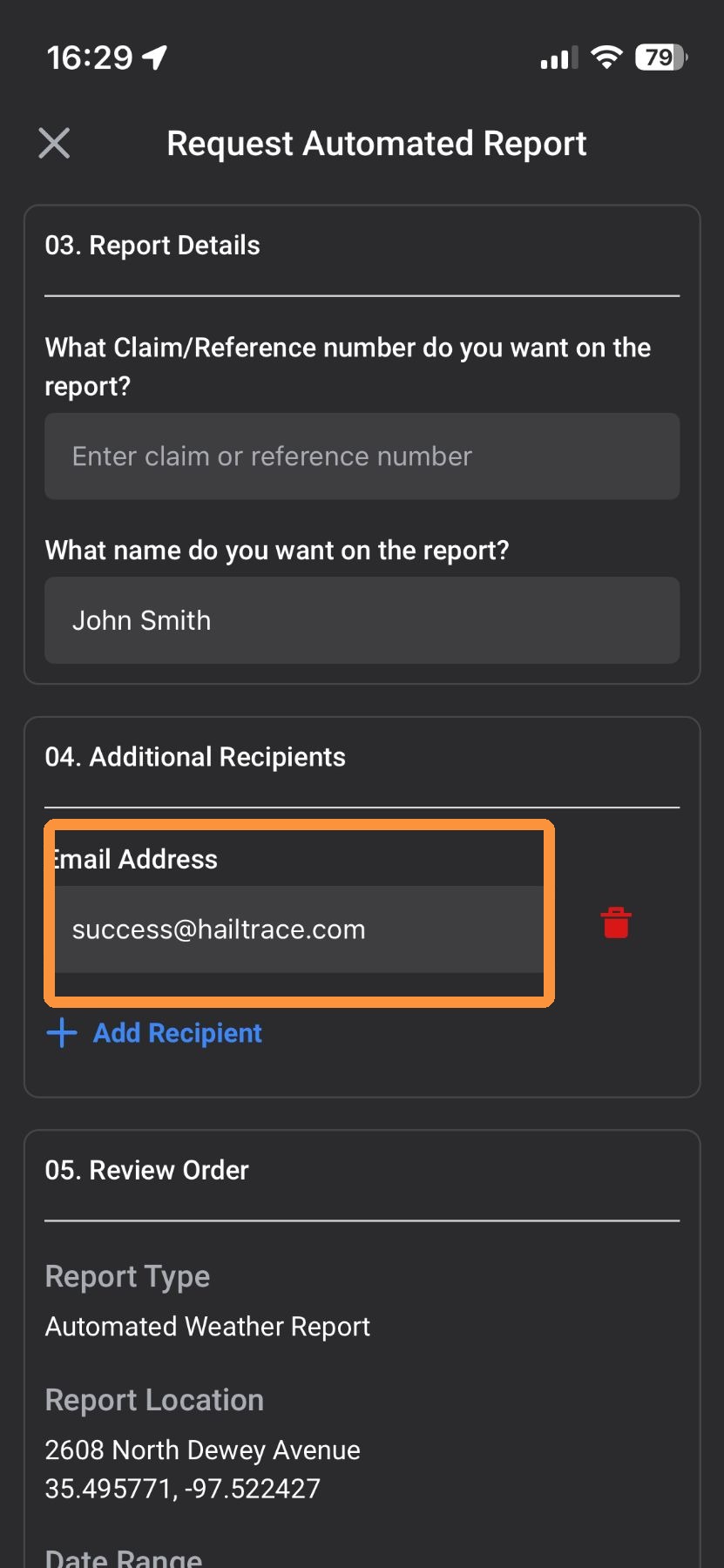
6. Choose to email this report to additional people
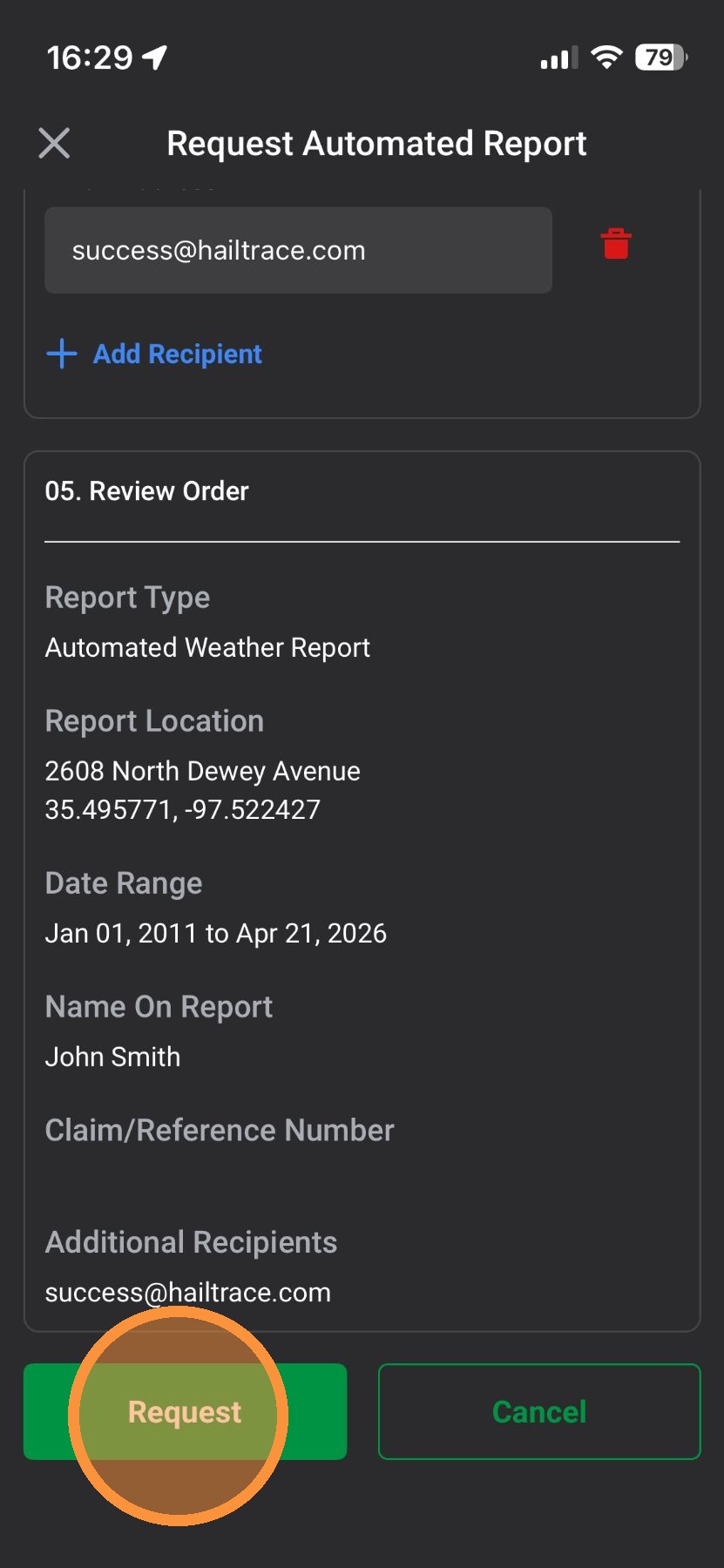
7. Tap "Request." You will receive the report by email in a few seconds and can download it there!
Browser App
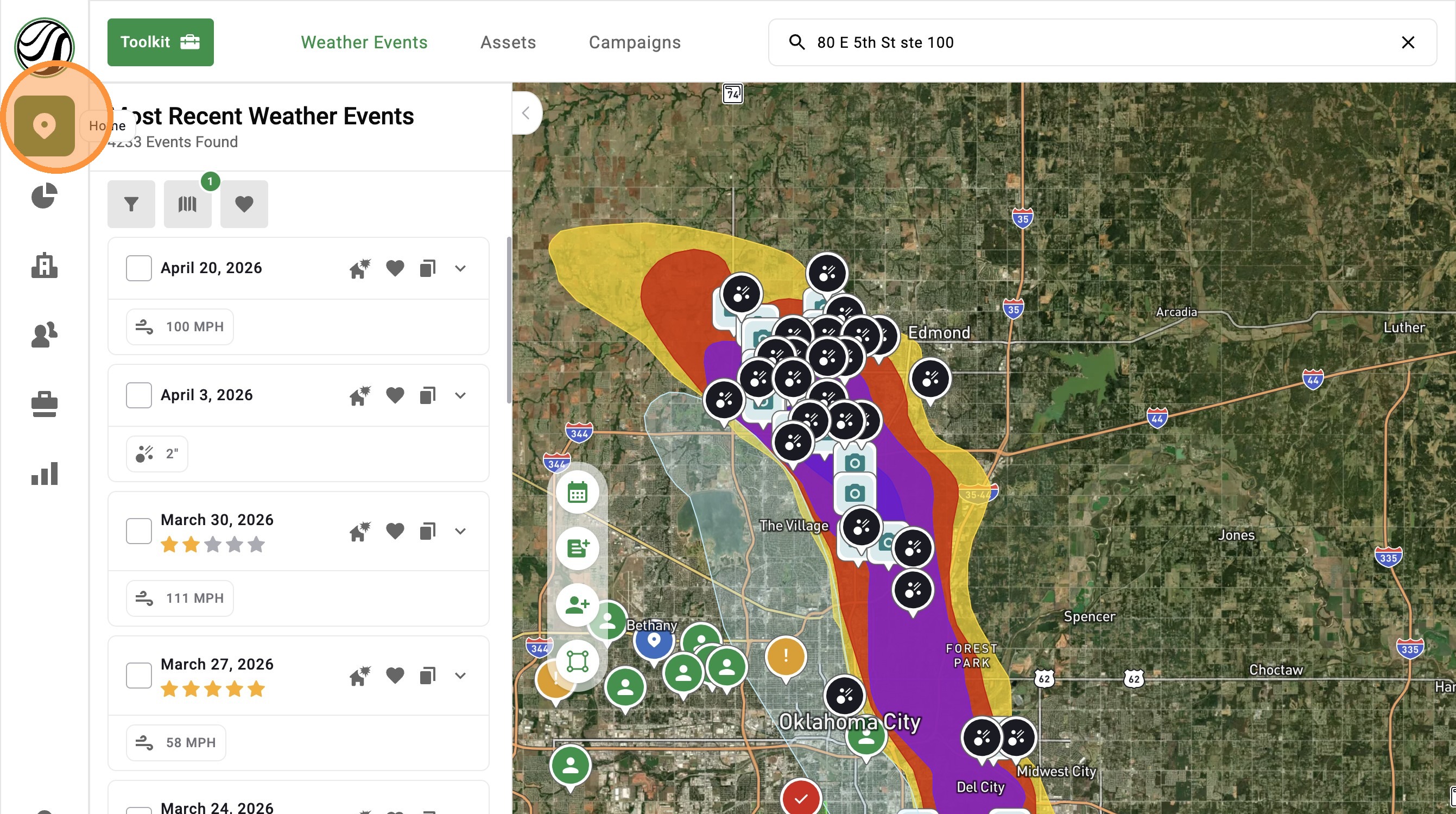
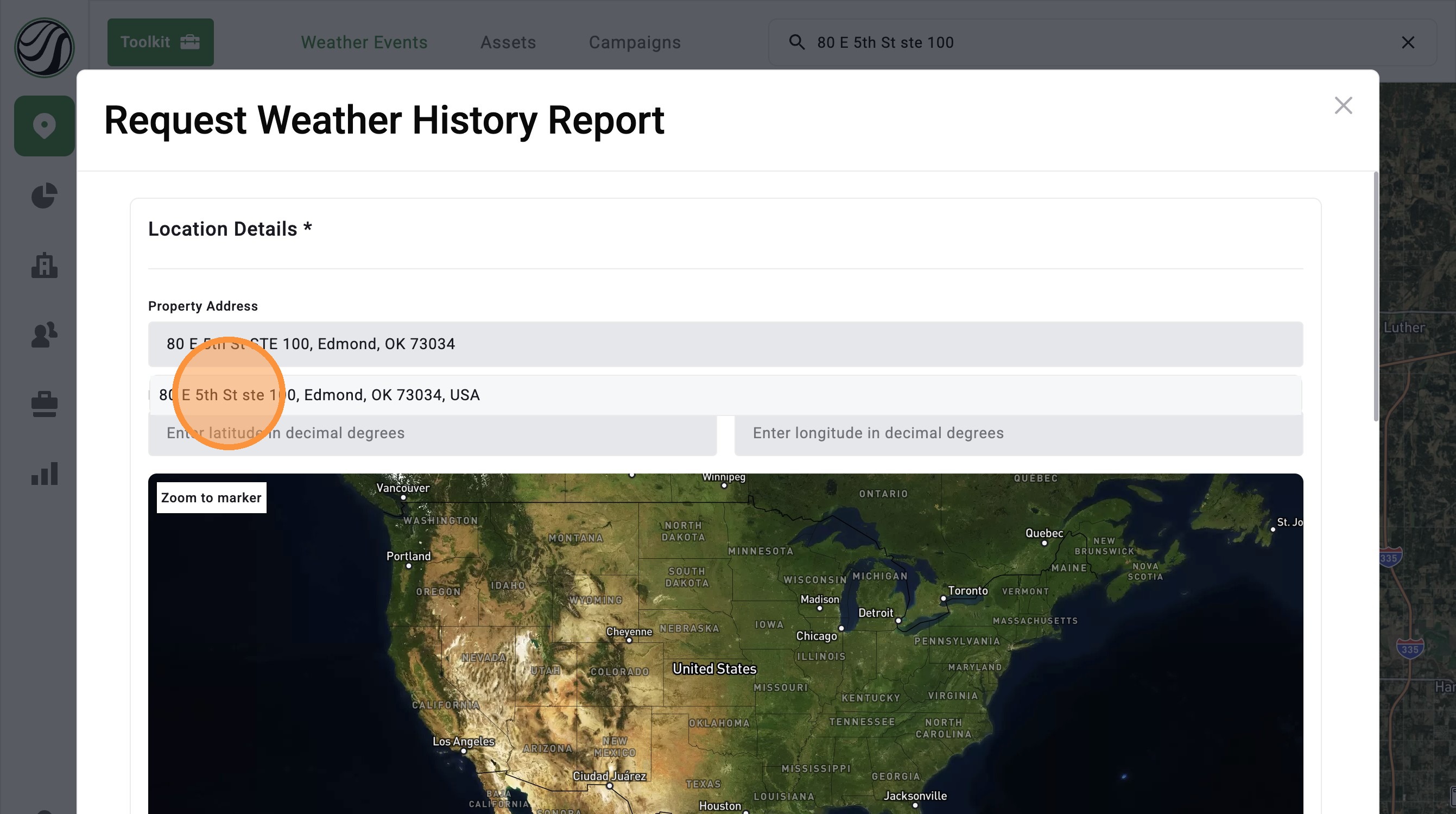
2. Click "Weather History Report" button
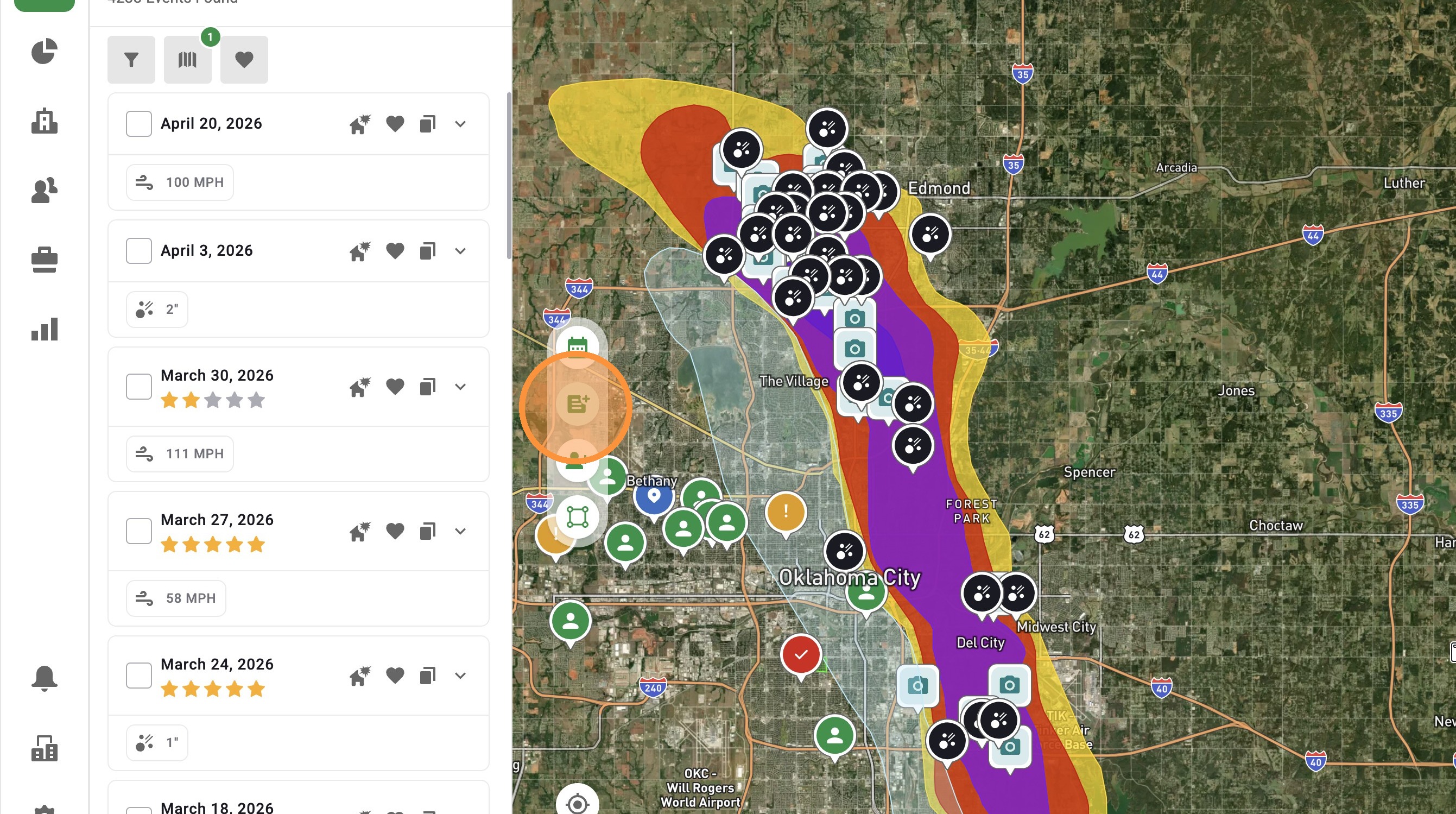

4. Under “Select Date Range,” choose Full History, 3-year, 2-year, 1-year, or a custom range
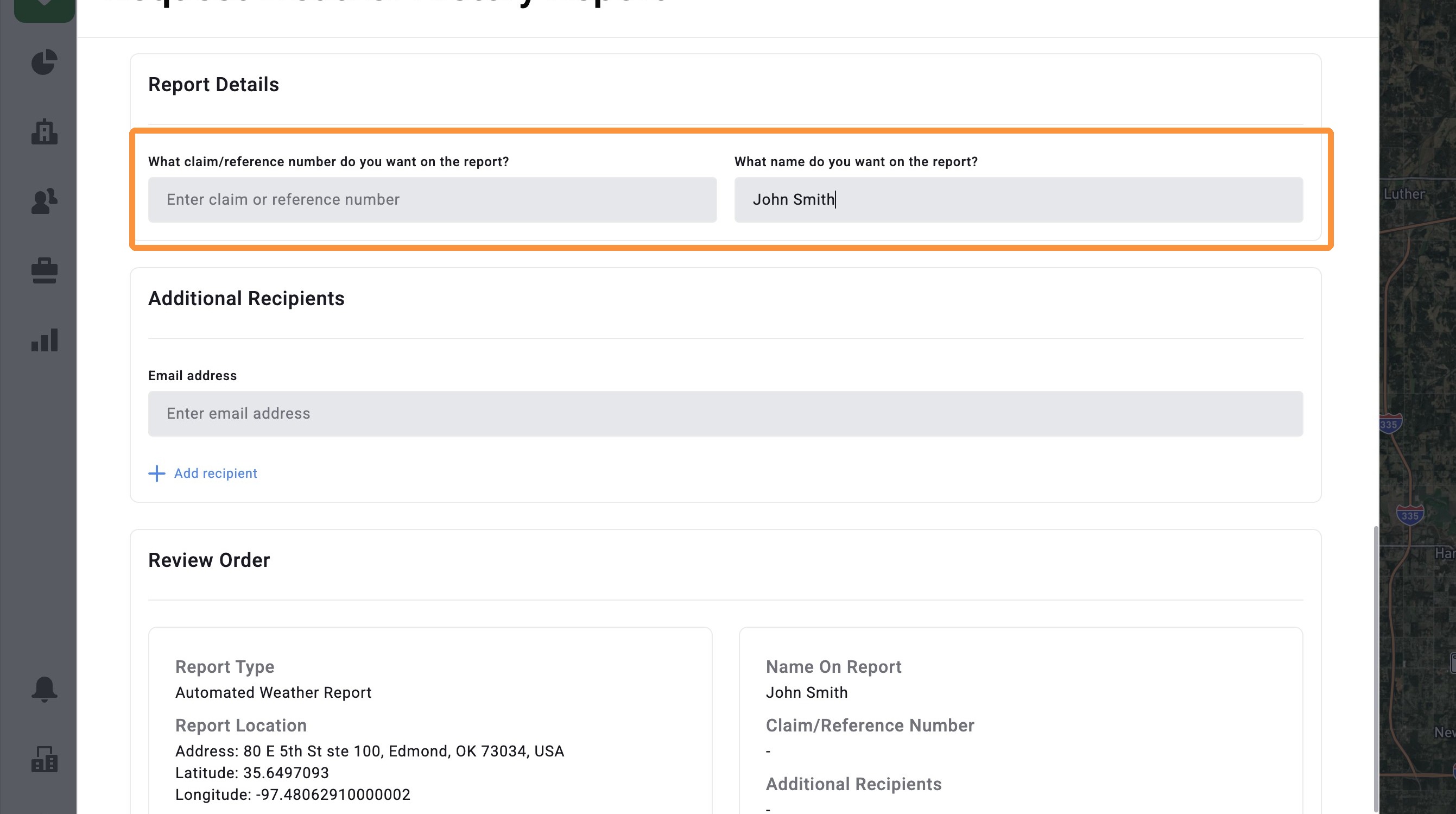
5. Add additional details to the report, such as a claim number and your client's name
6. Choose to email this report to additional people
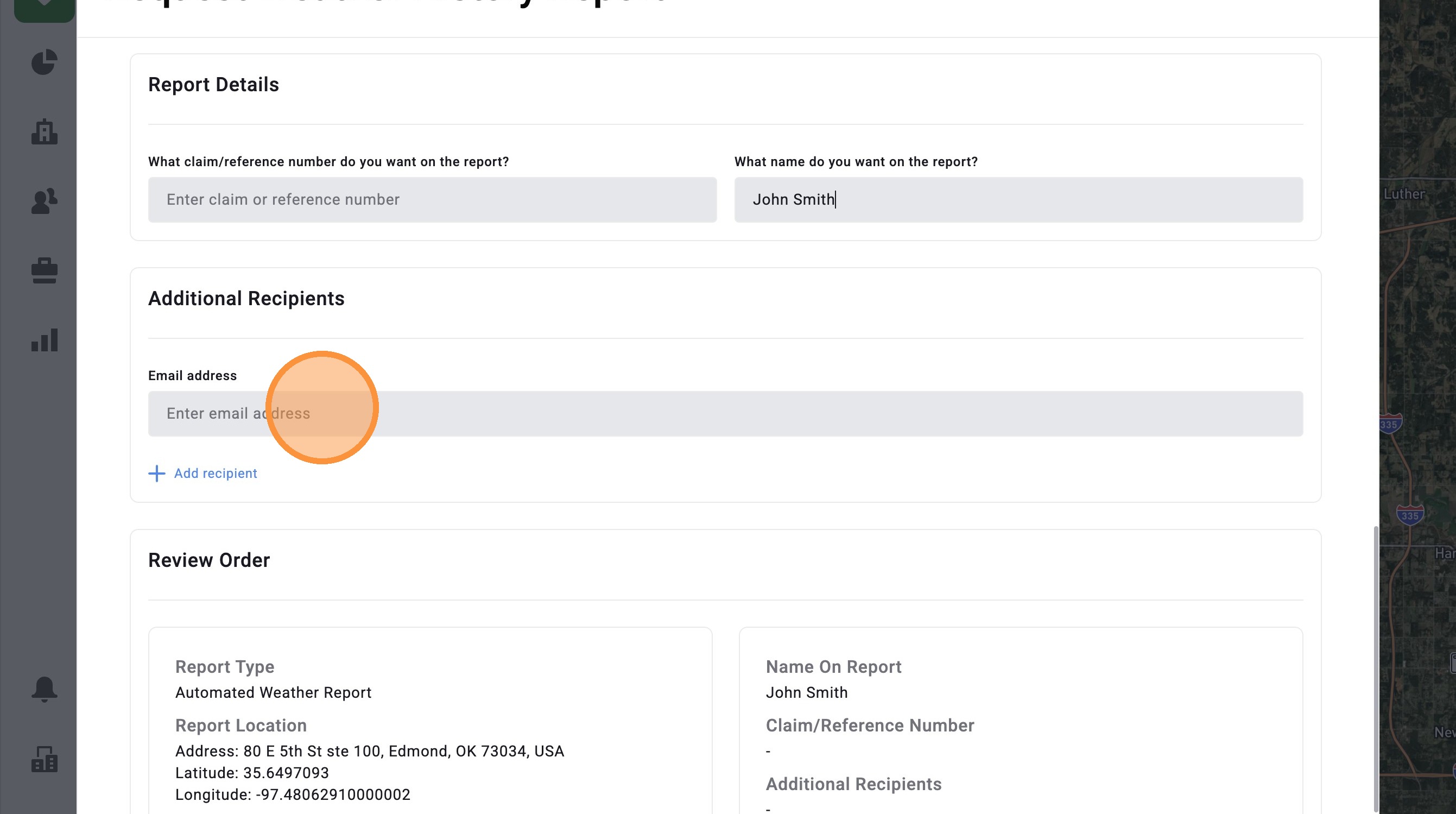
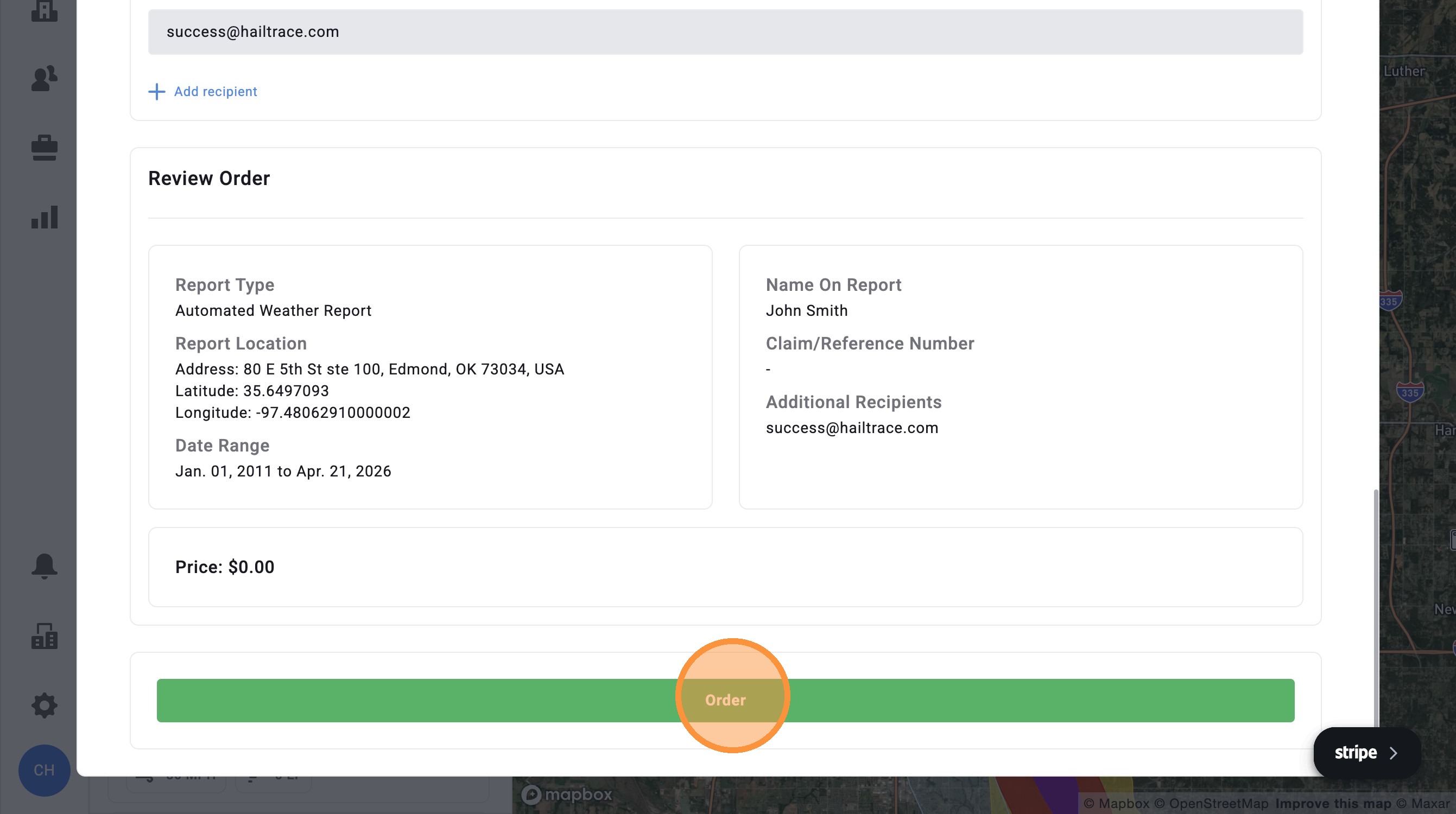
7. Click “Order.” You will receive the report by email in a few seconds and can download it there
Related Articles
[5.0] How To Add Your Branding to the Weather History Report
Branded Weather History Reports let you add your company’s logo and contact information to every weather history report you download in the HailTrace app, helping build trust by telling the full story of a property’s storm history, with your company ...
[5.0] How to Order a Meteorologist Reviewed Report
Every claim needs proof of coverage, damage, and causation. Causation shows whether the damage can be tied back to a specific storm. HailTrace Weather Reports help document causation with trusted storm data tied to the date of loss. A Meteorologist ...
[5.0] How To Find Storms & Activate A Weather Event
Our Maps, also called Weather Events, help you find areas hit by hail, wind, and tornadoes. Use them to identify the best places to generate leads and get there first—whether in the heart of the storm for maximum opportunity or along the edges where ...
[5.0] How To Clear Loaded Weather Events
You can remove loaded weather events using the steps below. Removing loaded weather events can help you: Focus your search on a few select storms Make room for additional weather events in the mobile app Note: The mobile app only allows up to 10 ...
[5.0] Save Weather Events for Quick Access
Saving weather events makes it easy to find the storm maps you use most often. Use saved events to quickly pull up important storms, active sales areas, or maps you need to reference often inside the app. Mobile App 1. Tap "Maps" page 2. Tap ...