[5.0] Manage Storms Faster with the Weather Event Panel

[5.0] Manage Storms Faster with the Weather Event Panel

The Weather Event Panel now makes it easier to find and manage your storms.

You can quickly filter maps, view active events, and access your saved favorites all in one place.
Clear maps one at a time or reset everything with one click. This helps you stay organized and move from one storm to the next without slowing down.


Mobile App

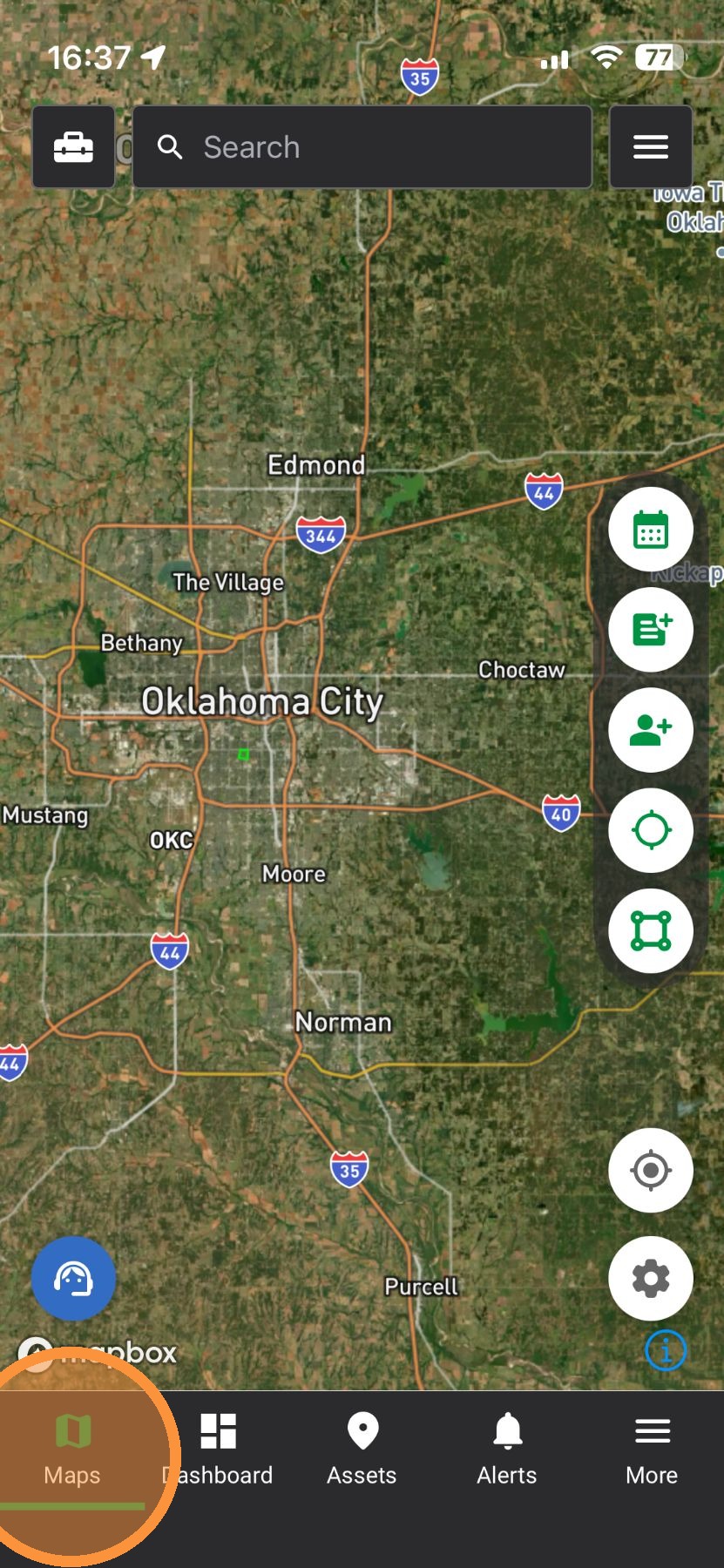
1. Tap "Maps" page


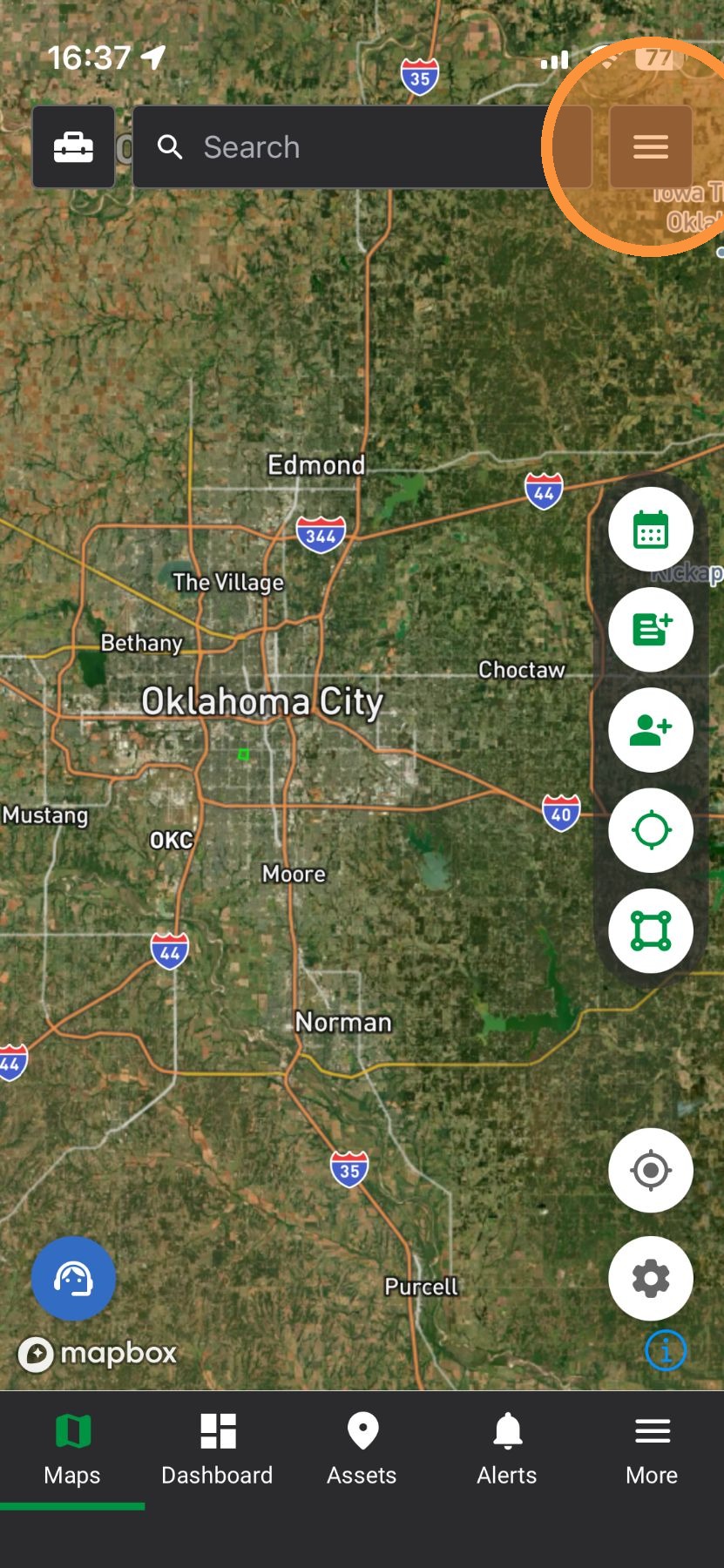
2. Tap "Navigation Bar" panel

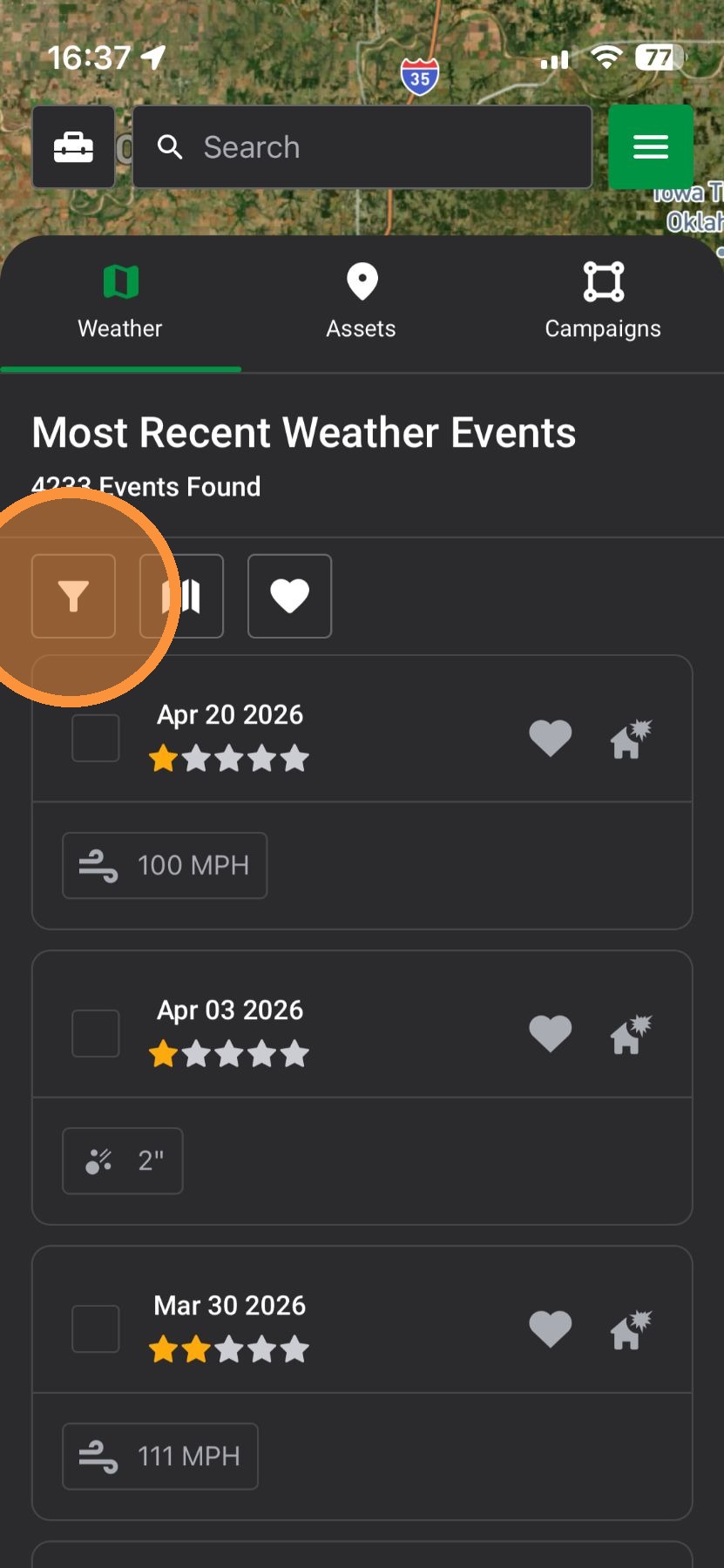
3. Under "Weather," select "Map Search Filters"

4. Apply any number of filters to find storms
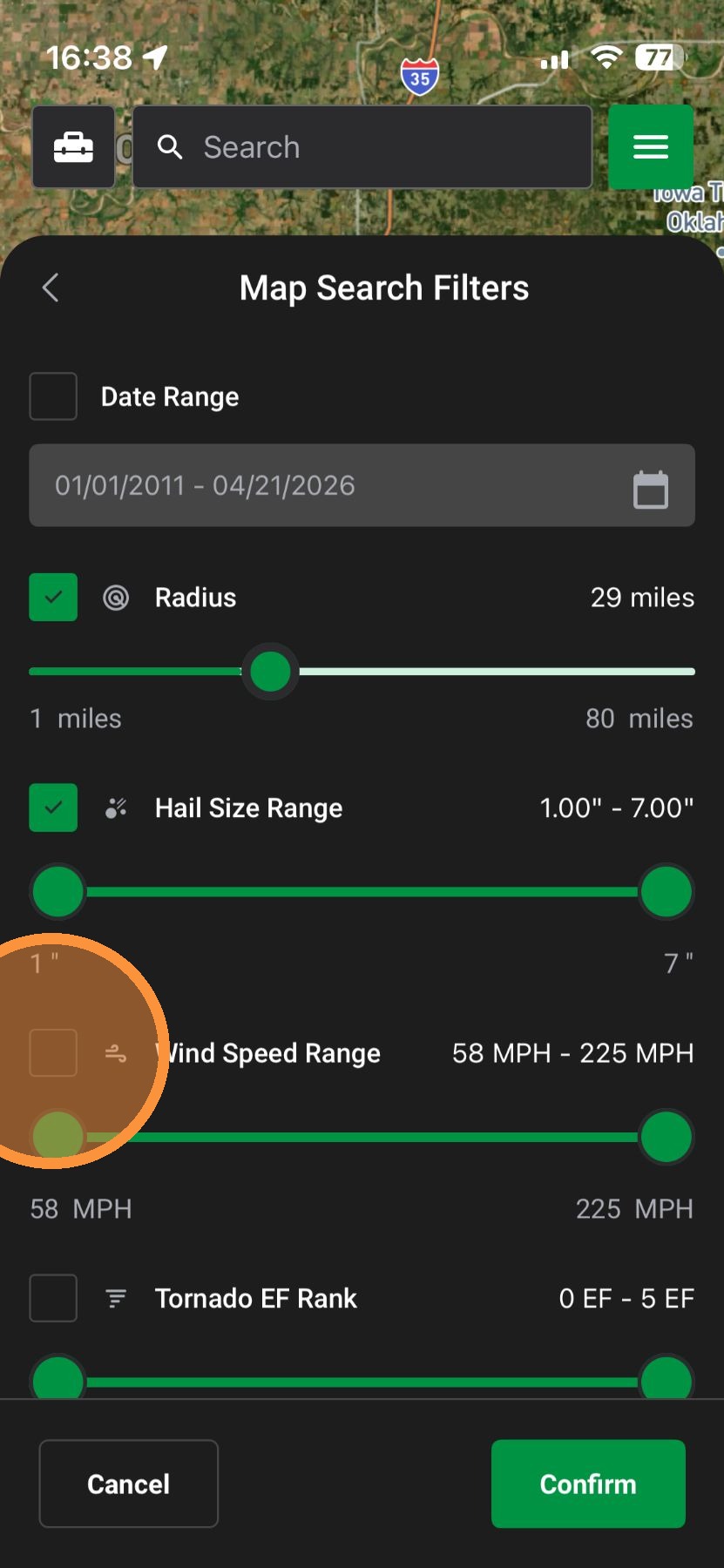

5. New Date Range filter: Finds storms faster and flag those nearing the statute of limitations
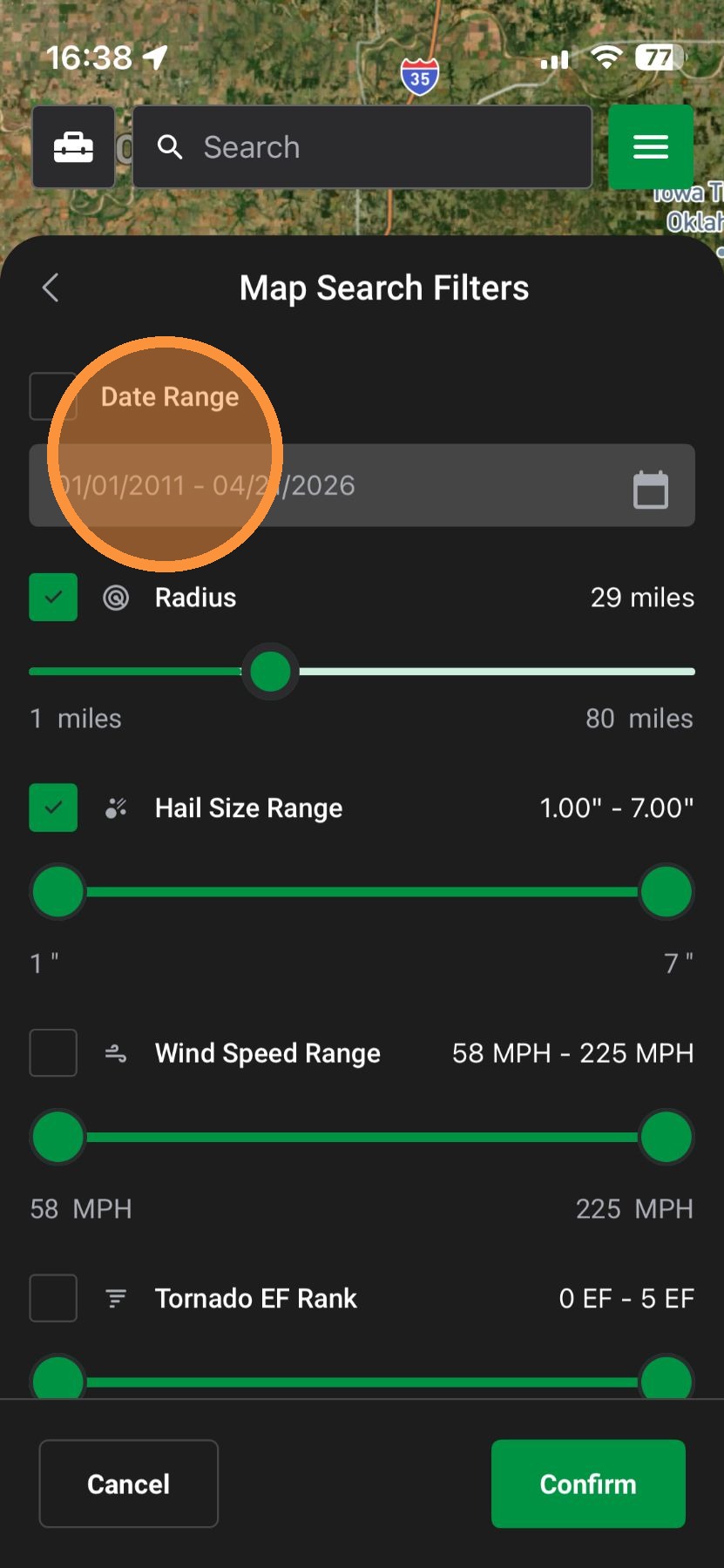

6. Select a custom date range or a preset filter
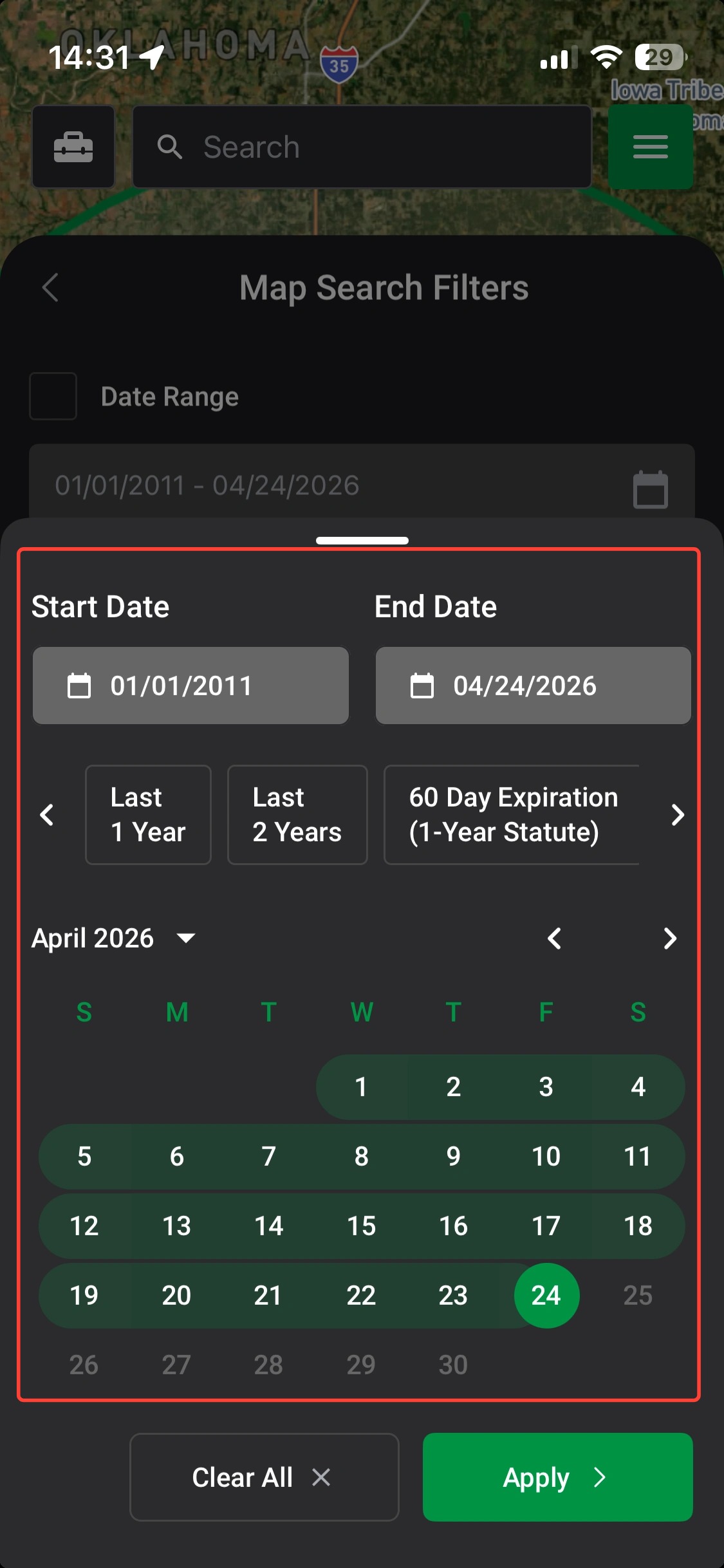

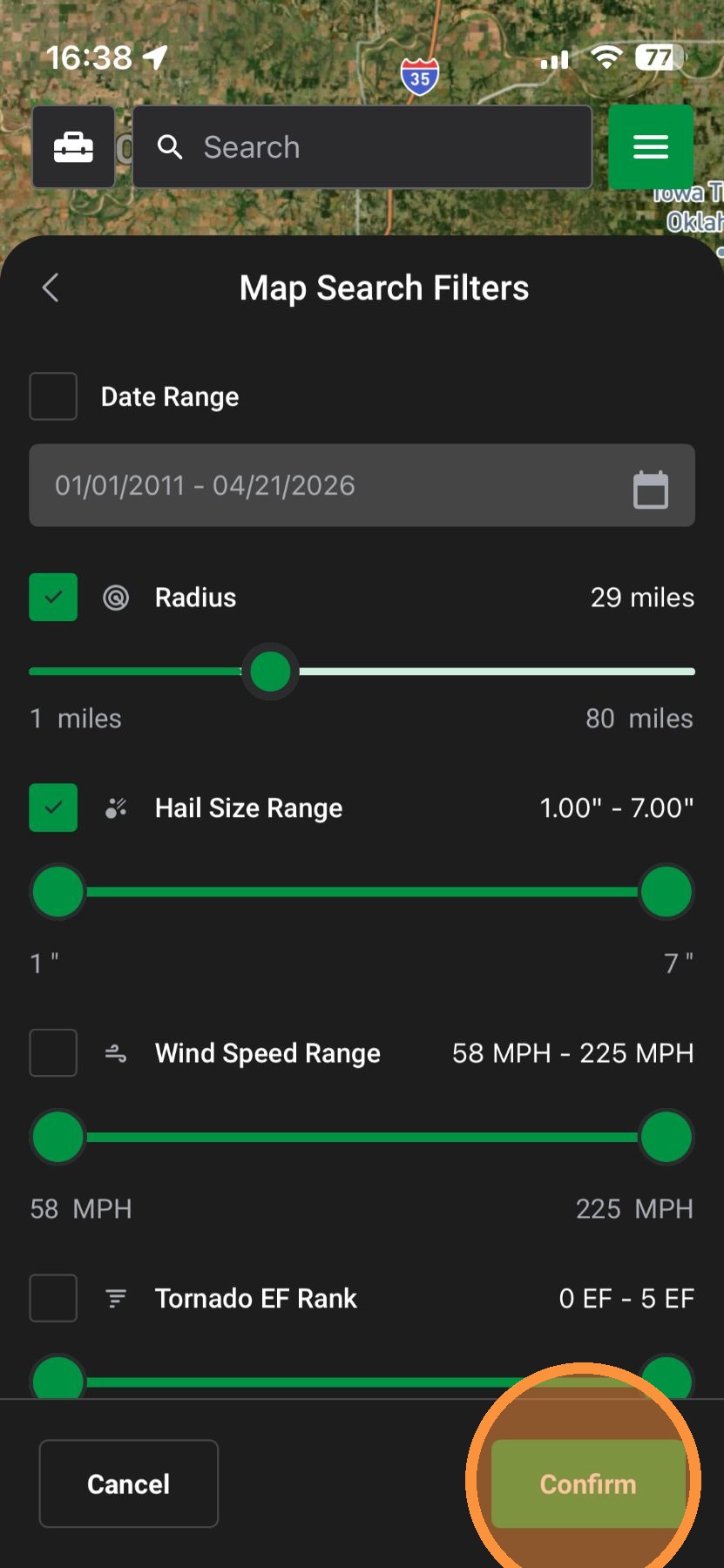
7. Tap "Confirm"

8. Tap "Active Events" to find weather events you have turned On in the app
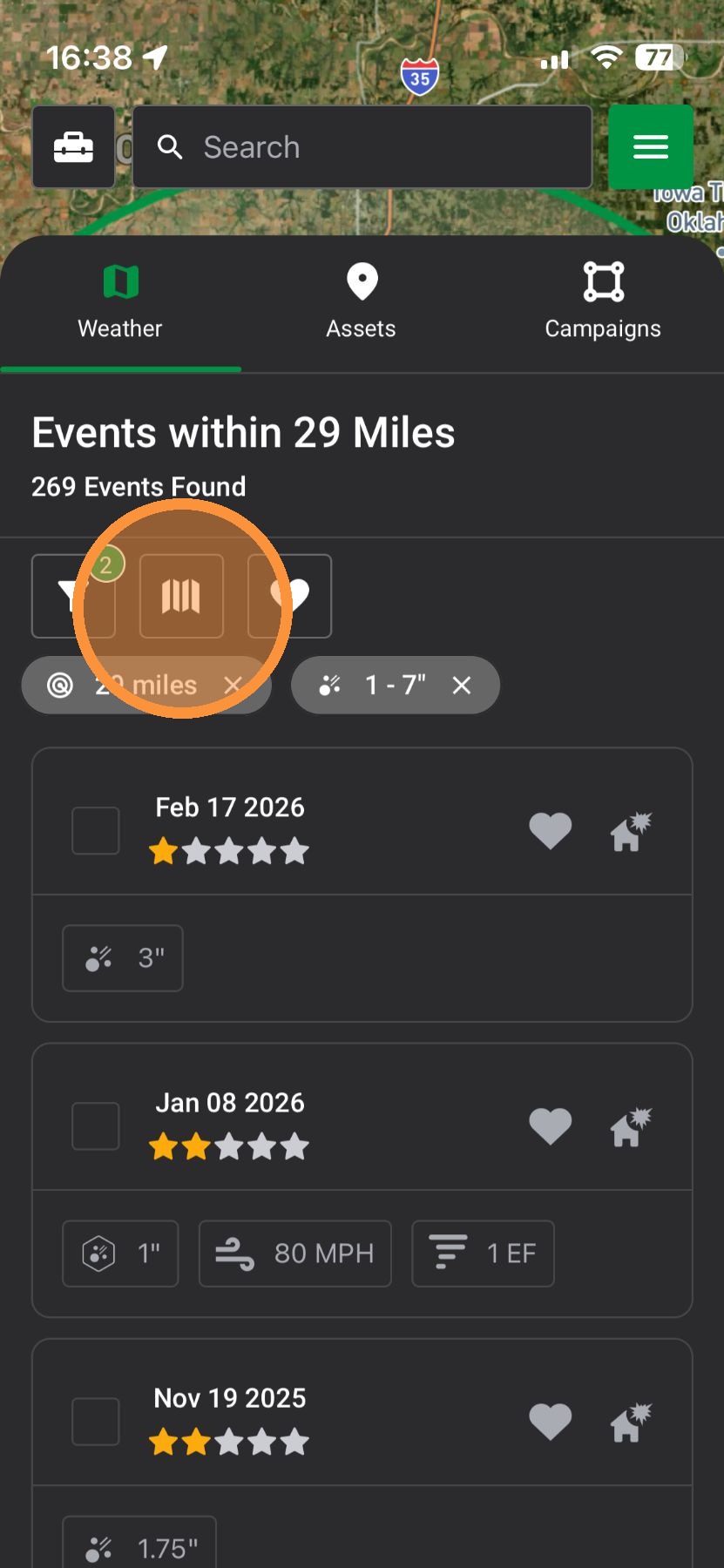

9. Select "Clear All Active Maps" to remove all maps
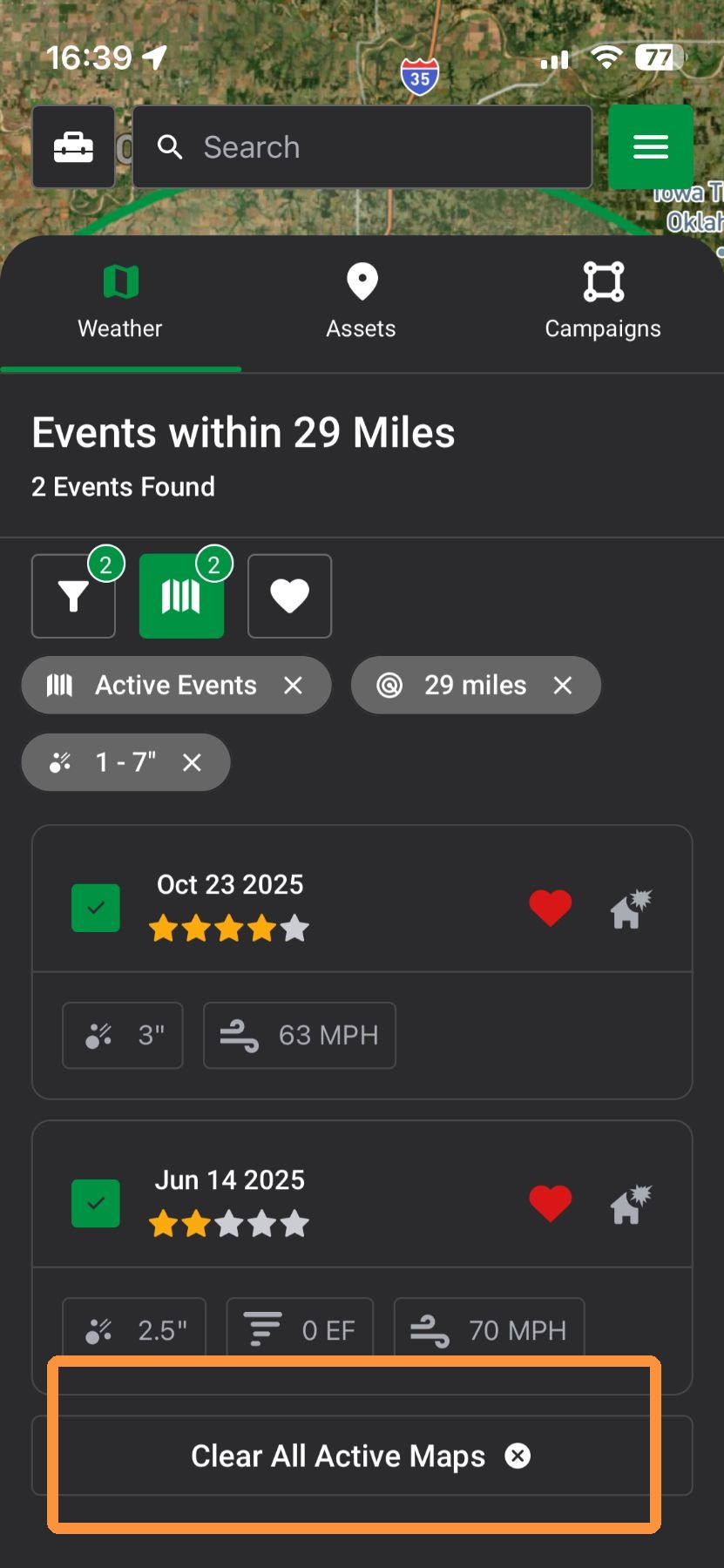

10. Tap "Favorite Events" to find your saved weather events
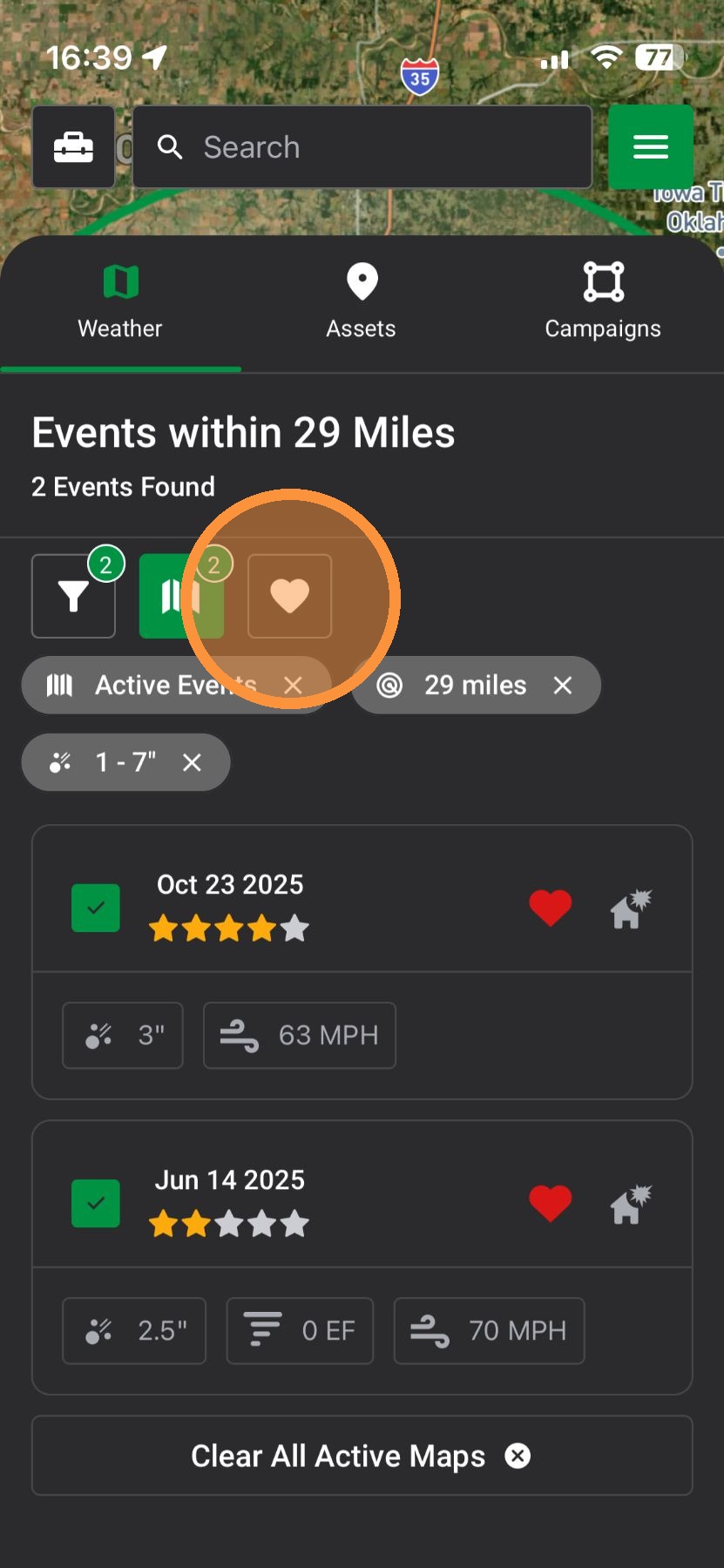

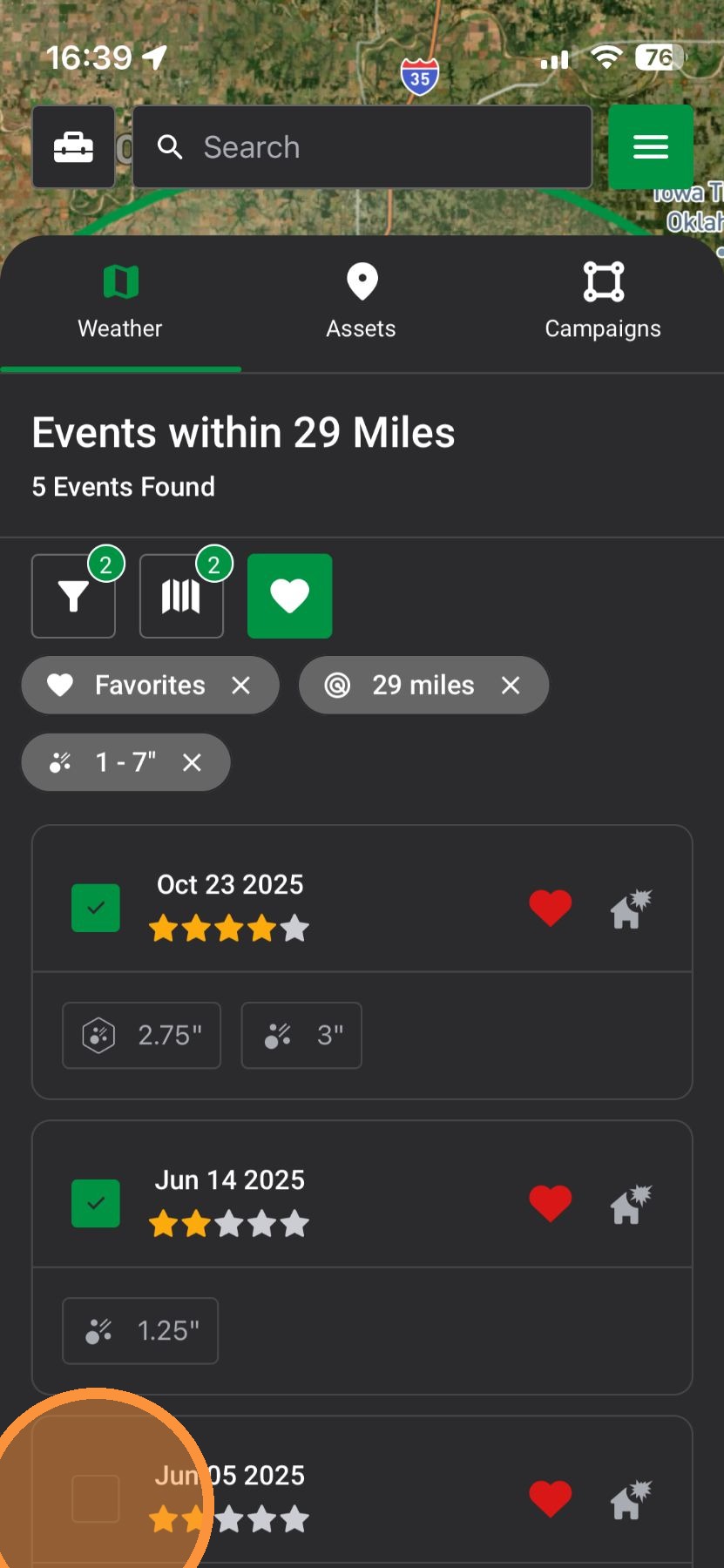
11. Tap next to a date to Activate any number of your favorite events

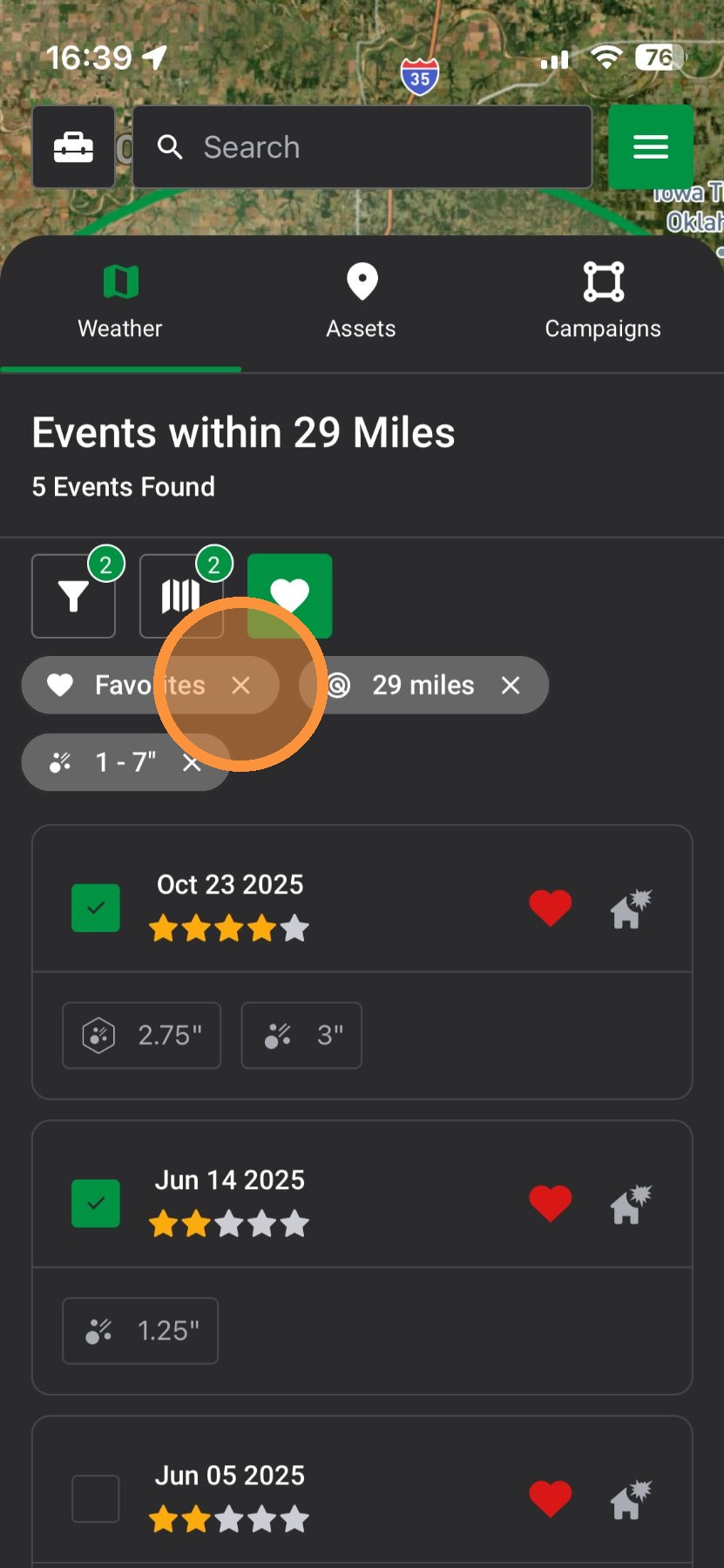
12. To remove map filters, tap the "X" next to a filter


Browser App

1. Select "Maps" page
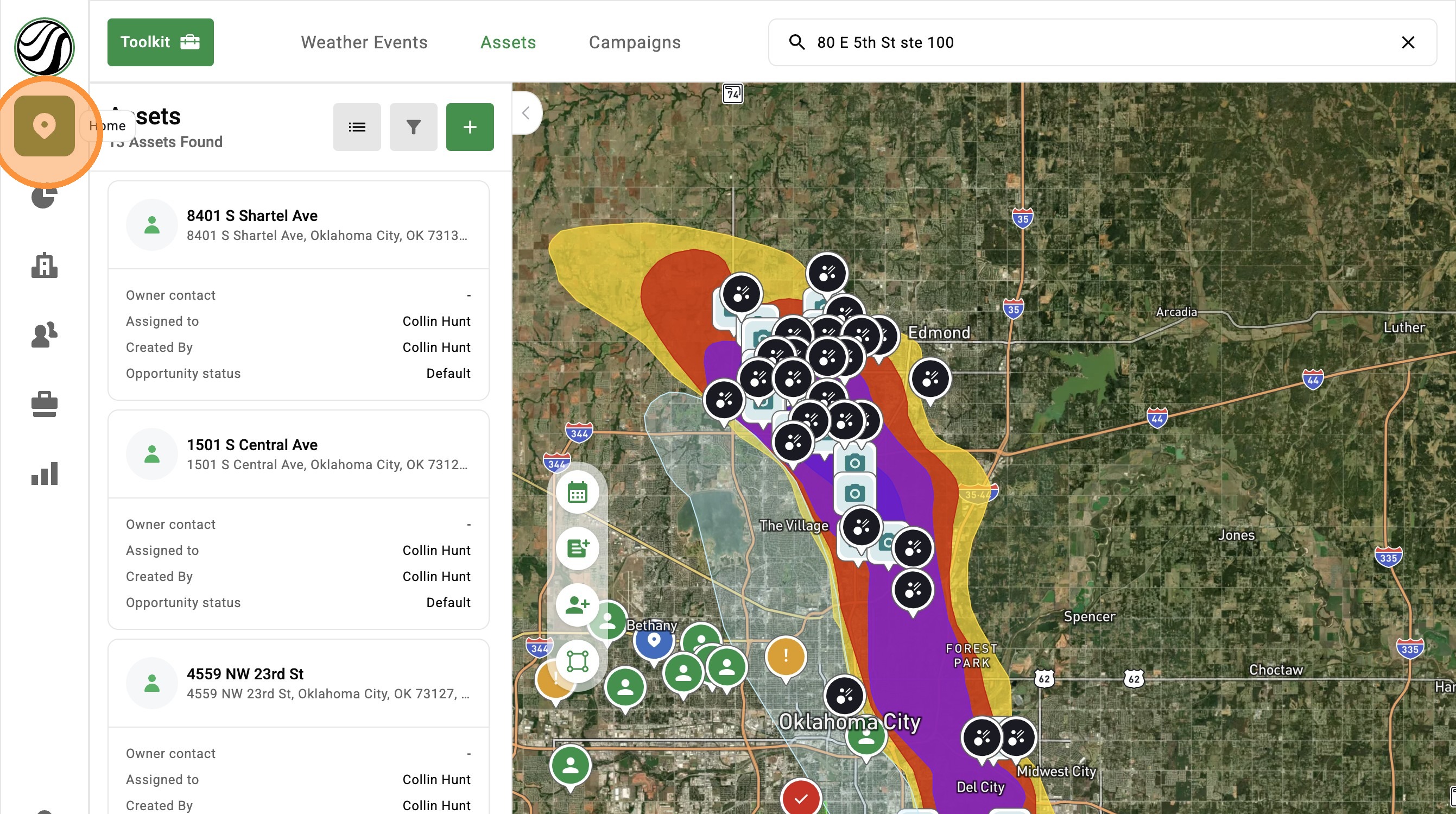

2. Click "Weather Events" panel
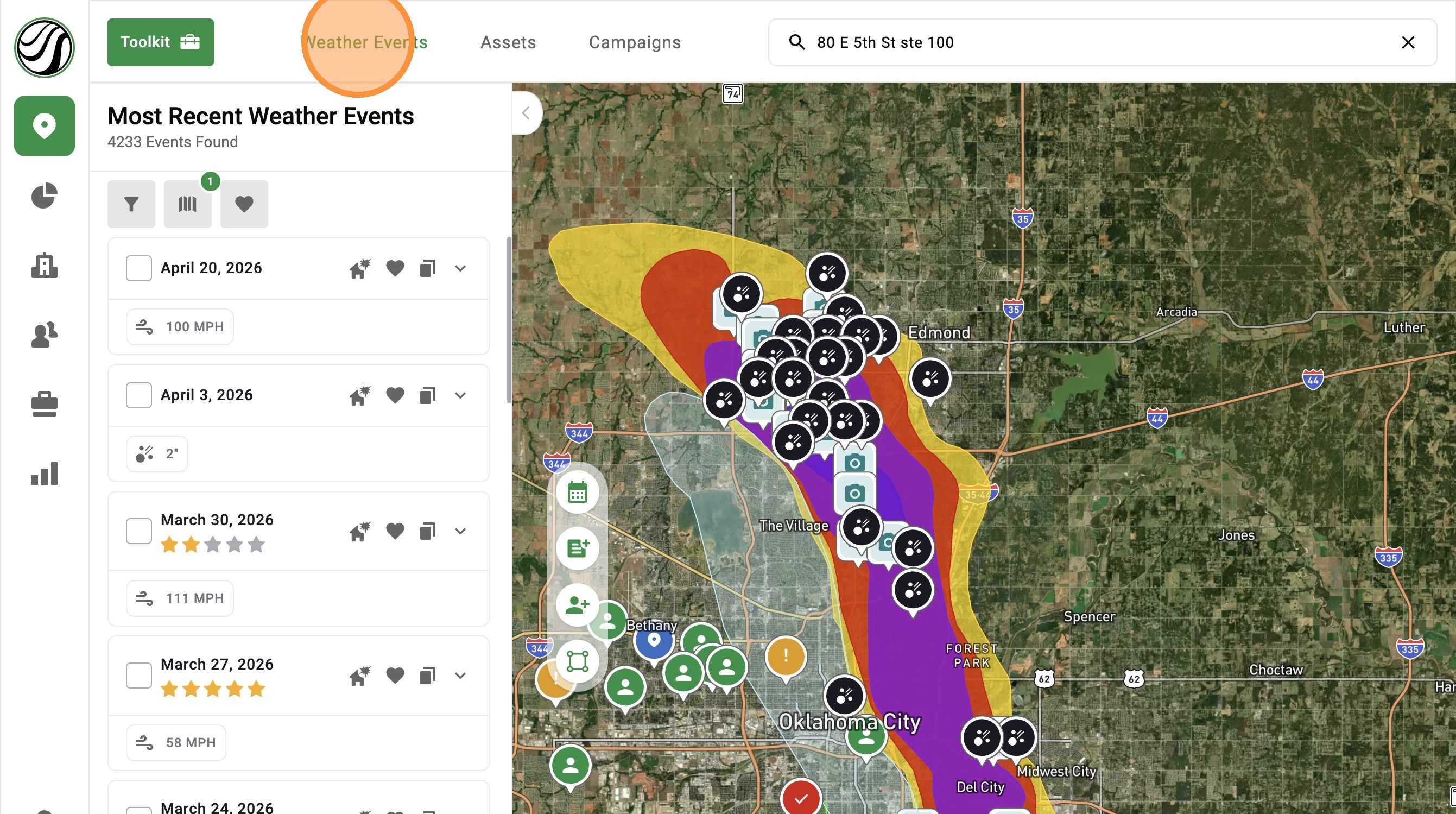

3. Select "Map Search Filters"
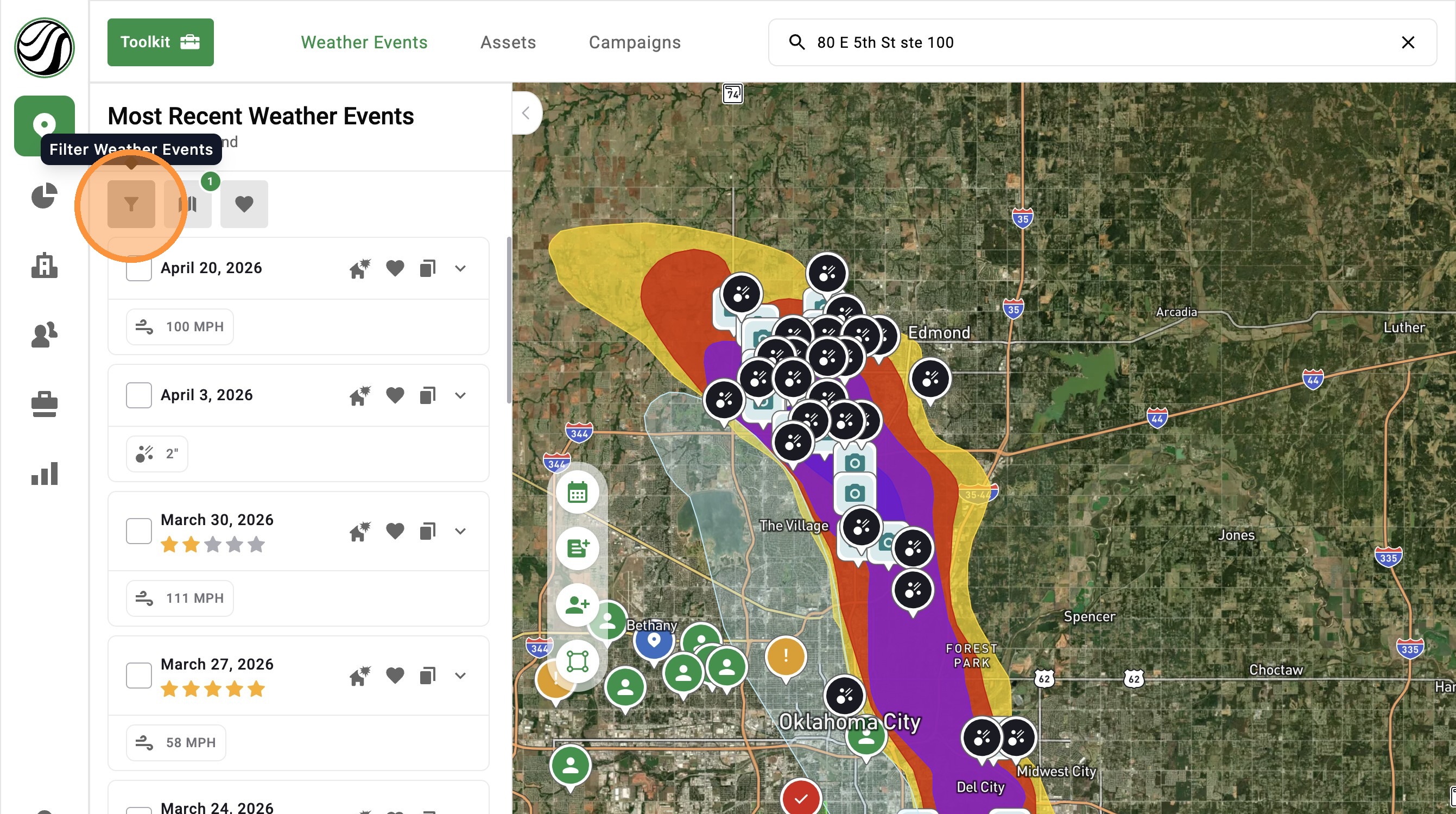

4. Apply any number of filters to find storms
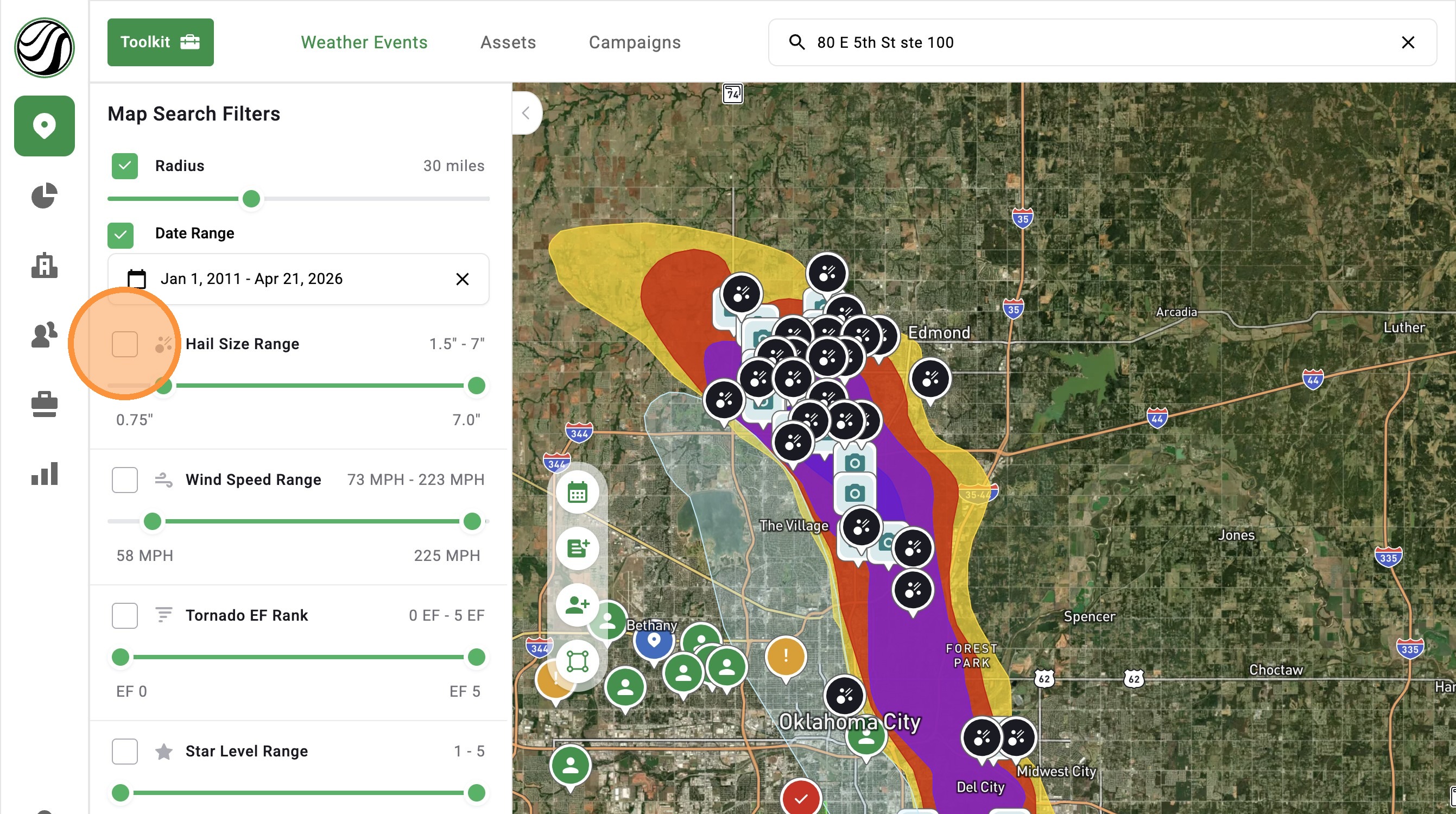

5. New Date Range filter: Finds storms faster and flag those nearing the statute of limitations
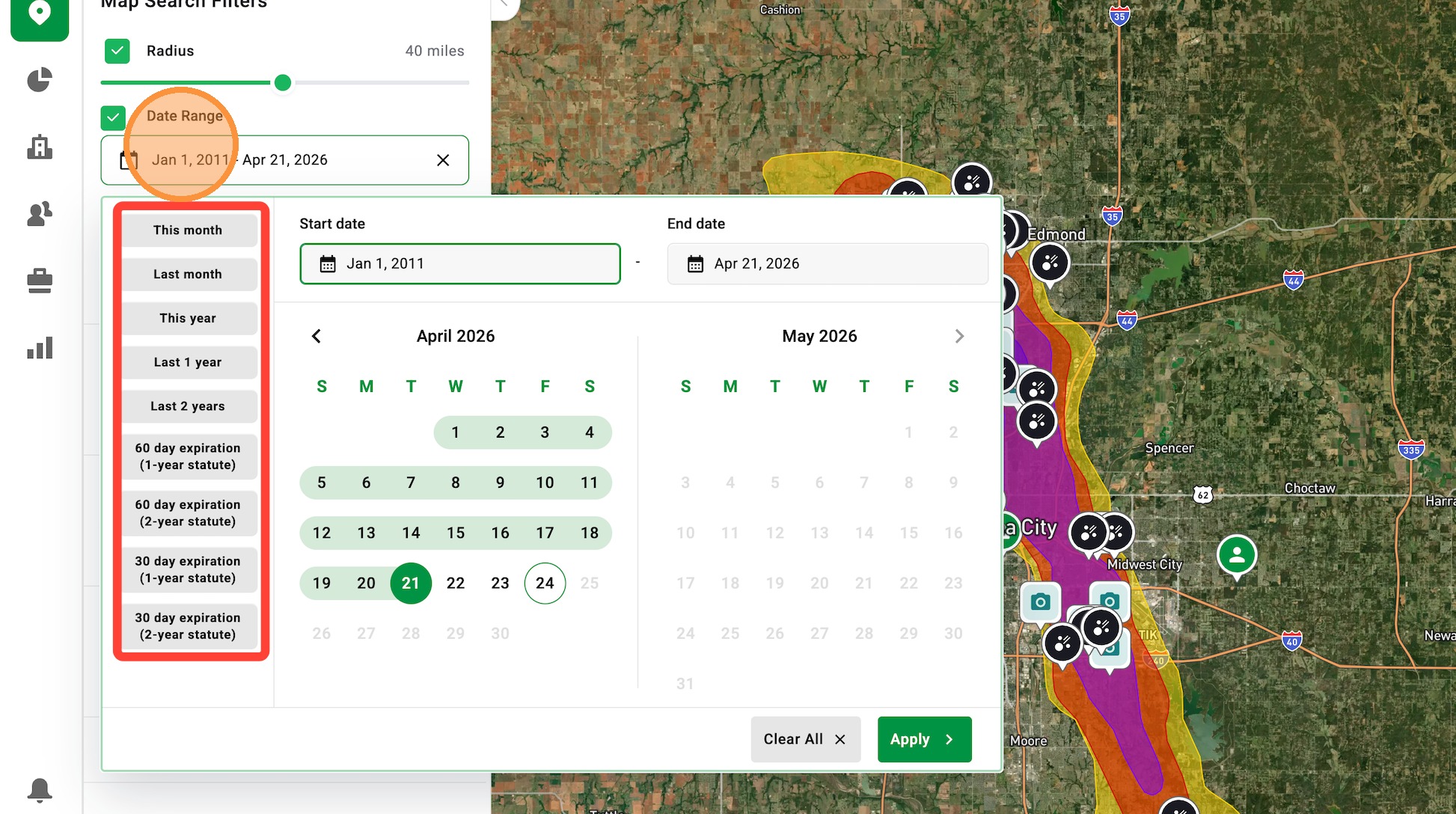

6. Click "Confirm"
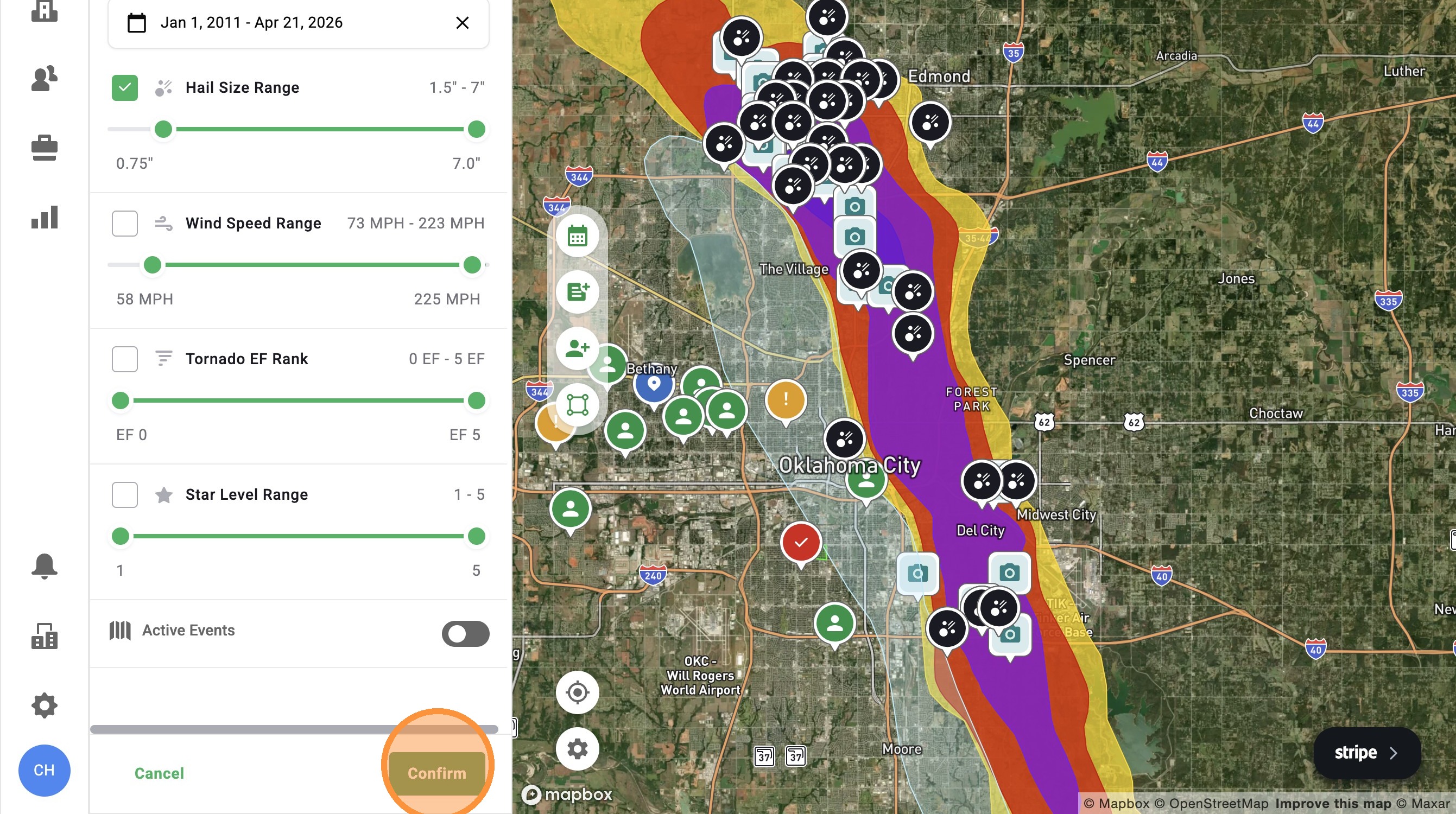

7. Click "Active Events" to find weather events you have turned On in the app
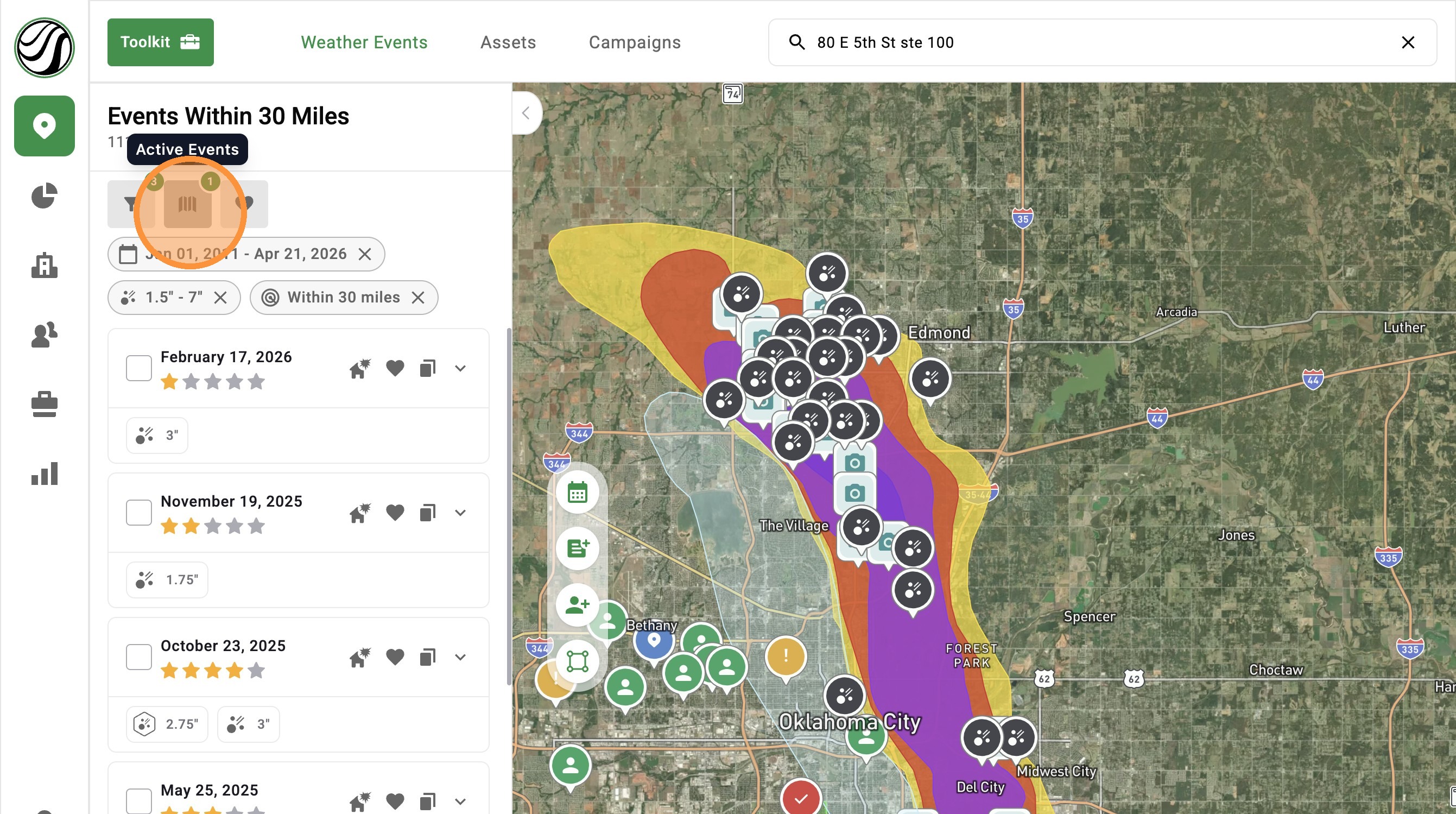

8. Select "Clear All Active Maps" to remove all maps
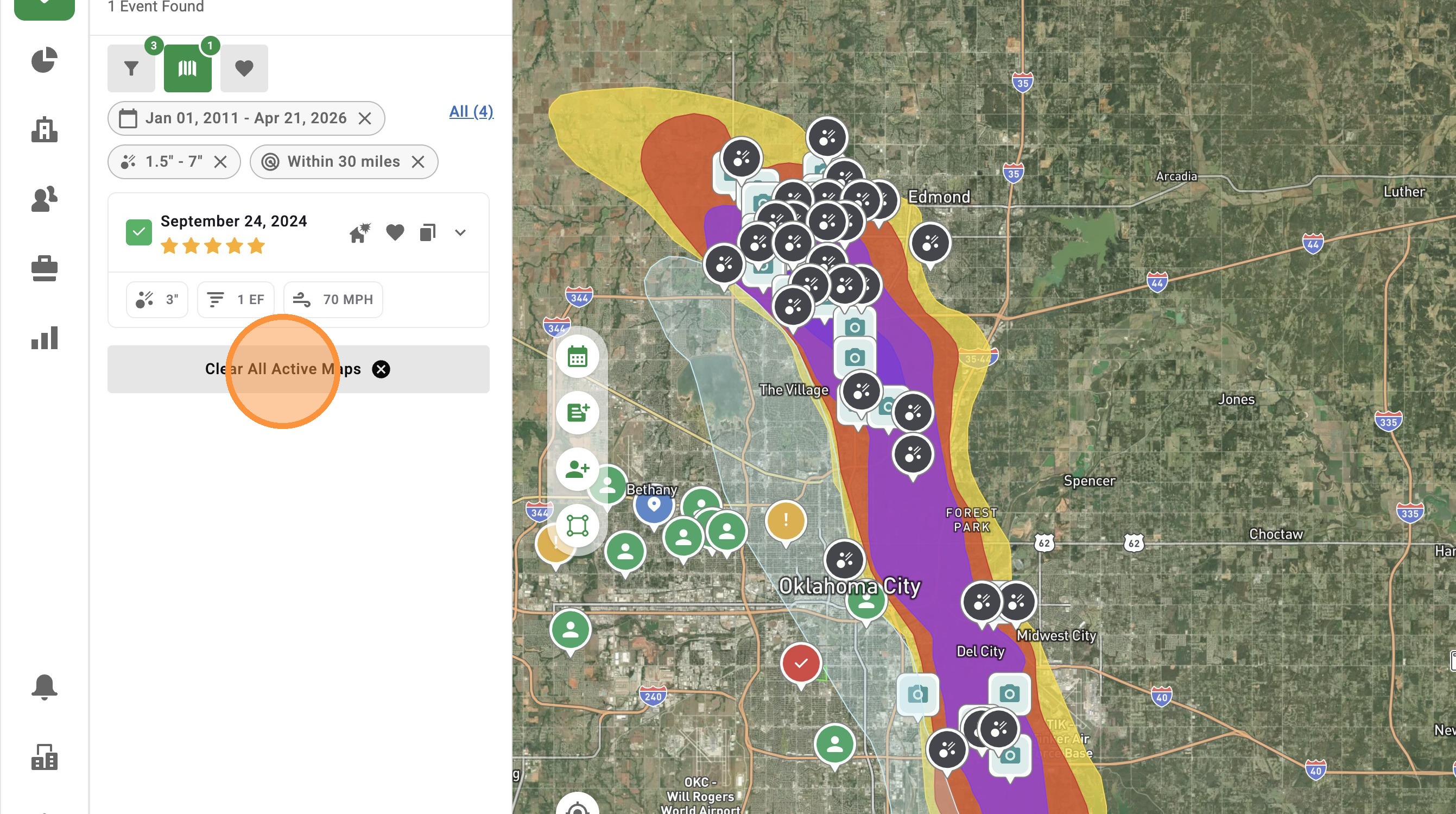

9. Click "Favorite Events" to find your saved weather events
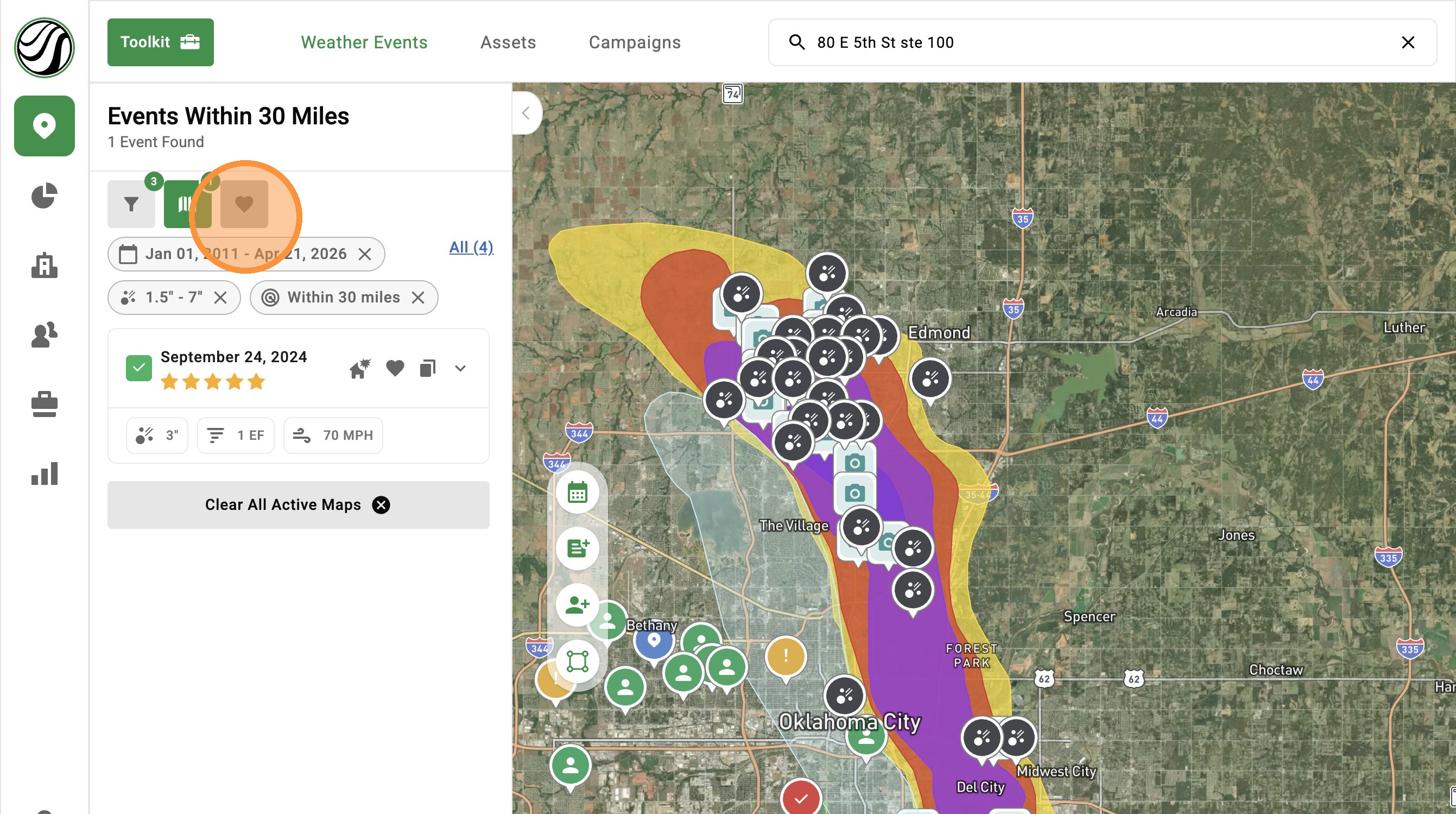

10. Activate any number of favorited events
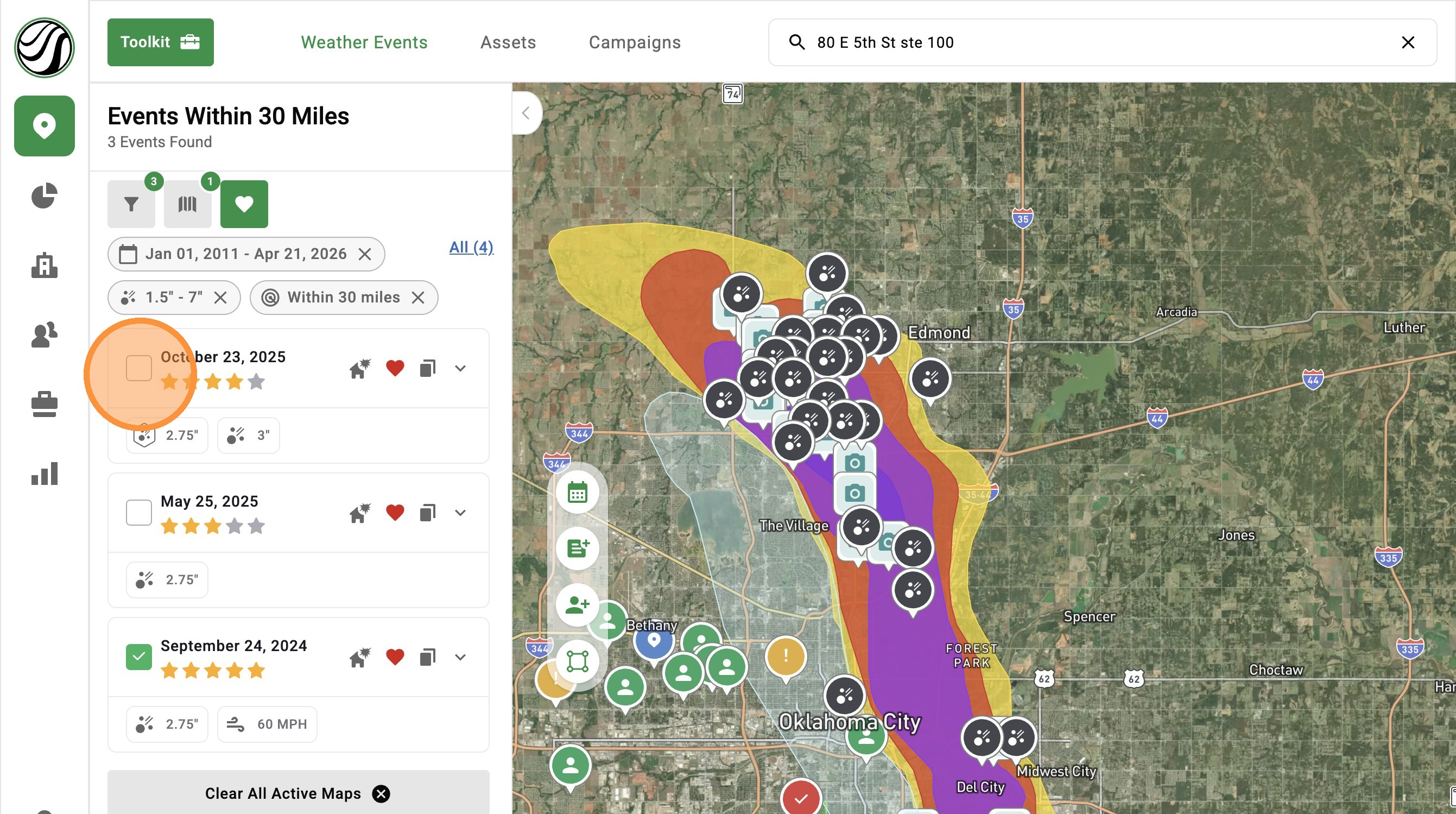

11. To remove map filters, click the "X" next to a filter


    • Related Articles

    • [5.0] Find Storms Nearing Deadline with Statute of Limitations Filter

      The Statute of Limitations filter highlights storms nearing the deadline for homeowners to file an insurance claim. It helps you quickly find and revisit damaged areas so you can reach owners who may still be able to file but haven’t yet. Mobile App ...
    • [5.0] Save Weather Events for Quick Access

      Saving weather events makes it easy to find the storm maps you use most often. Use saved events to quickly pull up important storms, active sales areas, or maps you need to reference often inside the app. Mobile App 1. Tap "Maps" page 2. Tap ...
    • [5.0] How To Find Storms & Activate A Weather Event

      Our Maps, also called Weather Events, help you find areas hit by hail, wind, and tornadoes. Use them to identify the best places to generate leads and get there first—whether in the heart of the storm for maximum opportunity or along the edges where ...
    • [5.0] How To Clear Loaded Weather Events

      You can remove loaded weather events using the steps below. Removing loaded weather events can help you: Focus your search on a few select storms Make room for additional weather events in the mobile app Note: The mobile app only allows up to 10 ...
    • [5.0] Improved Map Search Using the Radius Filter

      We’ve updated how the radius filter behaves when searching for weather events to give you more control and reduce confusion while working on the map. The radius can now either move with your screen or stay locked to a selected location, depending on ...