[5.0] How to Assign Opportunities to Users

[5.0] How to Assign Opportunities to Users

When you create an Asset in the HailTrace app, an Opportunity is created at the same time.

Opportunities can be assigned to you or to another user on your team. To learn how to assign an Opportunity while creating an Asset, see the article Create Assets, Contacts, and Opportunities.

To change who is assigned to an Opportunity after the Asset has already been created, follow the steps below.

InfoNote: Opportunities are part of the DealTrace product. You must have a DealTrace UserDealTrace Manager, or DealTrace Admin role to edit and assign Opportunities.


Mobile App

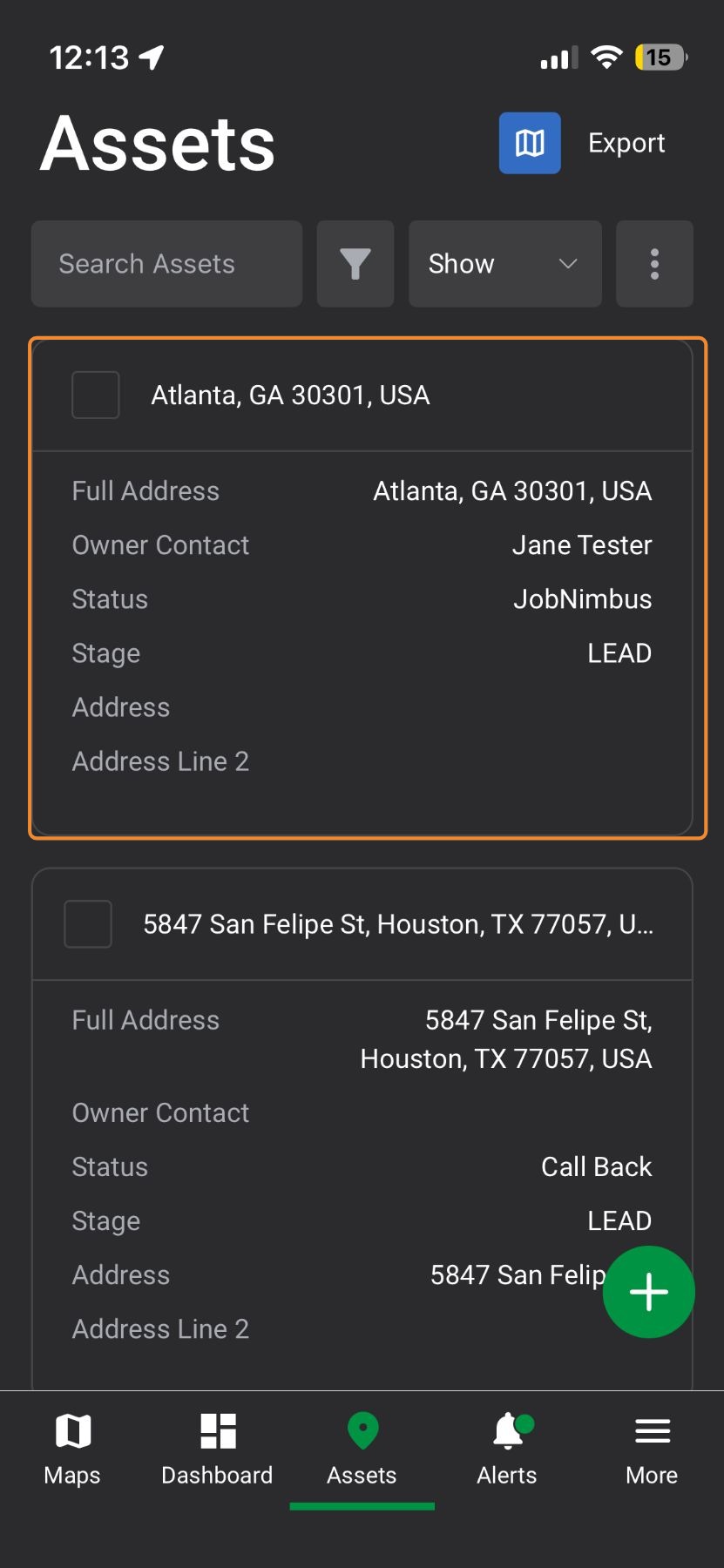
1. Select an asset on the map page or on the "Asset" page
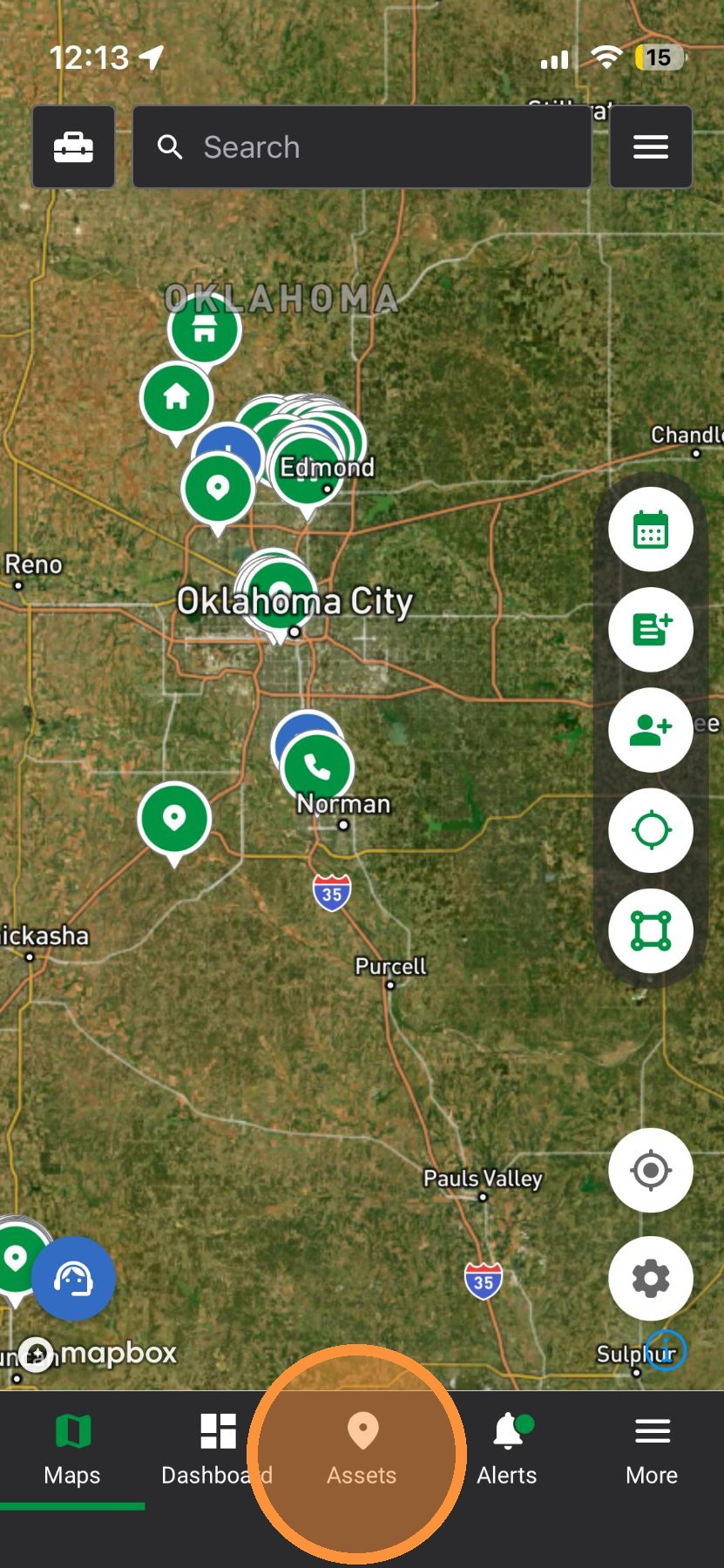

2. Select an asset

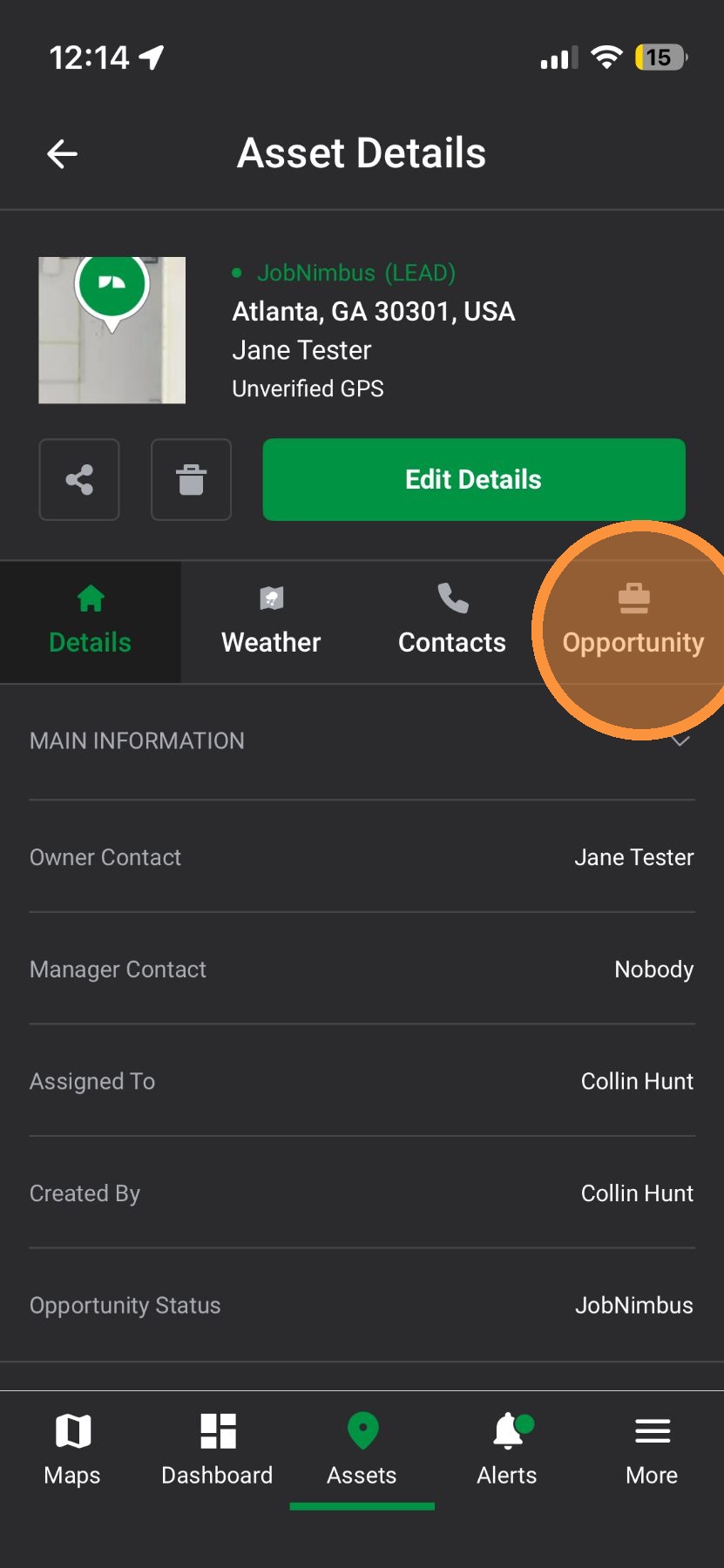
3. Tap "Opportunity" tab

4. Select the Opportunity
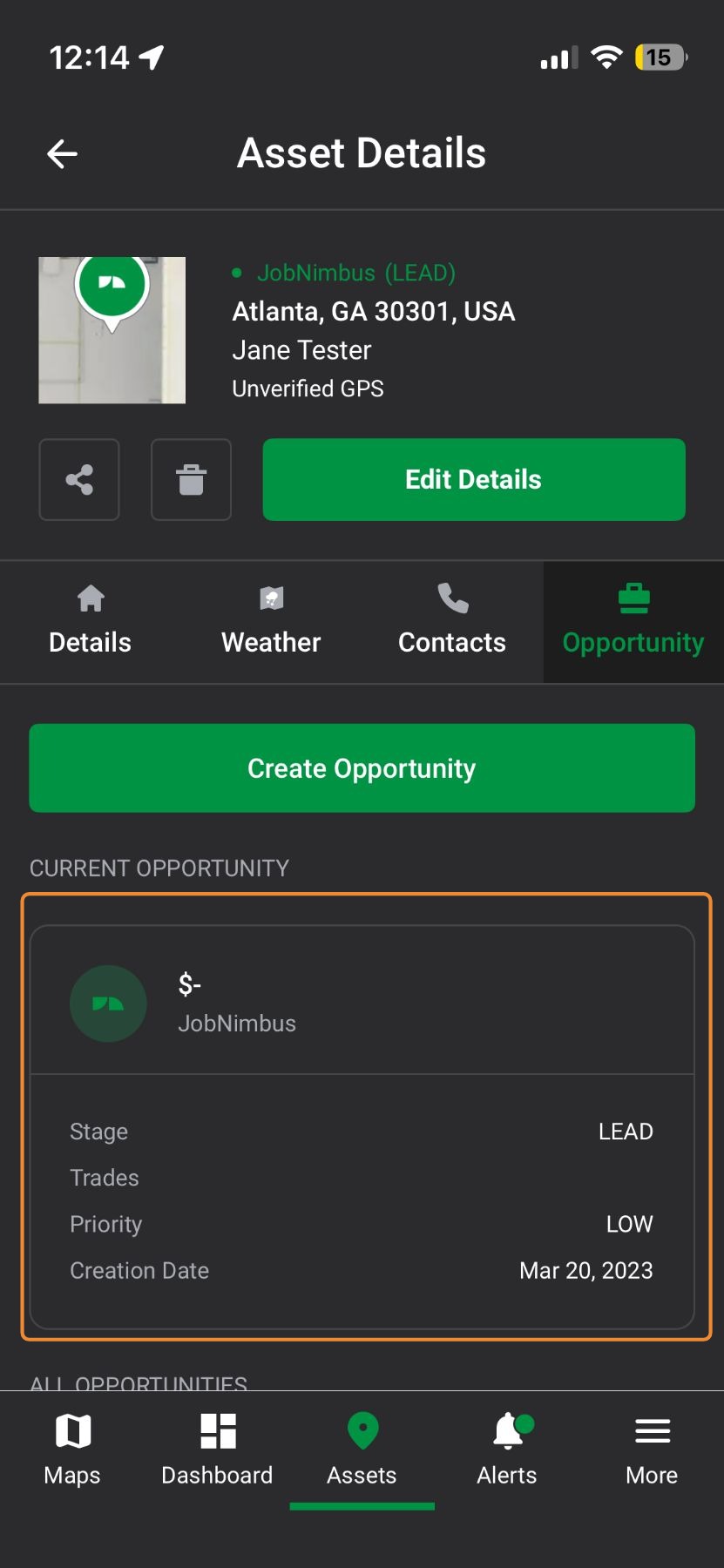

5. Tap "Edit Details"
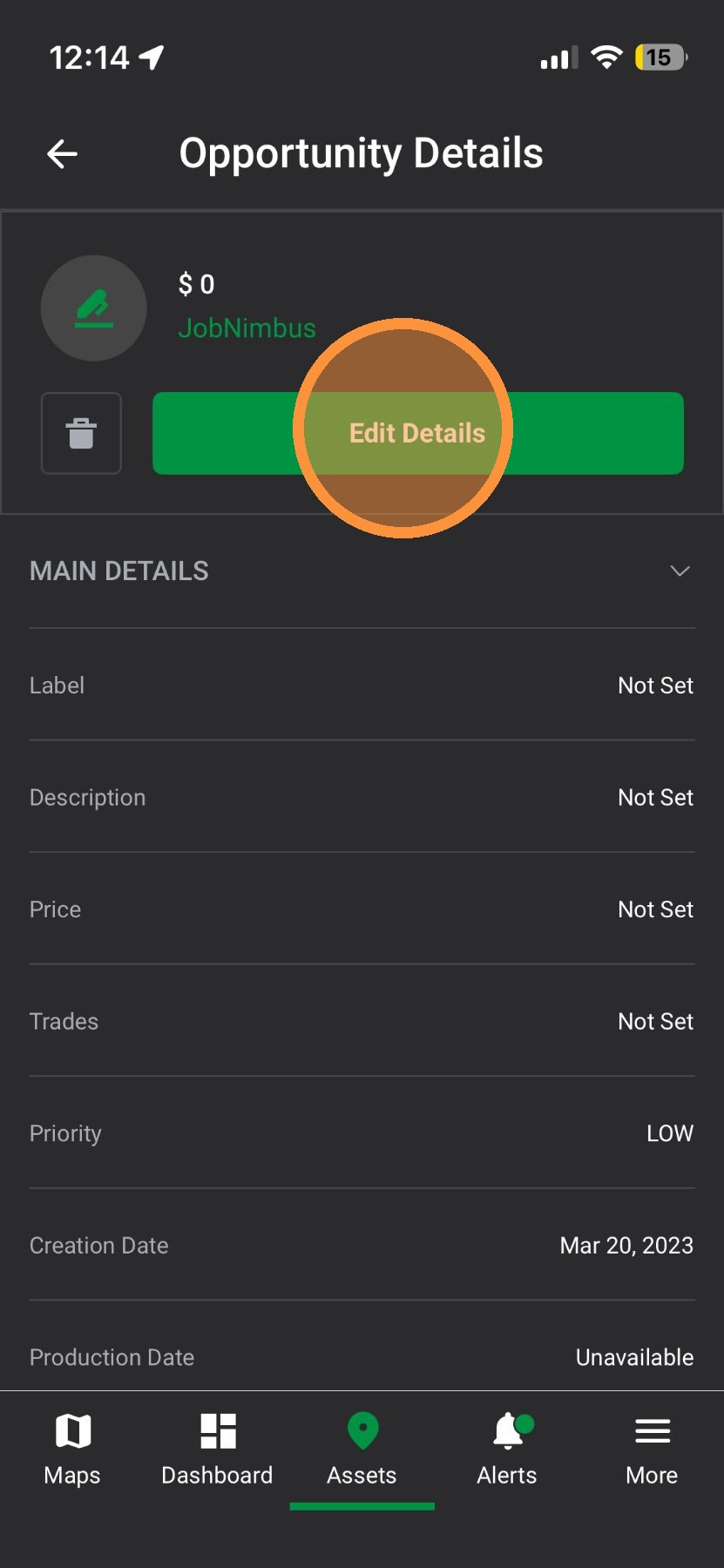

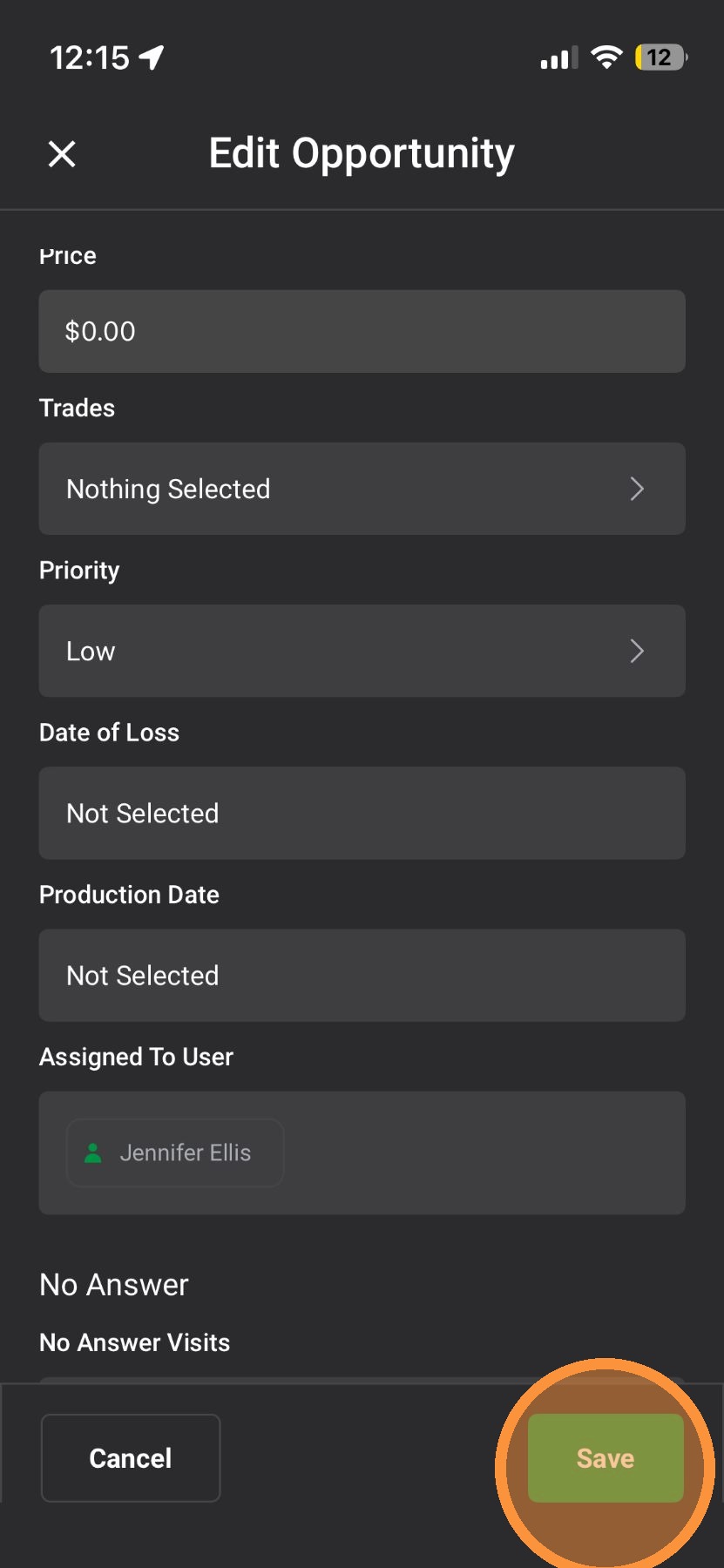
6. Scroll Down
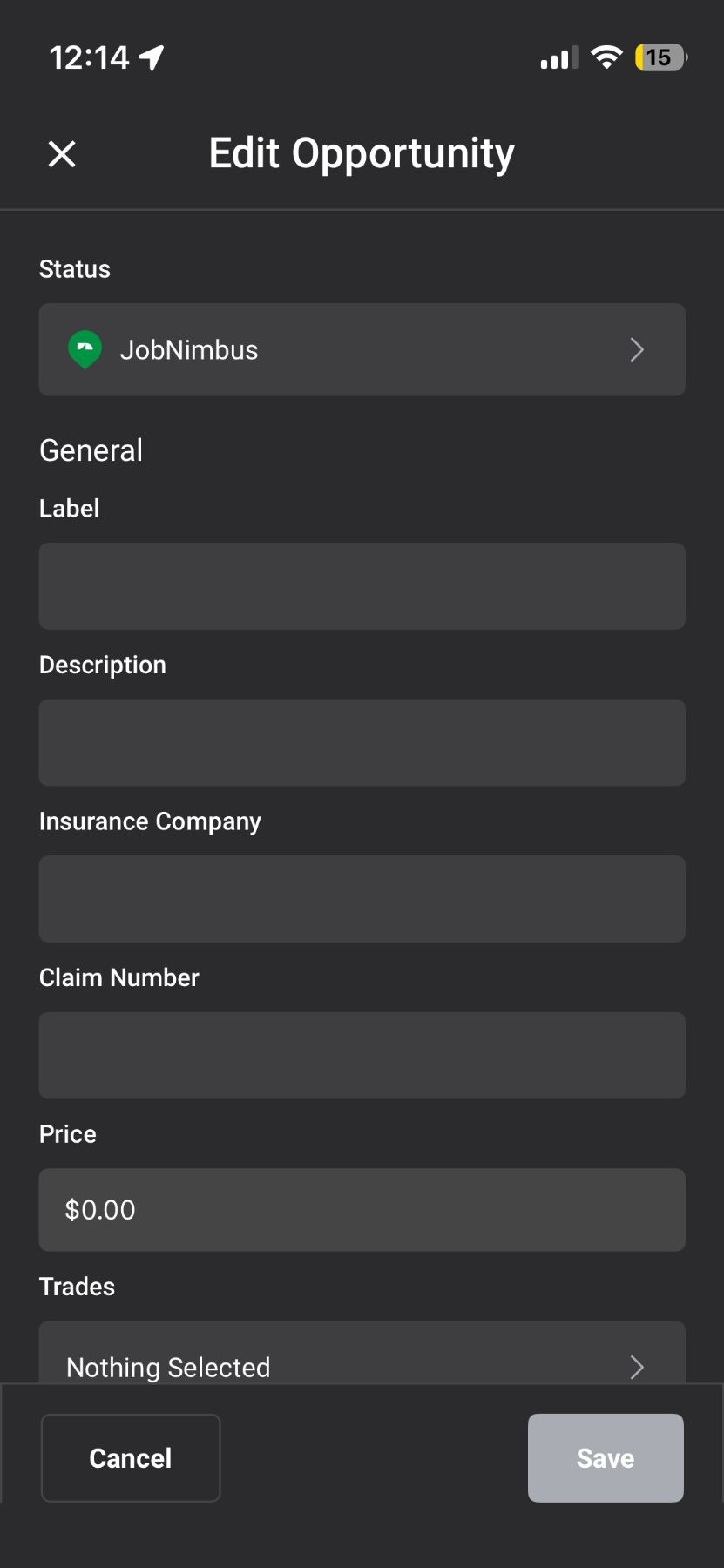

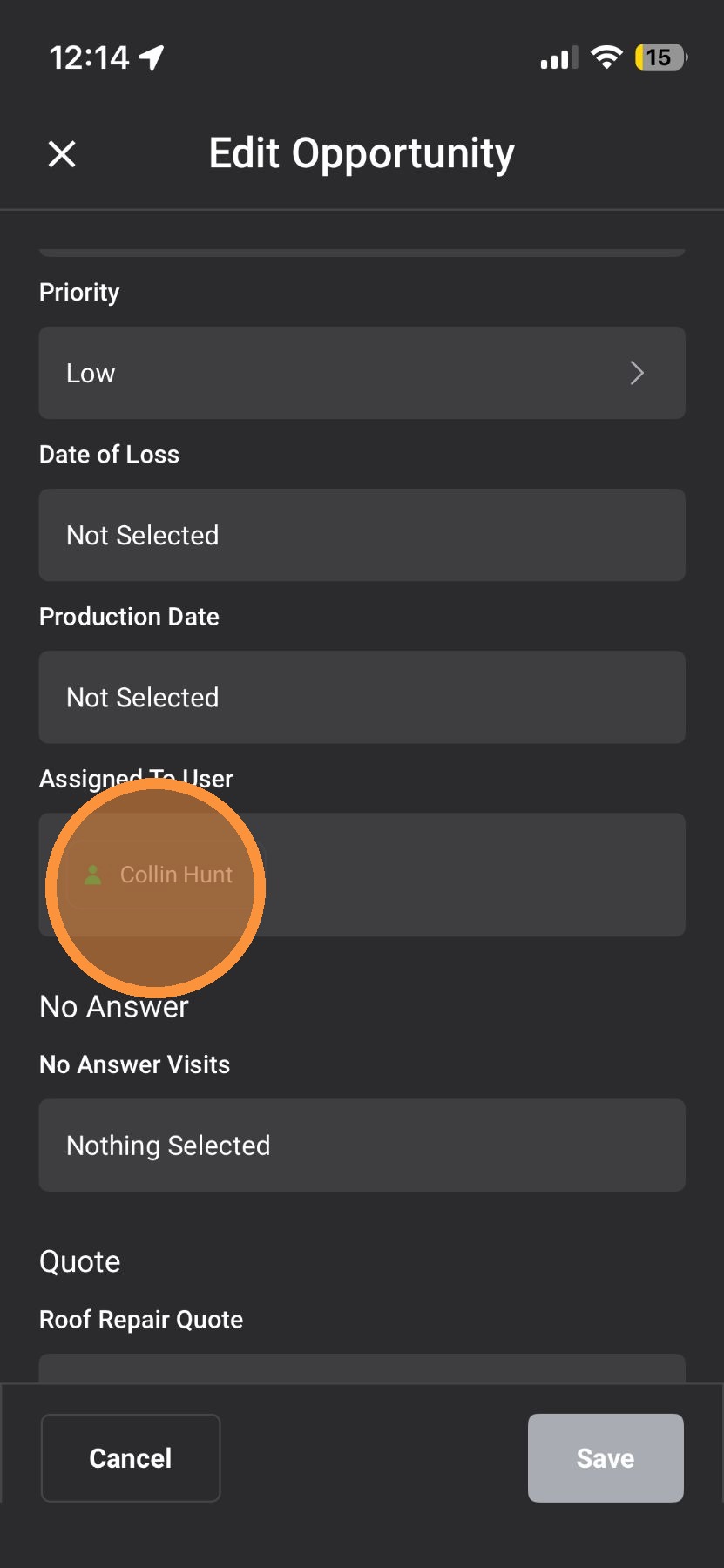
7. Tap "Assign to User"

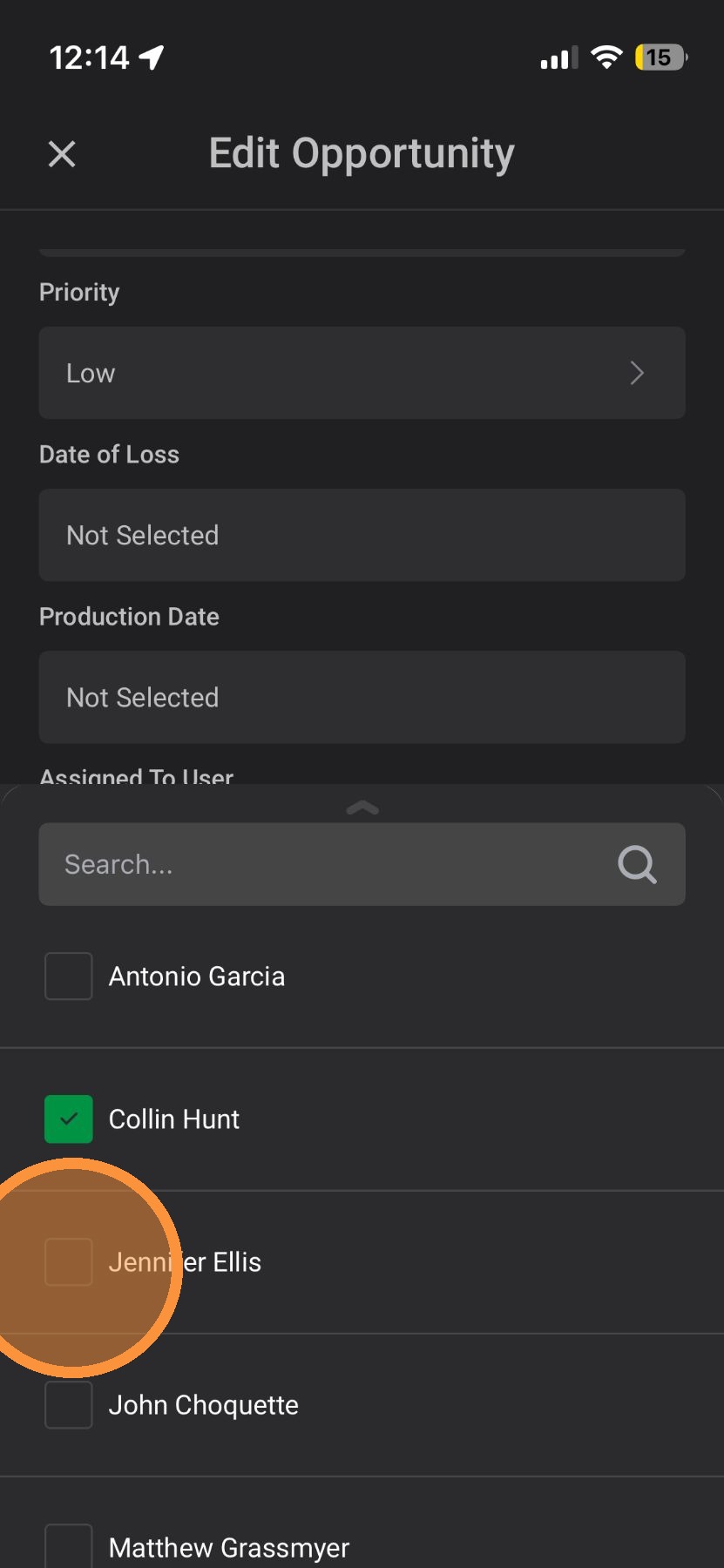
8. Select a new user

9. Tap "Save"


Browser App

1. Select an asset on the map page or on the "Asset" page
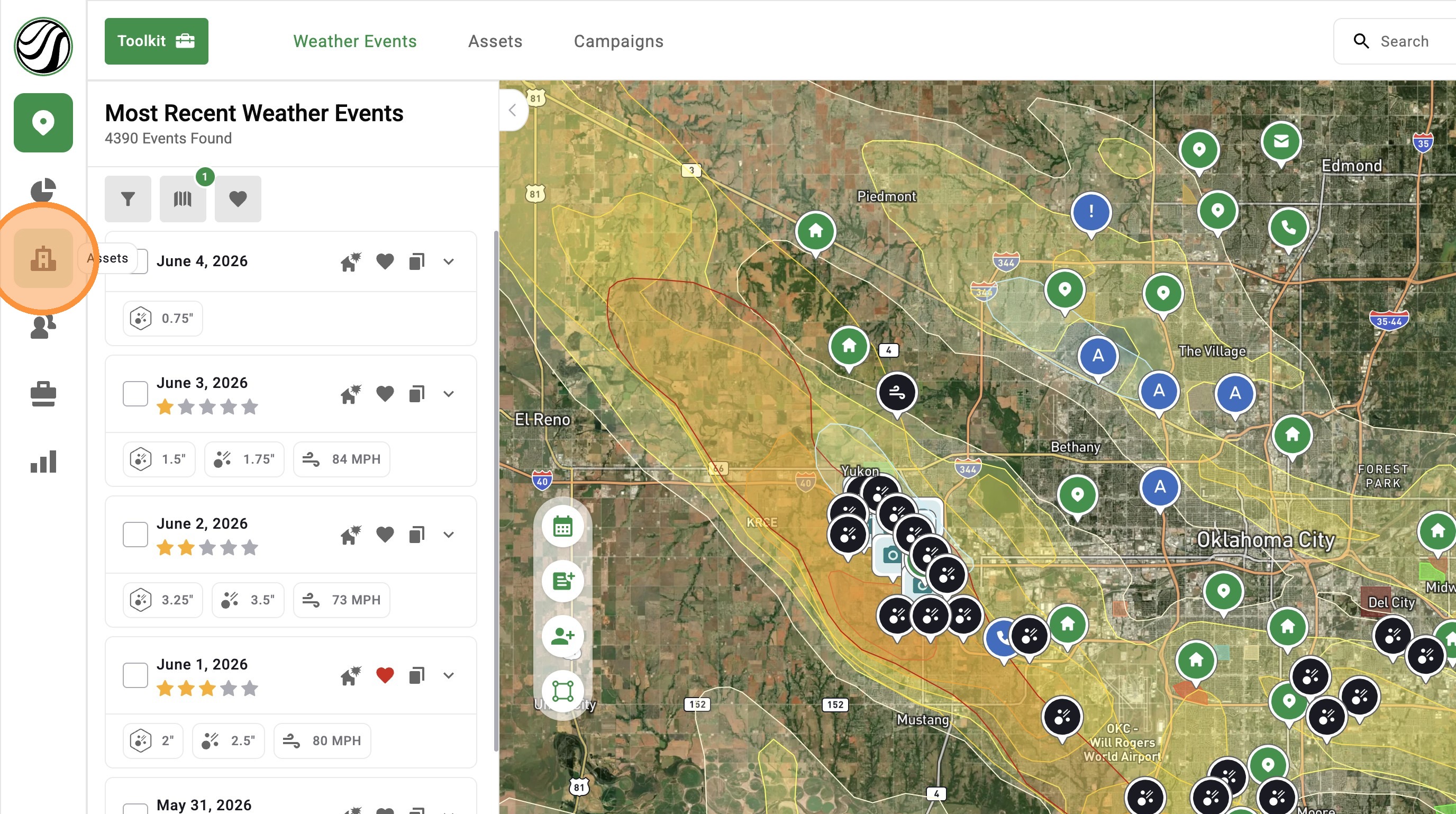

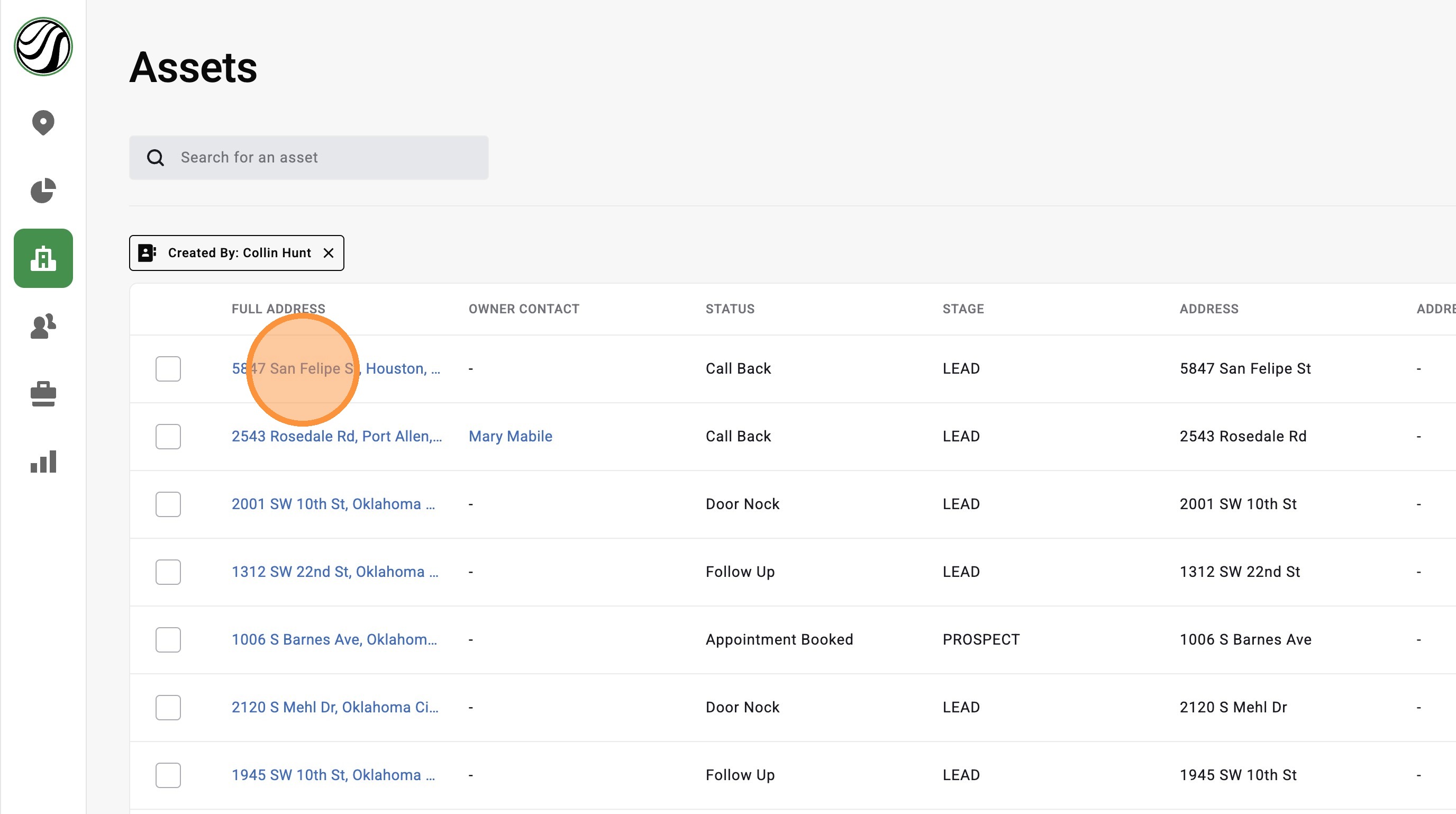
2. Click an asset

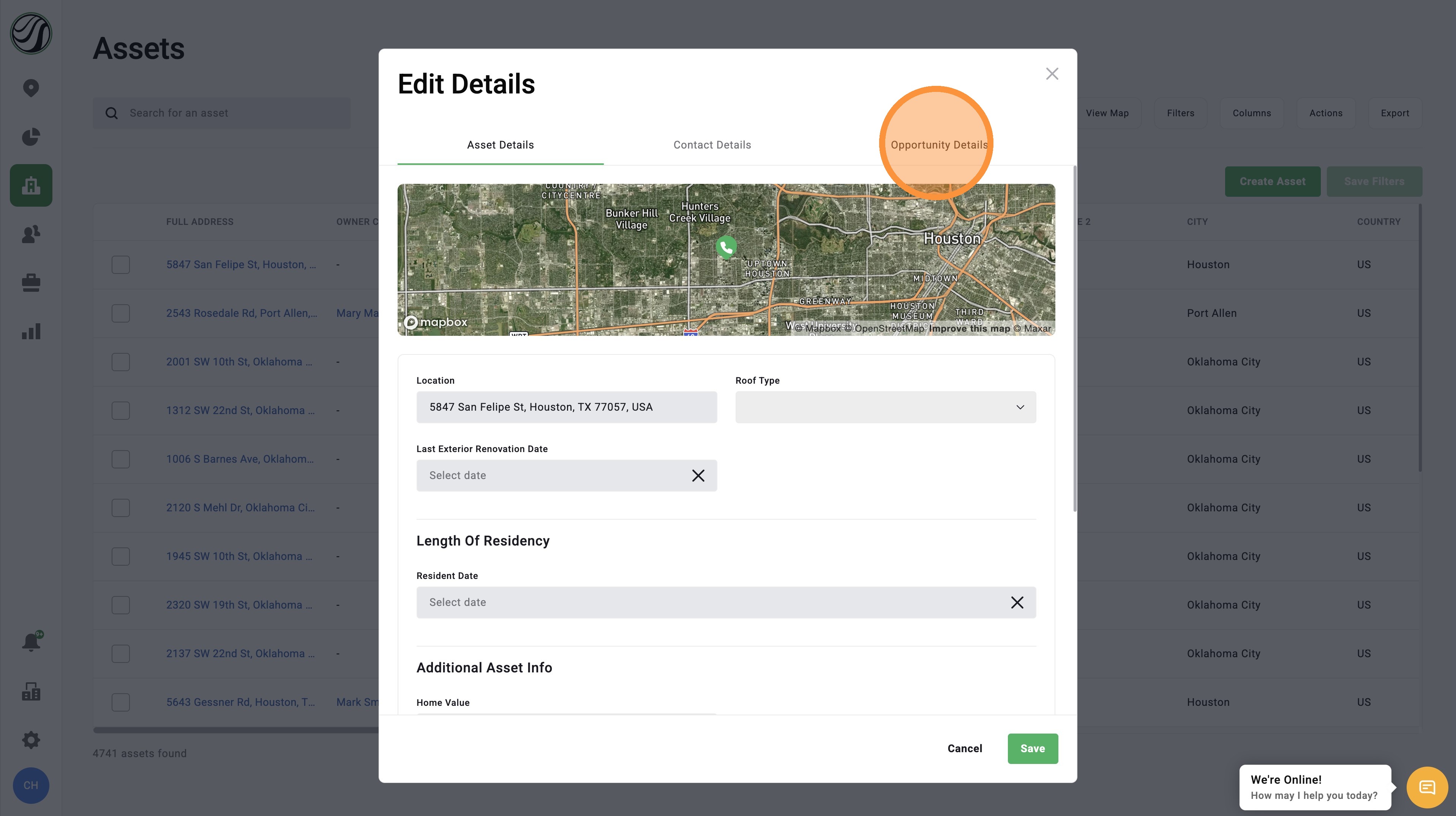
3. Click "Opportunity Details" tab

4. Click "Assigned to User"
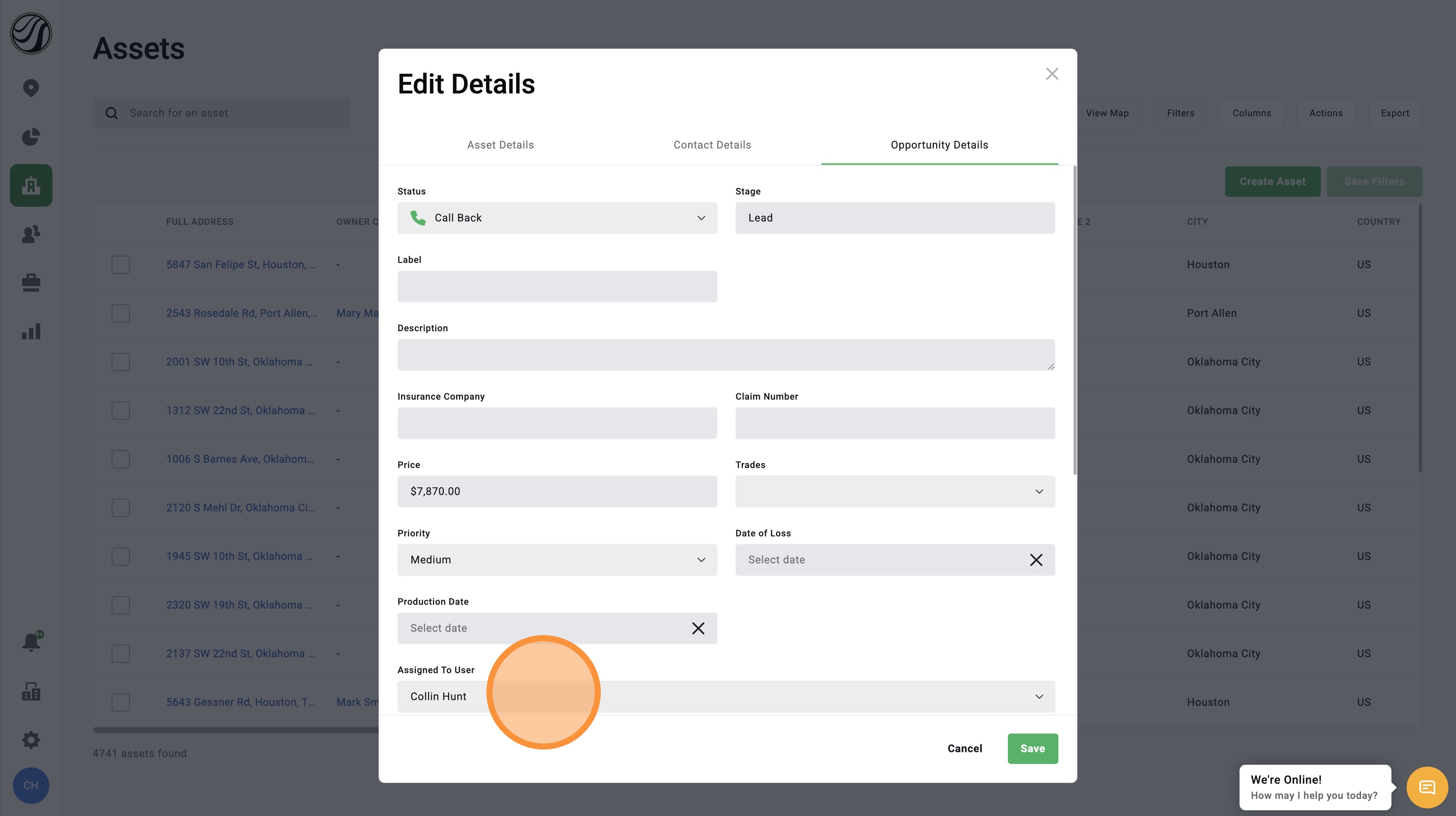

5. Select a new user
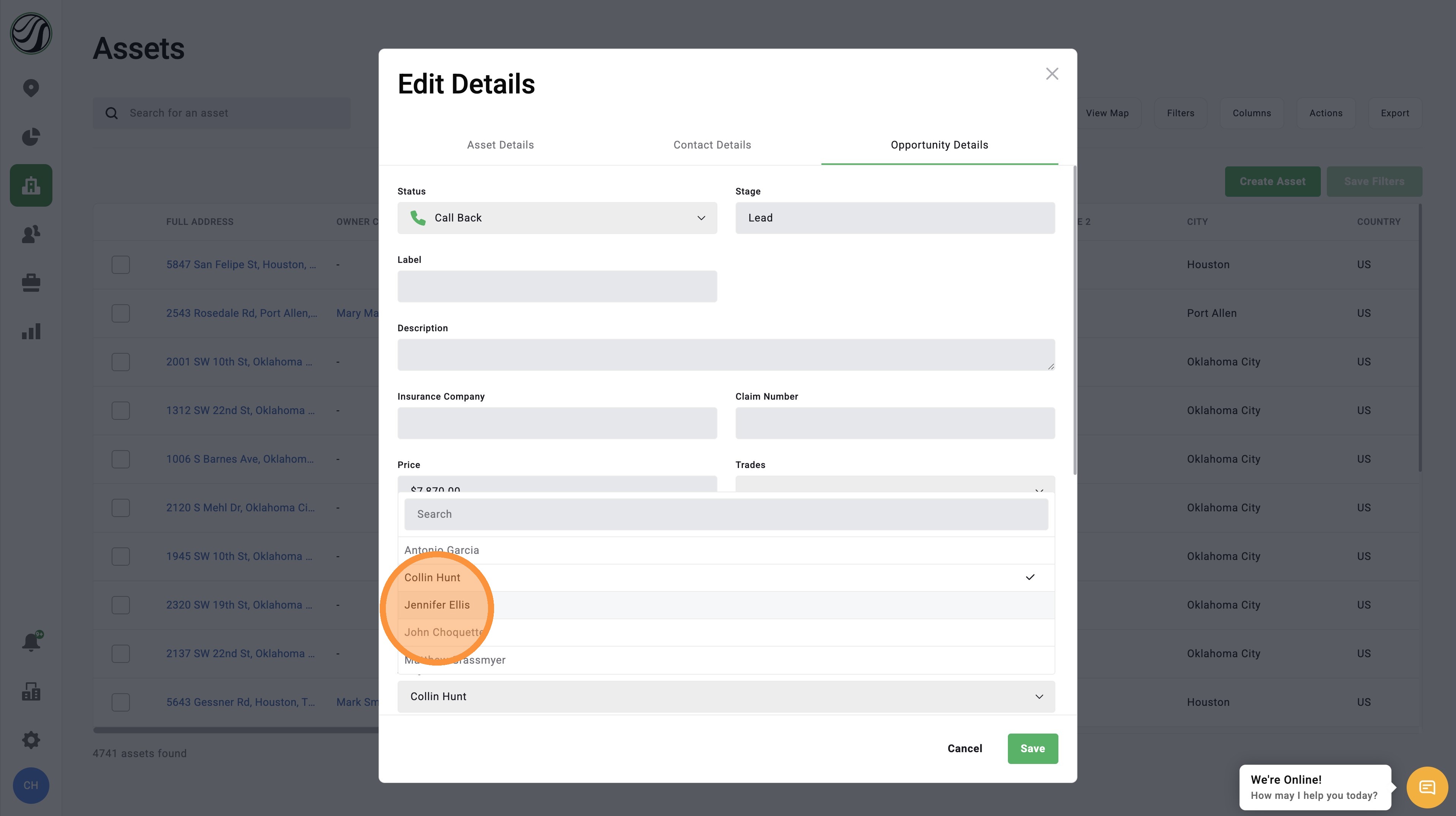

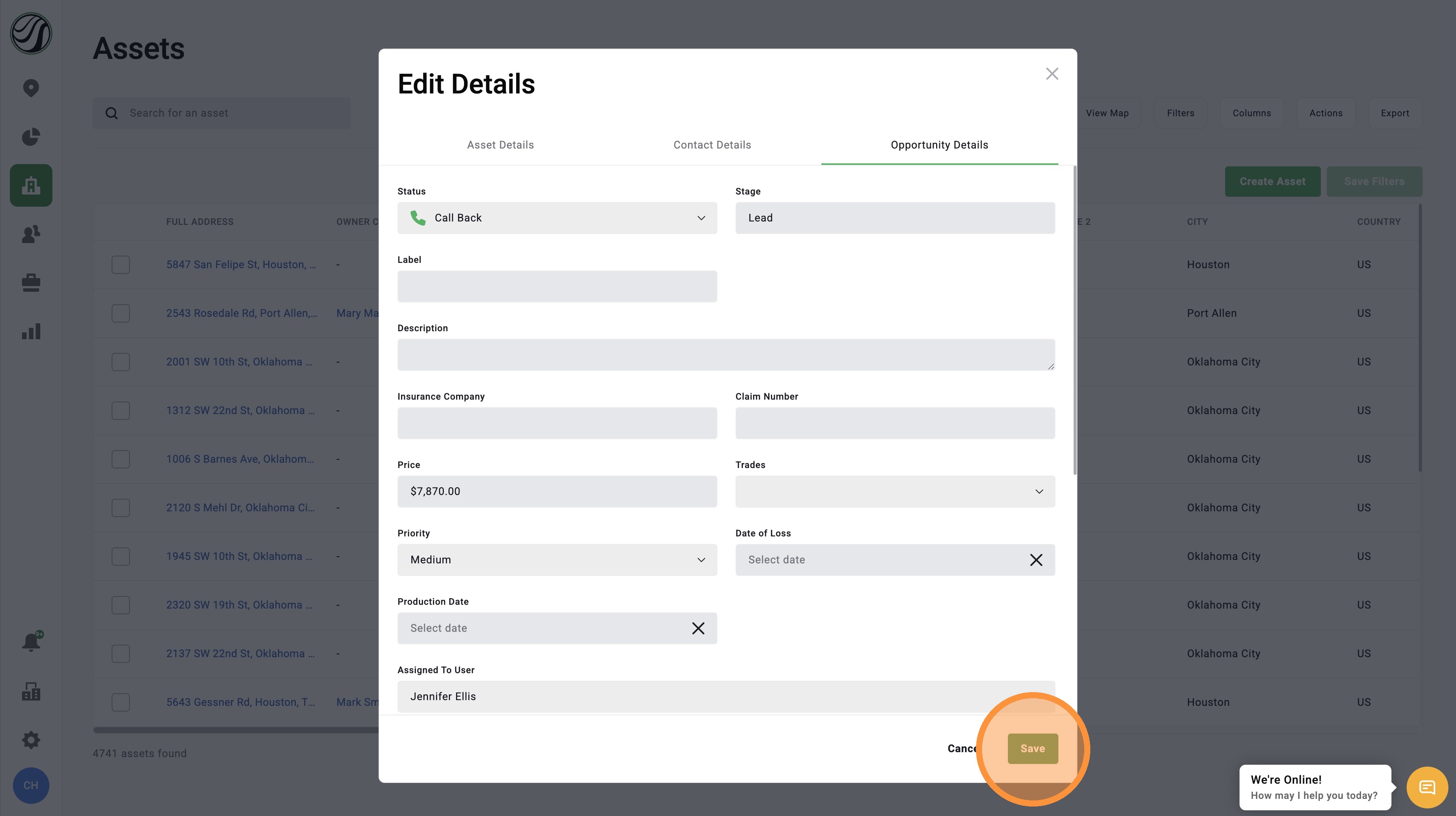
6. Click "Save"


    • Related Articles

    • [5.0] How to Create an Asset, Contact, & Opportunity

      When dropping a pin or tracking a lead in the HailTrace app, you can create an Asset, Contact, and Opportunity at the same time. This helps you track the door knock, start monitoring the property for future storm with Impacted Assets, and work the ...
    • [5.0] How to Edit an Asset's Opportunity

      Opportunities help you track a deal as it moves through your sales process in HailTrace. When you create an Asset in the HailTrace app, an Opportunity is created at the same time. As the job changes, you can update the Opportunity to keep the deal ...
    • [5.0] Edit Sub-users' Personal Info, Access, and Roles

      Account Owners and users with an Admin role can update sub-user accounts as needed. This includes changing a user’s personal information, app access, roles, and permissions. Use this when a team member changes positions, needs access to more tools, ...
    • [5.0] How to Create Custom Roles

      The app comes with several pre-set roles that work well for most companies. But every company runs a little differently, and you may need a role that is not already built into the app. A Custom Role lets you choose the exact permissions a user needs ...
    • [5.0] How to Update an Opportunity Status in the Pipeline

      Opportunity statuses help you track where a deal is in your sales process. In DealTrace, your opportunity pipeline works like a sales funnel. Each step in the pipeline is called a status. As you work a lead, you can move the Opportunity from one ...